





Reusable Prompt Templates for Consistent, High-Quality Work

Create, save, and share prompt templates your teams can rely on — ensuring every output stays clear, accurate, and aligned across the company.

Trusted by enterprises

Image 1
Image 2
Image 3
Image 4
Image 5

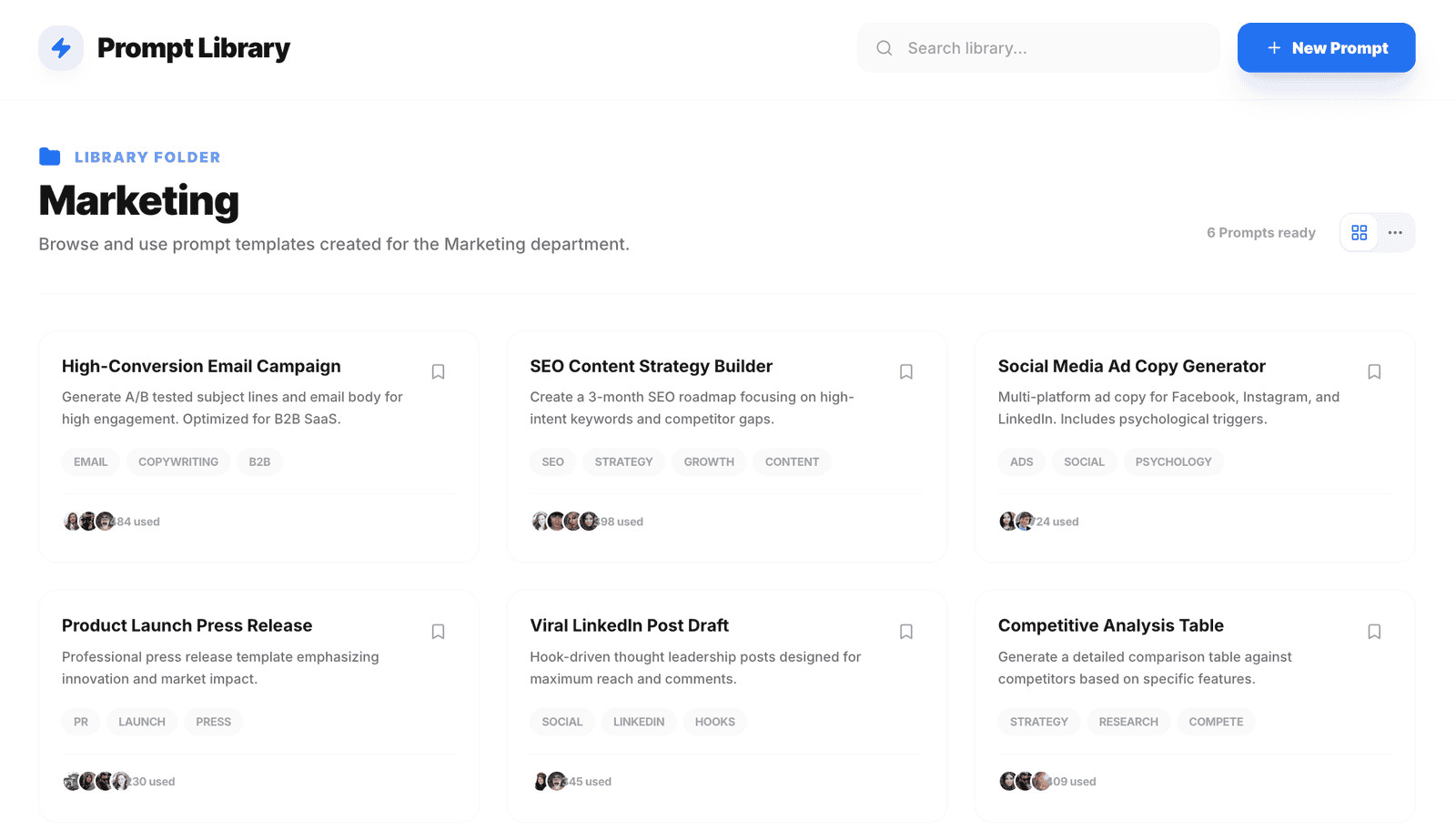
Why Team Needs Shared Prompts

Teams shouldn’t have to rewrite the same instructions again and again. Shared prompts capture what works once and make it reusable across the team for faster, consistent output

Build Prompts In Minutes

Create reusable AI instructions your team can rely on — no engineering, no guesswork, no prompt chaos.

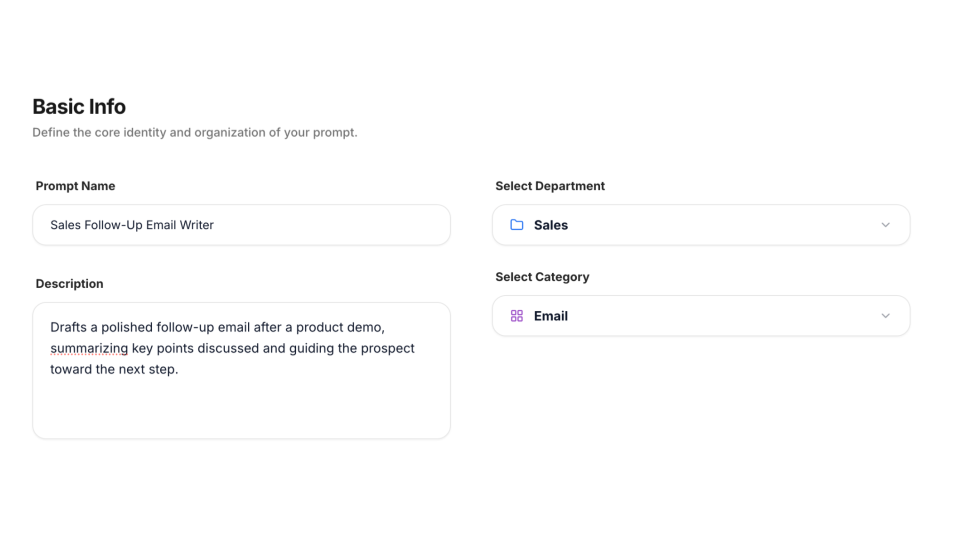
1) Basic info

Give your prompt a clear name, description, department, and category (like Marketing → SEO or Sales → Email) so anyone knows exactly when and where to use it.
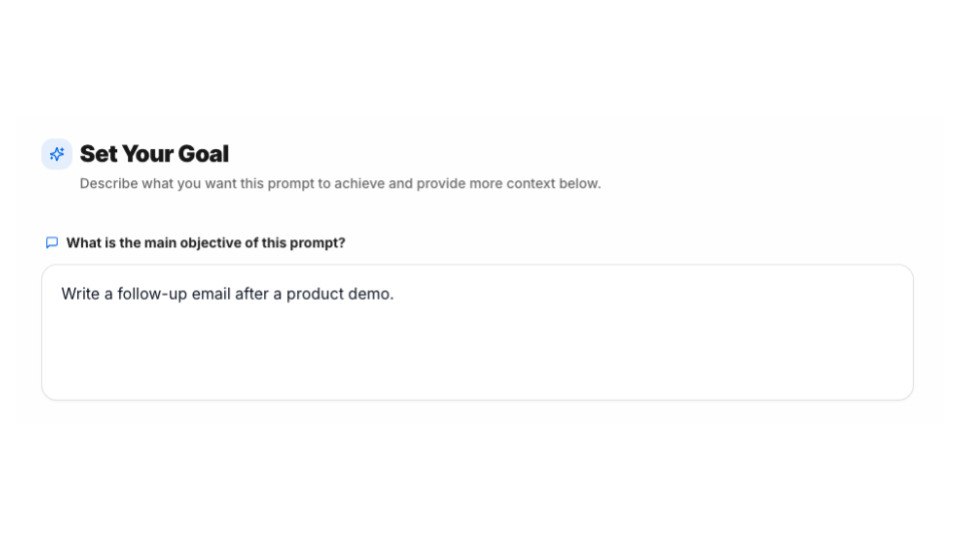
2) Define your goals

Explain what you want the prompt to accomplish. This becomes the foundation for consistent, high-quality outputs every time.
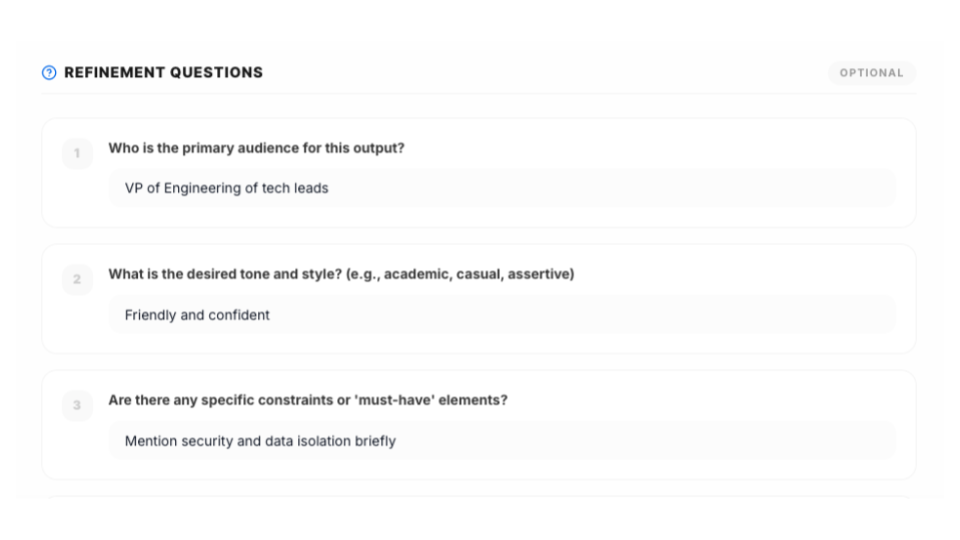
3) Answer questions

Add optional questions to provide more context — such as audience, tone, or constraints — to help the AI produce better, more relevant results.
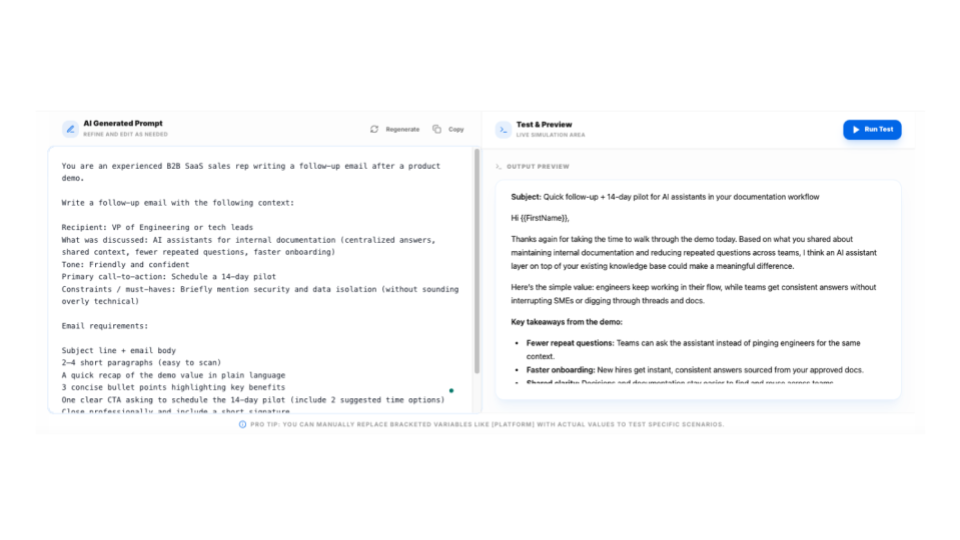
4) Test the prompt

Run a quick test to preview outputs, refine instructions, and confirm the prompt behaves as expected before sharing it.

5) Save to the prompt Library

Store the prompt in a shared library, organized by team and category, so others can easily find and reuse it.


Shareable, Consistent, and On-Brand Prompt Workflows

Prompts become even more powerful when your whole team can reuse them. WorkLLM turns your best instructions into a shared, reliable system that keeps everyone aligned — whether they’re generating content, analyzing data, writing emails, or running repeatable workflows.

Shared across team

Publish prompts to individuals, teams, or the entire workspace so everyone starts from the same high-quality foundation.

Consistent, on-brand output

Prompts help standardize tone, structure, and expectations — ensuring outputs stay aligned with company guidelines

Context Aware Usage

Prompts adapt to the context of the current conversation — making them far more powerful than standalone templates.

Fast access inside any chat

Open the prompt library from any conversation and insert templates instantly, without breaking your workflow.

Governed & Controlled

Creators decide who can use or edit each prompt, while admins can manage sensitive templates and maintain a trusted, up-to-date library.

Department Specific Libraries

Marketing, Sales, HR, Product, Engineering, and Support can maintain their own tailored prompt sets.

The WorkLLM Advantage

WorkLLM Prompts go far beyond simple “saved text.” They are intelligent, reusable building blocks that fit into your entire workflow.

From Individual Tricks to Team Standards

Most prompts live in personal notes or browser extensions. WorkLLM turns proven prompts into shared, trusted templates that teams can rely on — eliminating inconsistency and reinvention.

Consistency at Scale

Prompts in WorkLLM enforce structure, tone, and expectations across the organization. Whether it’s marketing copy, analysis, or internal docs, teams start from the same high-quality baseline every time.

Governed Prompt Ownership

Prompts are owned, versioned, and shared intentionally. Creators control who can use or edit templates, while admins maintain oversight — keeping libraries accurate, current, and safe to use.

Built Into the Way Teams Work

Prompts aren’t static text. They live inside chats, folders, and projects, and work seamlessly across models and contexts — becoming reusable building blocks for daily workflows.

FAQs

Prompts are reusable AI templates that standardize common tasks — writing, analysis, research, replies, and more — so teams don’t rewrite instructions every time.

The Prompt Builder is a guided tool that helps you create high-quality prompts by defining the name, description, goal, and answering optional clarifying questions before WorkLLM generates a polished template.

No. WorkLLM guides you through the process and generates a detailed, structured prompt based on your answers. You can refine it manually before saving.

Yes — you can test the generated prompt inside the builder, see output samples, and make edits until you’re satisfied.

There’s no practical limit. Create and organize as many templates as your teams need.

Yes. Prompts can be grouped by department (HR, Marketing, Sales, Product, Support) or by workflow (writing, analysis, outreach, brainstorming, etc.).


If you save the prompts in the library then entire workspace can access and use those prompts.

Simply, no. 

Happy Customers

Customer satisfaction is our major goal. See what our customers are saying about us.

Turn Your Best Instructions Into Repeatable Workflows

Build a shared library of prompts your organization trusts — and let teams work faster with consistent, reliable outputs.