













Clear, Real-Time Visibility Into How AI Is Used Across Your Workspace

Monitor usage, model spend, team activity, and automation performance in one governed dashboard — giving admins control, insight, and confidence as AI adoption scales.

Why teams are slow

Trusted by enterprises

Image 1
Image 2
Image 3
Image 4
Image 5

Why Reporting Matters

AI adoption moves fast. Without visibility, companies risk overspending, misalignment, and unmanaged usage patterns.

WorkLLM Reports give admins a unified view of how teams use AI — which models they rely on, how credits are consumed, what tools or assistants drive value, and where governance needs tightening.

Reporting turns AI usage from guesswork into guided decisions.

Unified Reporting Dashboard

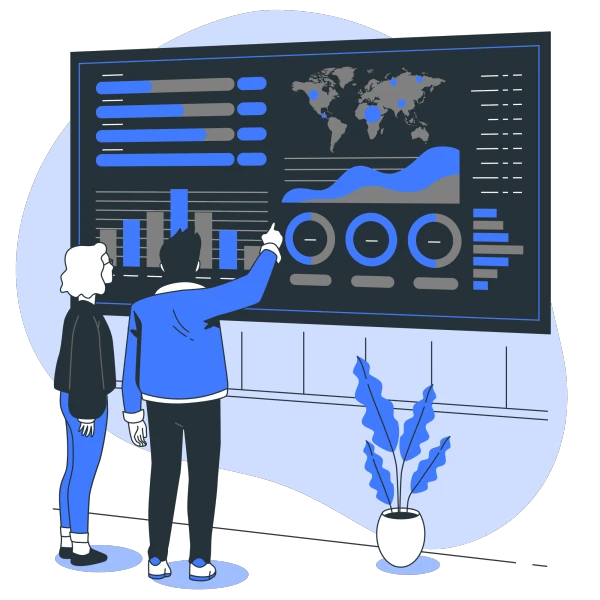
WorkLLM gives admins a complete, real-time view of how AI is used across the organization — from credit consumption to team adoption and message quality.

Credit & Cost Reports

Track how credits are being consumed across users, departments, and models, and understand where spend is concentrated. View your current cycle usage, remaining balance, and burn rate, along with multi-cycle trends to help forecast and control cost.

User & Adoption Reports

See how widely WorkLLM is adopted across your organization with clear visibility into total users, active users, and engagement patterns. Understand which teams rely on WorkLLM the most and how usage evolves over time.

Context Usage Reports

Monitor how often teams use contextual inputs — PDFs, images, documents, or app data — to enhance their work. Identify the most frequently used context types and understand where richer context drives better outcomes.

Assistant & Prompt Reports

See how your internal AI ecosystem grows by tracking the number of Assistants created, how often they’re used, and which Prompts teams rely on most. This reveals which workflows are becoming standardized and where teams benefit from repeatable templates.

AI Tools & AI Agents Reports

Track how teams execute real work using AI Tools and automated Agents. See which Tools and Agents are used most, where automation delivers value, and which workflows are ready to scale.

Message Insights & Quality Metrics

Understand how employees collaborate with AI by analyzing total message volume, average activity per user, and the share of messages using context or Assistants. Quality indicators — like thumbs-up and thumbs-down feedback — help you evaluate how well WorkLLM supports your organization’s work.

Built for Decision-Making Teams

Reports turn ongoing work into clear, shareable understanding — so teams and leaders can see what’s happening and decide what to do next.

Workspace Usage Overview

See how teams are using AI across chats, documents, tools, and agents — all in one place

Feature Adoption & Engagement

Monitor which capabilities teams rely on most — assistants, tools, agents, document chat, or shared threads.

Team & User Activity

Understand which teams are active, what they’re using, and where adoption is growing or dropping.

Operational & Audit Reporting

Maintain visibility for compliance, reviews, and internal governance without manual exports.

AI Model & Cost Visibility

Track model usage, query volume, and spend to manage costs and optimize usage.

Executive-Ready Summaries

Generate high-level reports that can be shared with leadership instantly.

The WorkLLM Advantage

WorkLLM Reports aren’t just dashboards — they give admins a complete picture of how AI functions inside their organization.

Unified Analytics Layer

Model usage, app activity, context usage, assistants, tools, and automations — all tracked in one place.

Actionable Insights, Not Just Metrics

Identify optimization opportunities, cost-saving paths, and governance gaps instantly.

Workspace-Level Segmentation

View analytics by user, team, department, and model for better decision-making.

Built for Enterprise Governance

Every insight respects your workspace permissions and isolation — no cross-tenant exposure.

FAQs

Reports provide a consolidated view of AI usage across your workspace — including credits consumed, active users, context usage, assistant engagement, prompt adoption, and message quality metrics.

Yes. Reports include consumption breakdowns by user, department, model, and model provider so you can identify cost drivers and optimize AI usage.

Yes. The current cycle view displays credits used, remaining balance and # of days left for the rest of the cycle.

Absolutely. You can track credit consumption across the last six cycles to spot trends, seasonal patterns, and cost anomalies.

You can track total users, monthly active users (MAU), and overall engagement across WorkLLM features.

Yes. Assistant & Prompt Reports show total assistants & prompts.

Yes. Reports show usage by model, and model provider (OpenAI, Anthropic, Google, Meta, Mistral, etc.) so you can optimize for cost or performance.

Yes, Admins can export key metrics data.

Absolutely. WorkLLM provides transparent logs, access breakdowns, and model-level insights to support audits, compliance checks, and internal reviews.

Happy Customers

Customer satisfaction is our major goal. See what our customers are saying about us.

Bring Clarity and Control to Your AI Adoption

See how teams use WorkLLM, optimize costs, and keep everything governed from one powerful reporting dashboard.





