
AI Tool: PRD Writer

Turn messy feature ideas into clear, implementation‑ready PRDs engineers actually trust and can estimate from.

Pricing

Included in paid plans.

Provided By

WorkLLM

Category

Content, Product Management

Tool Owner

Head of Product, Group PM, or Senior PM responsible for specs and roadmap quality.

Owner Role

The Tool Owner maintains the official PRD template, strategy, roadmap, personas, constraints, and measurement docs so every PRD is consistent, realistic, and aligned with how product and engineering already work.

AI Tool Logic

Managed by WorkLLM

LLM Compatibility

Model Agnostic. Works with any Text based Models.

Description

PRD Writer behaves like a senior product manager who writes clean, implementation‑ready PRDs. It pulls from your templates, strategy, and constraints to create problem‑first, non‑fantasy specs that are detailed enough for engineering, design, QA, and analytics to estimate without a meeting—while clearly separating facts, assumptions, and open questions when required.

Context & Knowledge Base

Upload your core product and engineering references once so every PRD stays on‑template and grounded in reality.

Strongly recommended documents

  • Company PRD Template (Mandatory) – Defines the exact sections, structure, and naming the PRD must follow.
  • Product Strategy / Vision Doc – Aligns features with long‑term direction and strategic bets.
  • OKRs / Roadmap Doc – Grounds the PRD in current priorities, timeframes, and what “success” looks like.
  • User Persona Document – Ensures requirements reflect real user needs, contexts, and constraints.
  • Technical Constraints Doc – Prevents fantasy features by encoding platform limits, legacy constraints, and known tradeoffs.
  • Analytics / Metrics Framework – Standardizes how success metrics, events, and KPIs are defined and measured.
  • Naming Conventions Doc – Keeps terminology, feature names, and labels consistent across the product.

Optional but powerful

  • Prior PRDs (Examples) – Shows the tool what “good” looks like in your org, improving tone and structure.
  • Engineering Architecture Overview – Helps PRDs reflect real systems, services, and integration patterns.
  • API Contracts – Ensures requirements are compatible with existing or planned APIs.
  • Compliance Requirements – Bakes regulatory or policy constraints directly into requirements.
  • Security Requirements – Surfaces security considerations early, not at the end of the build.

Together these enforce template consistency, strategic alignment, feasibility awareness, and “no fantasy features.”

Input

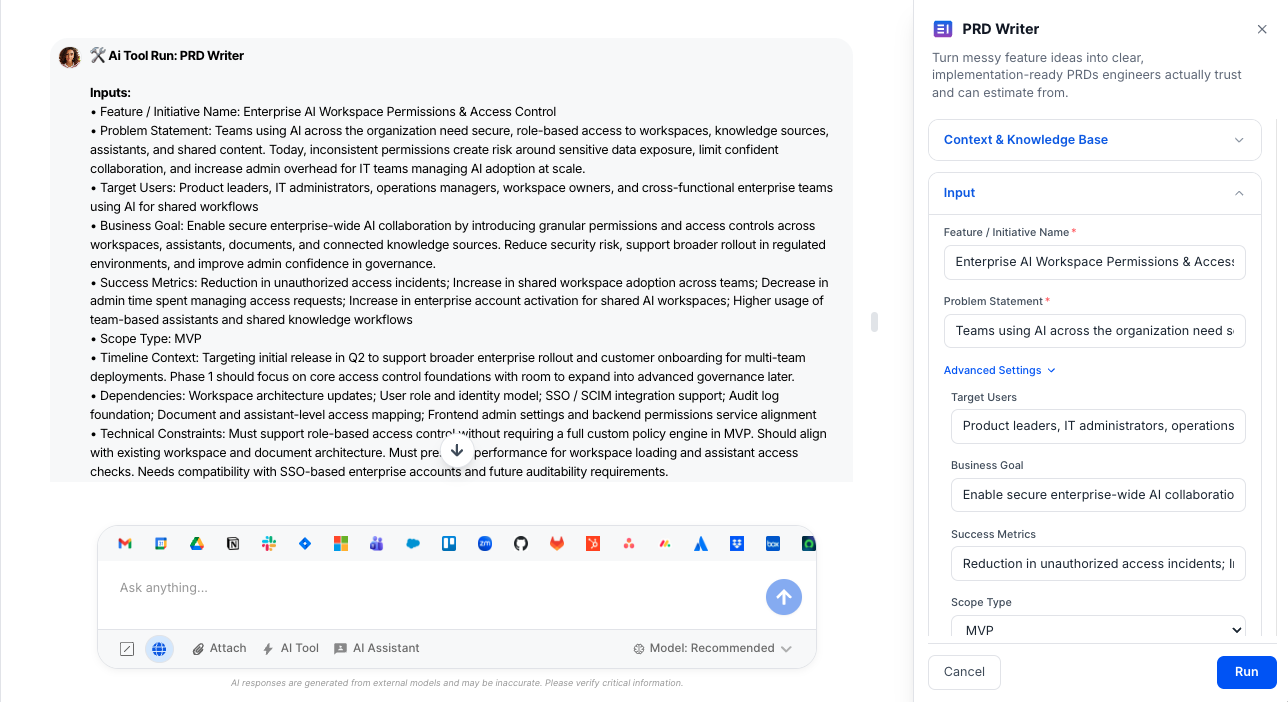
Give PRD Writer the core context for a feature or initiative, plus optional depth controls.

Required

  • Feature / Initiative Name – Short, clear title for the feature, epic, or initiative being specified.
  • Problem Statement – Concise description of the user or business problem this work is meant to solve.

Advanced (Optional)

  • Target Users – Who this is for (personas, segments, roles) in their own context.
  • Business Goal – The business outcome you want (e.g., activation, retention, efficiency, revenue).
  • Success Metrics – How success will be measured, using your existing analytics framework.
  • Scope Type – Whether this is an MVP, Enhancement, New Product, Technical Improvement, Experiment, or Internal Tool.
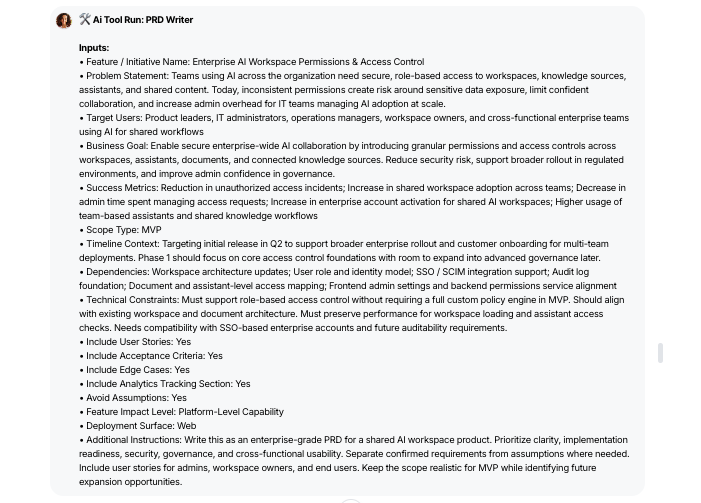
  • Timeline Context – Any deadlines, milestones, or release windows that affect the approach.
  • Dependencies – Other teams, systems, features, or vendors this work depends on.
  • Technical Constraints – Known limitations, tech choices, or architectural realities that must be respected.
  • Feature Impact Level – Let the tool auto‑detect or specify if it’s a minor UI change, workflow change, cross‑team feature, system capability, or platform‑level capability.
  • Deployment Surface – Where this ships (Web, Extension, API, or Hybrid) so requirements reflect real environments.

Structure & detail toggles

  • Include User Stories (Default: ON) – Adds structured user stories to the PRD when enabled.
  • Include Acceptance Criteria (Default: ON) – Generates testable acceptance criteria aligned with requirements.
  • Include Edge Cases (Default: ON) – Surfaces non‑happy‑path scenarios that engineering and QA should consider.
  • Include Analytics Tracking Section (Default: ON) – Adds an explicit analytics & tracking section following your framework.
  • Avoid Assumptions (Default: ON) – Forces the tool to flag assumptions and request clarifications instead of guessing.

Output

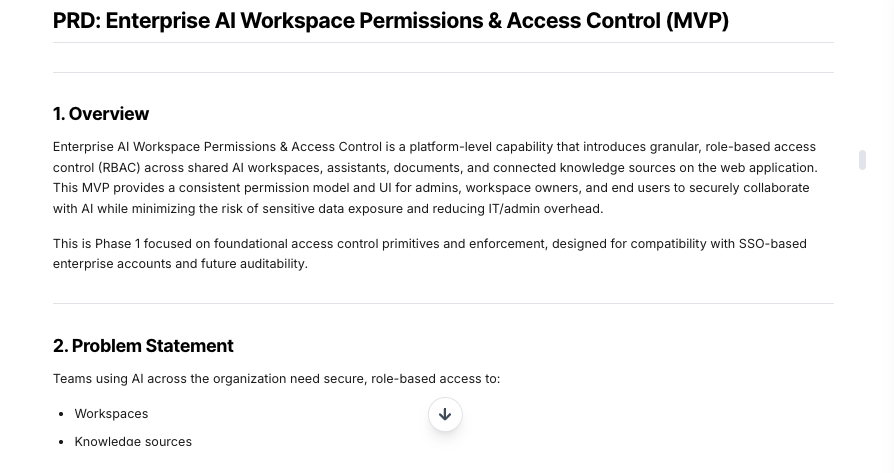
Receive either a clarification checklist or a full, engineering‑ready PRD that follows your template.

  • Clarification Questions (If Needed) – When critical implementation details are missing and assumptions are not allowed, the tool returns a structured list of questions instead of a weak PRD.
  • Template‑Perfect PRD – A full PRD that matches your company template exactly; if none is provided, it uses a clear default structure.
  • Problem‑First Framing – A sharp overview, problem statement, goals, and non‑goals that prevent scope creep and misalignment.
  • Explicit Scope & MVP – Clear in‑scope / out‑of‑scope boundaries and MVP definition when applicable.
  • Numbered Functional Requirements – Actionable requirements labeled (FR‑1, FR‑2, …) so engineering can reference them unambiguously.
  • User Stories (If Enabled) – Role‑goal‑reason stories that connect requirements to real user behavior.
  • Acceptance Criteria (If Enabled) – Concrete, testable criteria that QA and product can sign off against.
  • Edge Cases (If Enabled) – Documented off‑path scenarios that often cause bugs or production surprises.
  • Technical Considerations – Details on systems, data flows, permissions, performance, and reliability relevant to the feature.
  • Risks & Tradeoffs – Coverage of technical, product, security, adoption, and scalability risks plus explicit tradeoffs made.
  • Analytics & Tracking (If Enabled) – Events, properties, funnels, and measurement notes in line with your analytics framework.
  • Open Questions (If Required) – A dedicated section for remaining unknowns so teams know what needs clarification.

Depth is automatically adjusted based on feature impact level and scope type so minor UI tweaks don’t get the same weight as platform‑level capabilities.

Execution Insights

Each run also produces a structured execution summary (for product ops and tooling, not part of the PRD itself).

  • Scope type – Which scope type was applied (MVP, Enhancement, New Product, etc.).
  • Template enforced – Whether a company PRD template was detected and followed.
  • User stories included – Indicates if user stories were generated based on your toggle.
  • Acceptance criteria included – Shows whether acceptance criteria were added.
  • Edge cases included – Confirms if edge case coverage was produced.
  • Analytics section included – Flags whether an analytics & tracking section is present.
  • Assumption flagging applied – Whether assumptions were identified and labeled.
  • Document context applied – States if uploaded docs were actually used in generation.
  • Brand terms enforced – Indicates whether official naming and terminology were respected.
  • Feature classification level – Internal L1–L5 impact classification used to set depth.
  • Coverage completeness pass – Whether the PRD met the bar for engineering to estimate without extra clarification.

Who is this for?

  • Product leaders and PMs who own specs and roadmap delivery
  • Engineering managers who need clear, realistic requirements
  • Design and UX teams needing structured context and flows
  • Analytics teams defining tracking and measurement upfront
  • Founders and early‑stage teams formalizing product work for the first time

Data & Permissions

PRD Writer only uses what you give it and what’s in your WorkLLM workspace:

  • Uploaded org documents – Templates, strategy, OKRs, personas, constraints, architecture, compliance, and security.
  • Per‑run attachments (optional) – Feature briefs, discovery notes, or diagrams specific to a given PRD.
  • User inputs – The fields you fill for each run (problem, scope, constraints, etc.).

It does not automatically pull from external tools unless you explicitly provide that content.

Security

  • All uploaded documents and inputs remain within your organization’s secure WorkLLM workspace.
  • No data is shared externally or used to train third-party models.
  • Enterprise-grade encryption and role-based access controls apply to all content and runs.

Governance

WorkLLM provides structure, control, and consistency across every execution.

  • Tool Logic: Managed by WorkLLM
  • Default Context: Managed by Head of Product, Group PM, or Senior PM responsible for specs and roadmap quality.
  • Visibility: Organization-wide
  • User Customization: Input-level only

This ensures standardized outputs across teams while still allowing flexibility at execution time.

Similar AI Tools

Brand Guidelines Creator

By: WorkLLM

Create comprehensive, actionable brand voice guidelines that ensure consistency across all marketing, sales, support, and AI-assisted content.

Press Release Writer

By: WorkLLM

Generate professional, publication-ready press releases that align with your brand voice, follow journalistic standards, and maintain credibility across all distribution channels.

Abandoned Cart Email Sequence Writer

By: WorkLLM

Generate high-converting, brand-aligned abandoned cart email sequences that recover revenue while maintaining customer trust and compliance.

Marketing Budget Planner

By: WorkLLM

Create a data-driven marketing budget allocation plan that optimizes performance, aligns with your objectives, and respects financial constraints.

Client Proposal Generator

By: WorkLLM

Create structured, persuasive, and commercially realistic client proposals in minutes—aligned with your real pricing, services, and legal terms, not AI guesswork.

Tone Controlled Response Tool

By: WorkLLM

Rewrite any message into the exact tone you need—on‑brand, de‑risked, and ready to send for support, internal comms, or executive use.

Happy Customers

Customer satisfaction is our major goal. See what our customers are saying about us.





