


Slack
By: WorkLLMSearch conversations, summarize threads, and automate updates from Slack directly through chat — without losing context across channels.
Access Controls
- User-level access
- Access can be revoked anytime
Security
- Secure connection
- No automaded posting
Permissions
- Read channel messages
- Read message threads
- Retrieve conversation history
- Generate summaries and insights
Overview
WorkLLM connects securely to Slack so teams can search conversations, summarize discussions, and retrieve shared knowledge directly from chat.
Instead of scrolling through long message threads or switching between channels, users can ask WorkLLM to surface relevant discussions, decisions, or shared resources instantly.
WorkLLM respects Slack workspace permissions and only accesses channels or conversations the connected user is allowed to view. This ensures teams can safely use AI to interact with communication data while maintaining full visibility and control.
Features
Slack Conversation Search
Thread Summaries
Channel Activity Insights
Message Context Retrieval
Cross-Channel Knowledge Search
AI Discussion Assistant
Use Cases with examples

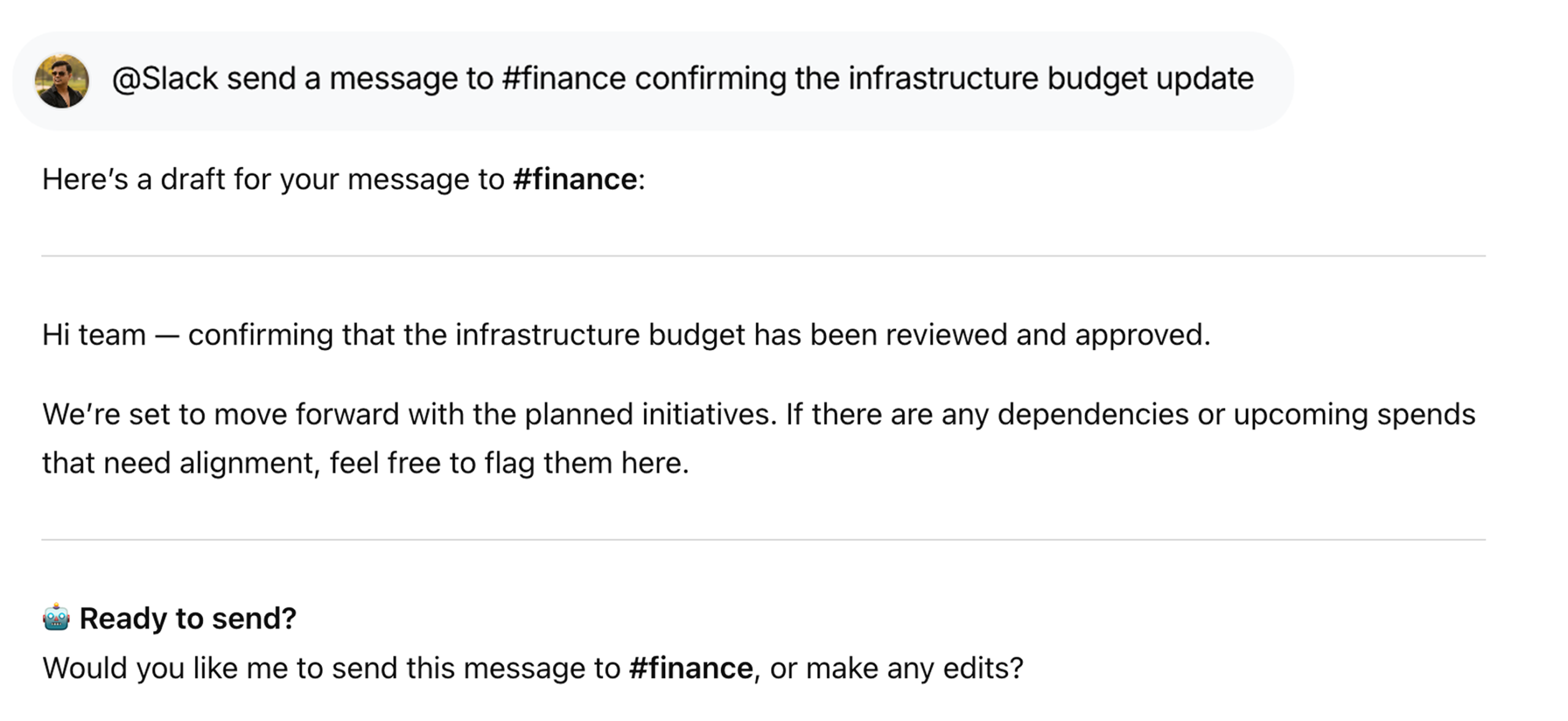
Send Messages to Channels Instantly
Notify teams or share updates directly from chat using @Slack send a message to #general confirming the infrastructure budget update - Without opening Slack.

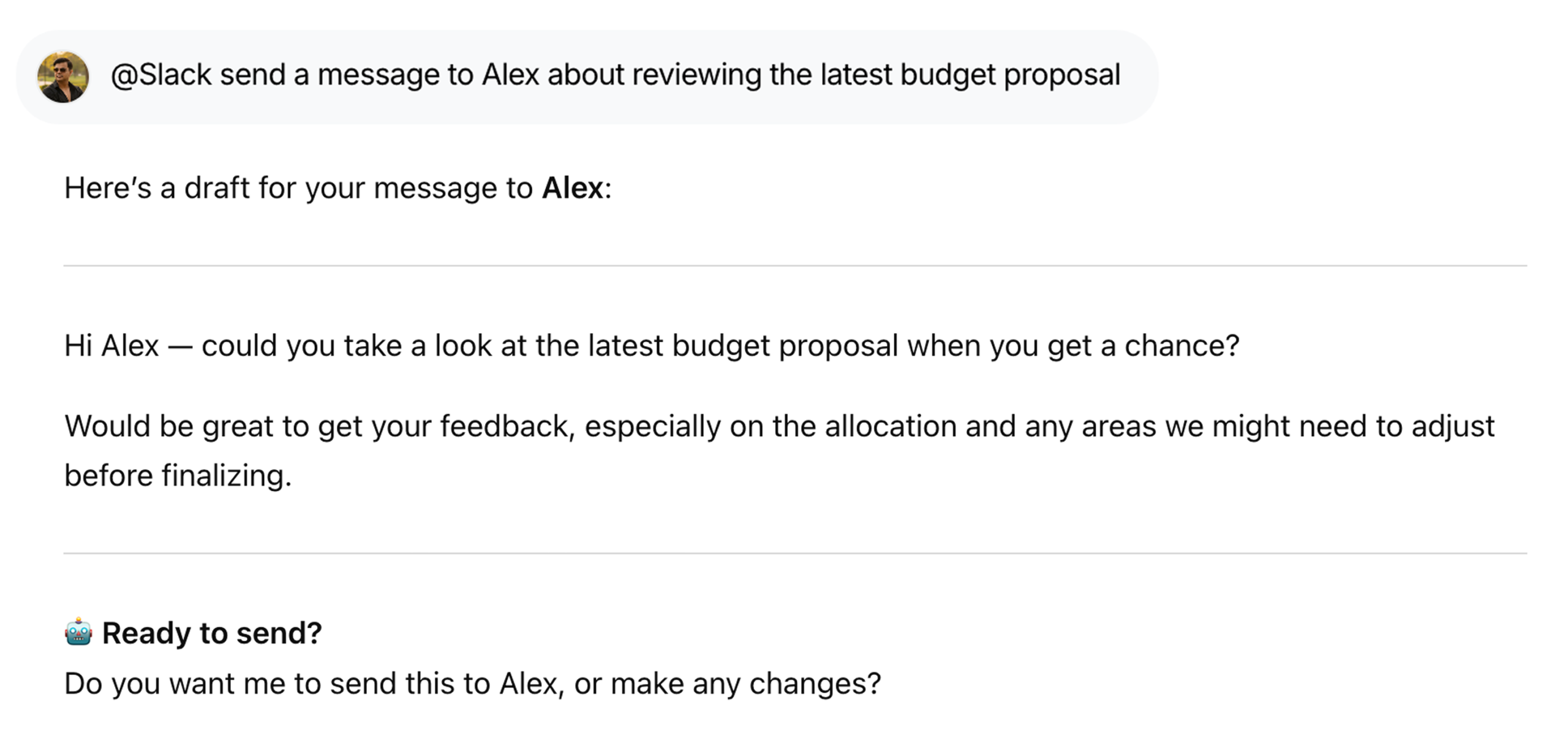
Reach the Right People Without Switching Tools
Quickly message teammates or stakeholders using @Slack send a message to Alex about reviewing the latest budget proposal—no need to open Slack.

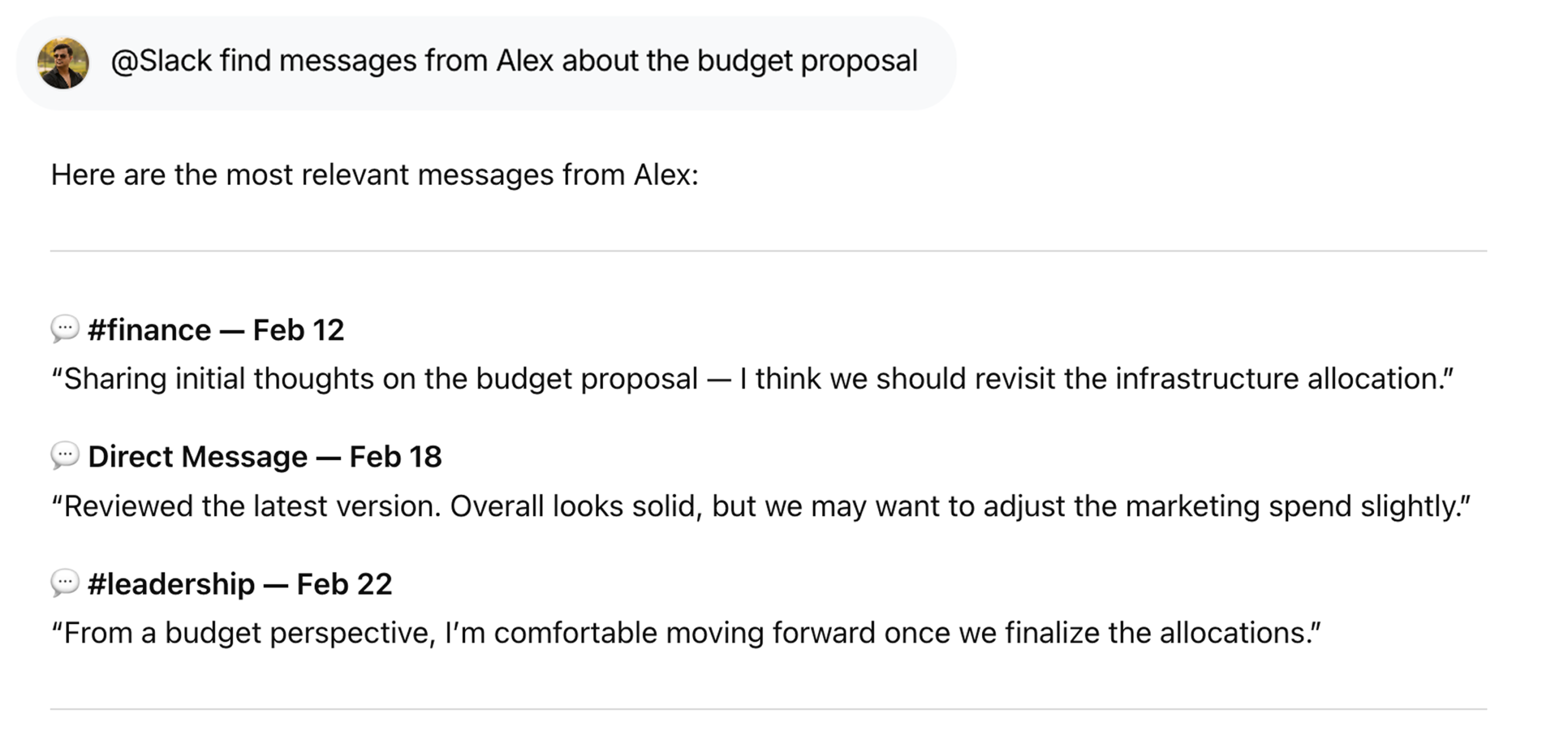
Find Important Conversations Fast in Slack
Locate past discussions with @Slack find messages from Alex about the budget proposal, helping you recover context in seconds.

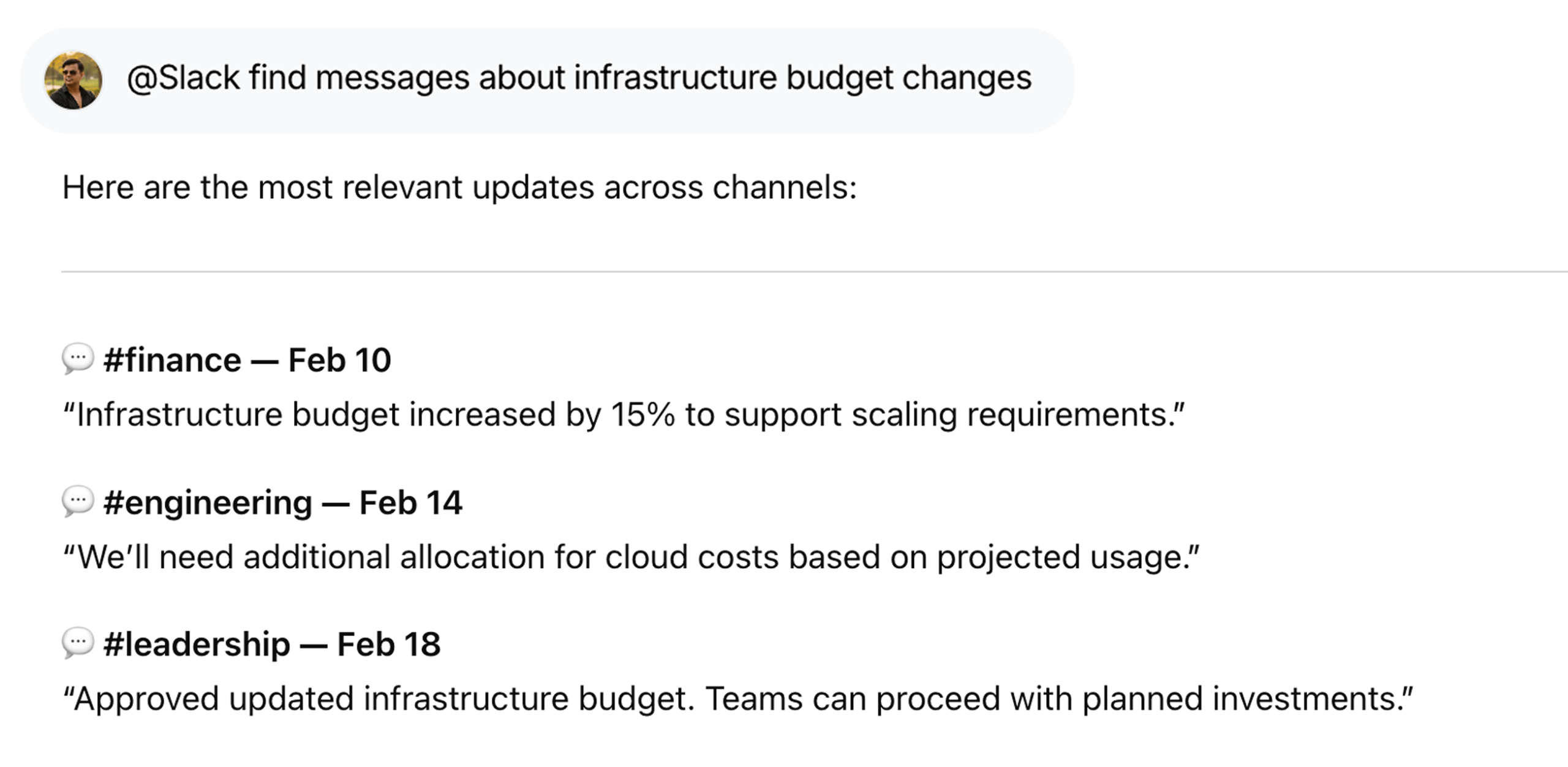
Search Team Updates Across Channels
Pull relevant updates or decisions using @Slack find messages about infrastructure budget changes, so nothing gets lost in long threads.
FAQs
What can WorkLLM do with Slack?
WorkLLM can search conversations, summarize threads, analyze discussions, and retrieve important information shared in Slack channels — all using natural language prompts.
Which Slack channels can WorkLLM access?
WorkLLM can only access channels where the WorkLLM bot has been added. If the bot is not added to a channel, it cannot read or access messages from that channel.
Does WorkLLM automatically read all Slack messages?
No. WorkLLM can only read messages from channels where the bot is present and only when a user requests information through a query.
Can WorkLLM send or modify Slack messages?
No. WorkLLM does not automatically post or modify Slack messages. It only retrieves and analyzes conversations unless a user explicitly asks it to send a message.
Does WorkLLM store Slack messages?
WorkLLM may temporarily process Slack conversations to generate summaries or insights. However, the data remains scoped to your workspace and is not used to train models or shared with other customers.
Data & Permissions
WorkLLM connects to Slack using only the permissions required to access conversation data.
Typical permissions include:
- Read messages from channels and threads the user has access to
- Retrieve message metadata such as timestamps and participants
- Access shared links or files referenced in conversations
- Analyze conversation content for summaries or insights
How Data Is Used
When you run a Slack command:
- Relevant messages or threads are retrieved securely from Slack
- Conversation content is analyzed to generate summaries, answers, or insights
- The result is returned in your WorkLLM workspace chat
- WorkLLM does not modify Slack messages or post content unless explicitly instructed.
Security Deep Dive
- Secure authentication using Slack OAuth
- Actions performed using your Slack user permissions
- WorkLLM cannot access channels you cannot view
- No destructive actions such as deleting messages or channels
- Access tokens can be revoked anytime from Slack or WorkLLM
Similar Integrations
Happy Customers
Customer satisfaction is our major goal. See what our customers are saying about us.
“Vivamus sagittis lacus vel augue laoreet rutrum faucibus dolor auctor. Vestibulum id ligula porta felis euismod semper. Cras justo odio dapibus facilisis sociis natoque penatibus.”

![]()
Coriss Ambady
Financial Analyst ABC.com
“Vivamus sagittis lacus vel augue laoreet rutrum faucibus dolor auctor. Vestibulum id ligula porta felis euismod semper. Cras justo odio dapibus facilisis sociis natoque penatibus.”

![]()
Cory Zamora
Marketing Specialist ABC.com
“Vivamus sagittis lacus vel augue laoreet rutrum faucibus dolor auctor. Vestibulum id ligula porta felis euismod semper. Cras justo odio dapibus facilisis sociis natoque penatibus.”

![]()
Nikolas Brooten
Sales Specialist Financial Analyst ABC.com
“Vivamus sagittis lacus vel augue laoreet rutrum faucibus dolor auctor. Vestibulum id ligula porta felis euismod semper. Cras justo odio dapibus facilisis sociis natoque penatibus.”

![]()
Coriss Ambady
Financial Analyst Financial Analyst ABC.com
“Vivamus sagittis lacus vel augue laoreet rutrum faucibus dolor auctor. Vestibulum id ligula porta felis euismod semper. Cras justo odio dapibus facilisis sociis natoque penatibus.”

![]()
Jackie Sanders
Investment Planner Financial Analyst ABC.com
“Vivamus sagittis lacus vel augue laoreet rutrum faucibus dolor auctor. Vestibulum id ligula porta felis euismod semper. Cras justo odio dapibus facilisis sociis natoque penatibus.”

![]()
Laura Widerski
Sales Specialist Financial Analyst ABC.com
See how WorkLLM fits your team
Explore how a shared AI workspace keeps context, collaboration, and execution connected.