
AI Tool: Client Proposal Generator

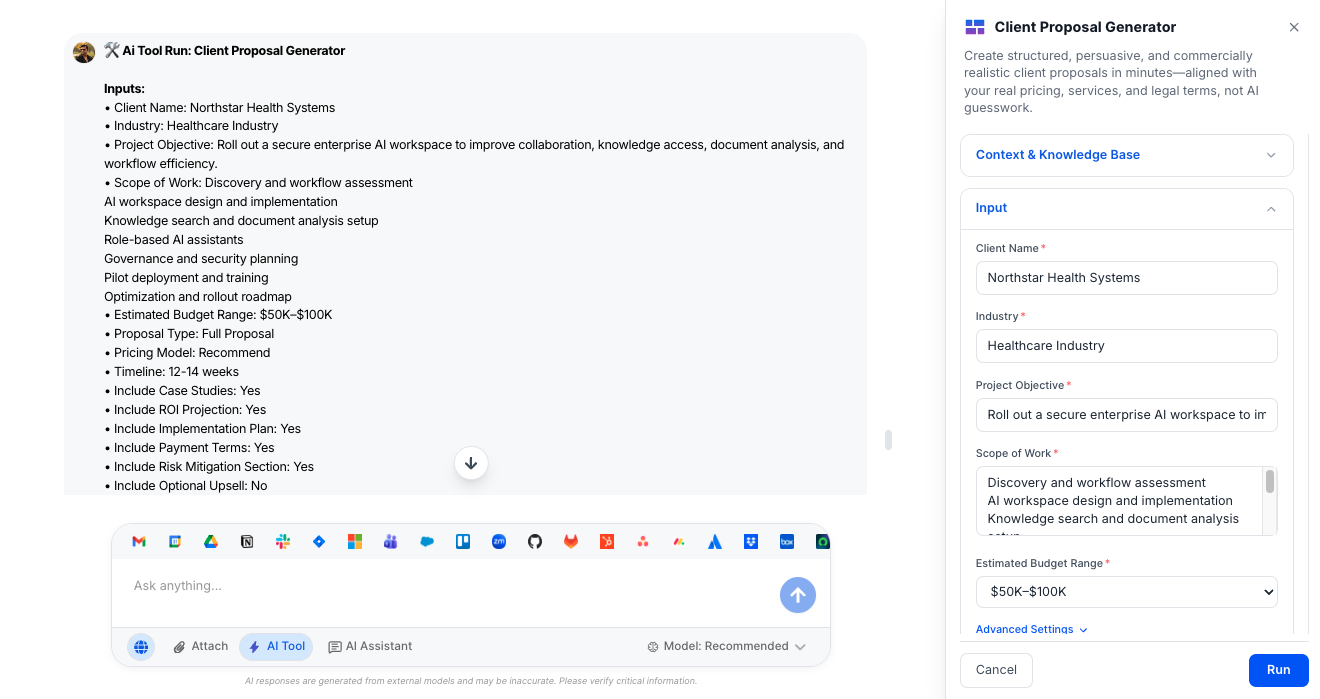
Create structured, persuasive, and commercially realistic client proposals in minutes—aligned with your real pricing, services, and legal terms, not AI guesswork.

Pricing

Included in paid plans.

Provided By

WorkLLM

Category

Content, Agencies, Sale

Tool Owner

Head of Sales / Head of Business Development / Agency Lead / Consulting Practice Lead

Owner Role

Owns proposal templates, pricing frameworks, service definitions, legal terms, and margin guardrails so every proposal is consistent, profitable, and safe to send to executives.

AI Tool Logic

Managed by WorkLLM

LLM Compatibility

Model Agnostic. Works with any Text based Models.

Description

Client Proposal Generator behaves like a senior business development strategist and proposal architect. It turns your scope, objectives, and pricing model into a structured, executive‑ready proposal that:

  • Follows your proposal template, pricing rules, and margin guidelines
  • Uses only approved case studies, testimonials, and claims
  • Avoids fabricating ROI, performance metrics, or legal terms
  • Adapts structure for full proposals, retainers, RFPs, and more

The result is a persuasive, commercially viable proposal your team can send with confidence.

Context & Knowledge Base

This tool is powerful—and risky—without proper governance. The Tool Owner should upload and maintain the following.

Strongly Recommended (Critical)

  • Proposal Template(s) – Your standard proposal formats and section structure.
  • Pricing & Packaging Framework – How services are bundled, priced, and discounted.
  • Service Scope Definitions – Clear descriptions of each service, package, and deliverable.
  • Case Studies – Approved, real client examples with vetted metrics.
  • Testimonials (Approved) – Quotes that can be safely reused.
  • Contract / Legal Terms – Standard terms, SLAs, and legal language.
  • Payment Terms – Approved schedules, methods, and conditions.
  • Margin Guidelines – Guardrails for healthy, realistic pricing.
  • SLA Definitions – Service levels and response/uptime expectations.
  • Industry Playbooks – How you position solutions and value in key industries.

Optional but Powerful

  • Past Winning Proposals – High‑performing examples to mirror structure and tone.
  • Client Onboarding Checklist – Steps that can inform implementation plans.
  • Objection Handling Doc – Common objections and how you address them.
  • Industry Positioning Docs – Differentiators, narratives, and value props.
  • ROI Calculation Templates – Benchmarks and formulas for conservative projections.
  • Project Delivery Timelines – Typical phase structures and durations.

From these, the tool must learn and respect:

  • Service naming and package consistency
  • Pricing structure and discount logic
  • Tone and professionalism level
  • Approved claims and metrics
  • How you present proof (case studies, testimonials, benchmarks)

Input

Tell the tool who the client is, what you’re proposing, and how you want to price and structure the deal. It handles the heavy lifting.

Required Inputs

  • Client Name – The organization the proposal is addressed to.
  • Industry – The client’s sector, used to align language and examples.
  • Project Objective – The primary business goal or problem to solve.
  • Scope of Work – Summary of services and deliverables you intend to provide.
  • Estimated Budget Range – Budget band to anchor pricing and proposal depth: Not Specified (default) – Proposal recommends a fit based on scope | <$10K – Smaller, focused engagements | 10K–25K – Mid‑sized, clearly scoped projects | 25K–50K – Larger initiatives with multiple workstreams | 50K–100K – Complex or multi‑phase programs | $100K+ – Strategic, multi‑phase or multi‑region engagements | Custom – You provide a custom range or target figure.

Advanced Inputs (Optional)

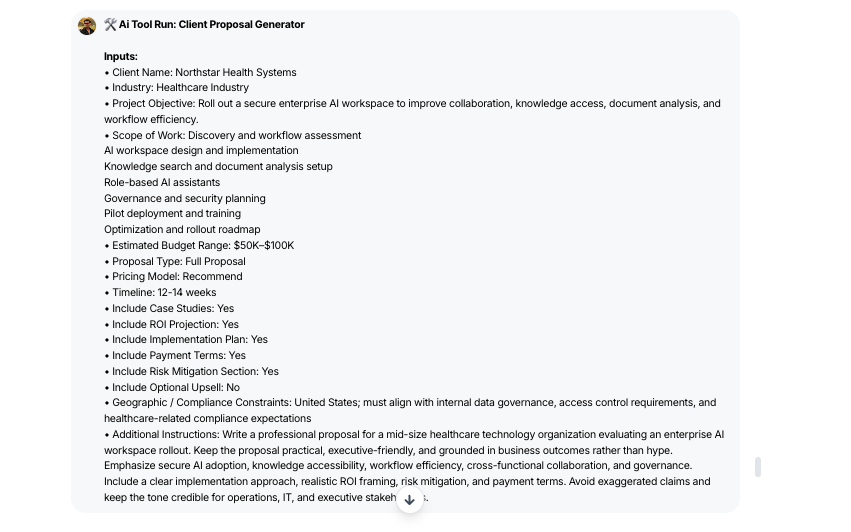
  • Proposal Type – How the proposal should be structured by default: Full Proposal (default), Executive Summary Only, Scope + Pricing, Retainer Proposal, One‑Time Project, RFP Response. 

  • Pricing Model – How investment is framed in the proposal: Recommend Based on Scope (default), Fixed Fee, Hourly, Retainer, Performance‑Based, Hybrid, Recommend

  • Timeline – Target start dates, key milestones, or overall duration.

  • Include Case Studies – Toggle (Default: ON) to add relevant, approved examples.

  • Include ROI Projection– Toggle (Default: ON) to include a conservative, assumption‑driven ROI view.

  • Include Implementation Plan – Toggle (Default: ON) to outline phases and activities.

  • Include Payment Terms – Toggle (Default: ON) to insert your standard terms.

  • Include Risk Mitigation Section – Toggle (Default: ON) to address delivery, budget, and timeline risk.

  • Include Optional Upsell – Toggle (Default: OFF) to propose add‑on services or phases.

  • Geographic / Compliance Constraints – Any data, regulatory, or jurisdiction constraints the solution must respect.

  • Proposal Tone – High‑level writing style for the document: Balanced (default), Executive, Strategic Consulting, Sales / Persuasive, Technical.

  • Proposal Length Preference – Rough depth of content:

    • Short – Skews toward summary length.
    • Standard – Typical proposal depth.
    • Detailed / RFP – More exhaustive coverage.
    • Auto – Tool chooses based on proposal type and context.

Output

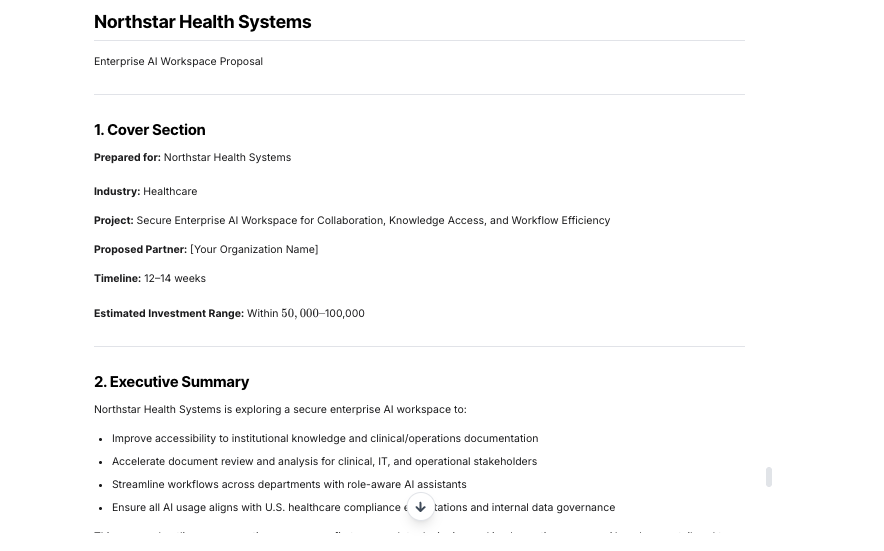
You receive a structured, client‑ready proposal plus a small metadata block for internal visibility.

  • Complete Proposal Document – A fully structured proposal tailored to the chosen proposal type (full, executive summary, retainer, RFP, etc.).
  • Cover & Executive Summary – Clear overview of the client, objectives, and recommended approach (included where relevant).
  • Client Challenge & Outcomes – Framing of the client’s situation and the business outcomes you aim to deliver.
  • Proposed Solution & Scope – Detailed solution narrative, scope of work, and (if enabled) implementation plan.
  • Deliverables & Timeline – Breakdown of key deliverables and indicative timeline, often presented with tables for clarity.
  • Investment & Pricing Table – Pricing presented in a clear structure aligned with your pricing model and budget range.
  • ROI Projection (Optional) – Conservative, assumption‑driven ROI view using your benchmarks where available.
  • Case Studies & Proof (Optional) – Relevant case studies and/or testimonials using only approved content.
  • Risk & Mitigation (Optional) – Key risks (delivery, timeline, budget, technology) with mitigation strategies.
  • Payment Terms & Upsell (Optional) – Standard payment terms and optional upsell recommendations when toggled on.
  • Assumptions Section – Explicit list of assumptions for scope, pricing, and timeline where critical data is missing.
  • Execution Insights (Internal Only) – A compact JSON block summarizing how the proposal was produced (type, pricing model, sections included, assumptions required).

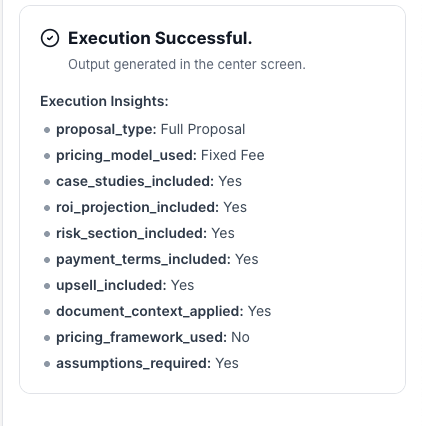
Execution Insights

Gain clarity on how each proposal is crafted, ensuring it aligns with your standards and client needs.

  • Proposal Type – The format used (e.g., full proposal, executive summary).
  • Pricing Model Used – The pricing structure applied (fixed, hourly, retainer, etc.).
  • Case Studies Included – Confirms if approved case studies were added.
  • ROI Projection Included – Indicates whether a return on investment view was provided.
  • Risk Section Included – Notes if risks and mitigation strategies were addressed.
  • Payment Terms Included – Confirms inclusion of your standard payment terms.
  • Upsell Included – Indicates if optional add-on services were proposed.
  • Document Context Applied – Ensures proposal adhered to your templates and guidelines.
  • Pricing Framework Used – Verifies that your pricing rules were followed.
  • Assumptions Required – Lists any assumptions made due to missing data.

Who is this for?

  • Sales and business development teams
  • Agency and consulting firms (new business and account growth)
  • Revenue operations and proposal desks
  • Practice leads who standardize services, pricing, and proposals

Data & Permissions

Client Proposal Generator only uses data inside your WorkLLM workspace and what you provide per run.

  • Org‑Scoped Workspace – Templates, frameworks, case studies, and generated proposals stay isolated to your organization.
  • Document‑Driven – Reads your proposal templates, pricing frameworks, service definitions, and legal terms at runtime; never edits source files.
  • Per‑Run Inputs – Client, scope, budget, and options are used solely to create that proposal.
  • No Automatic External Pulls – It doesn’t auto‑connect to CRM, PSA, or billing tools unless explicitly integrated by your admins.
  • Permission‑Aware – Access is governed by your workspace roles (e.g., only sales, BD, or leadership can generate or view proposals).

Security

  • All uploaded documents and inputs remain within your organization’s secure WorkLLM workspace.
  • No data is shared externally or used to train third-party models.
  • Enterprise-grade encryption and role-based access controls apply to all content and runs.

Governance

WorkLLM provides structure, control, and consistency across every execution.

  • Tool Logic: Managed by WorkLLM
  • Default Context: Managed by Head of Sales / Head of Business Development / Agency Lead / Consulting Practice Lead
  • Visibility: Organization-wide
  • User Customization: Input-level only

This ensures standardized outputs across teams while still allowing flexibility at execution time.

Similar AI Tools

Brand Guidelines Creator

By: WorkLLM

Create comprehensive, actionable brand voice guidelines that ensure consistency across all marketing, sales, support, and AI-assisted content.

Press Release Writer

By: WorkLLM

Generate professional, publication-ready press releases that align with your brand voice, follow journalistic standards, and maintain credibility across all distribution channels.

Abandoned Cart Email Sequence Writer

By: WorkLLM

Generate high-converting, brand-aligned abandoned cart email sequences that recover revenue while maintaining customer trust and compliance.

Marketing Budget Planner

By: WorkLLM

Create a data-driven marketing budget allocation plan that optimizes performance, aligns with your objectives, and respects financial constraints.

Tone Controlled Response Tool

By: WorkLLM

Rewrite any message into the exact tone you need—on‑brand, de‑risked, and ready to send for support, internal comms, or executive use.

Offer Letter Writer

By: WorkLLM

Generate structured, accurate, and compliant offer letter drafts in minutes—grounded in your official templates and policies, not AI guesswork.

Happy Customers

Customer satisfaction is our major goal. See what our customers are saying about us.





