
AI Tool: Keyword Expansion Tool

Uncover high-intent, SEO-ready keyword ideas tailored to your topics, audiences, and markets.

Pricing

Included in paid plans.

Provided By

WorkLLM

Category

Marketing, Content, SEO, Advertisement

Tool Owner

SEO Lead / Marketing Manager

Owner Role

The Tool Owner is responsible for keeping SEO strategy documents, keyword maps, audience insights, and approved terminology up to date and uploaded into the AI Tool. They ensure the tool reflects current priorities, target markets, and compliance requirements.

AI Tool Logic

Managed by WorkLLM

LLM Compatibility

Model Agnostic. Works with any Text based Models.

Description

The Keyword Expansion Tool helps marketing and SEO teams turn a single seed term into a strategic, action-ready keyword universe. It analyzes your seed keywords, search intent focus, audience, and uploaded SEO strategy to generate realistic keyword ideas that match how people actually search.


Instead of generic lists, it outputs de-duplicated, clustered keyword sets with clear themes, intents, and funnel stages—ready for content planning, campaign briefs, and optimization work across channels.

Context & Knowledge Base

To maximize output quality, the Tool Owner should upload:

  • SEO Keyword Mapping / Existing Keyword List
  • Content & SEO Strategy Documents
  • ICP / Target Audience Document
  • Product & Solution Catalog or Feature Sheets
  • Geo / Market Prioritization Guide
  • Approved Terminology & Messaging Guide
  • Competitive Landscape or Sample Competitor Domains (optional)

These documents are automatically applied to every execution so the tool reflects your positioning, priorities, and vocabulary.

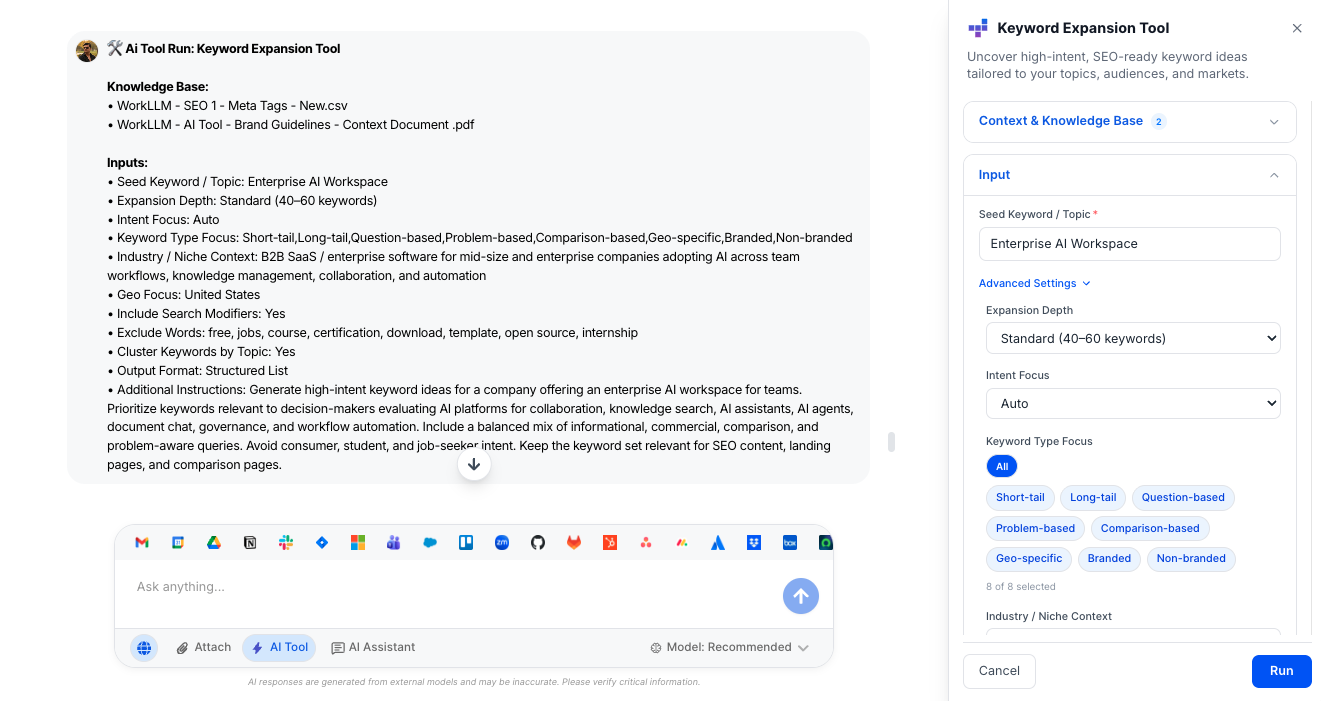
Input

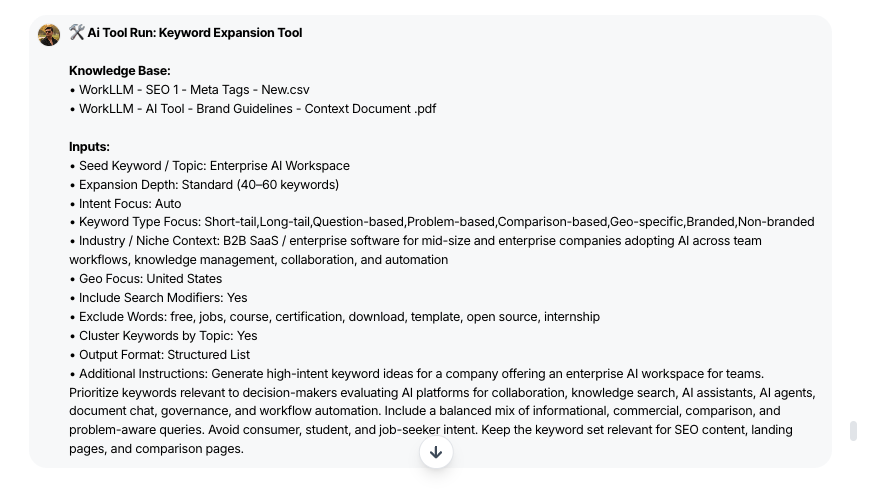
A seed keyword or topic is required to generate expansions. All other optional inputs help refine quality by shaping intent, depth, audience focus, and clustering—especially when multiple people across teams use the tool.

  • Seed Keyword / Topic (Required): The core term, product, or problem area you want to expand.
  • Primary Market / Geo: The country or region to target so suggestions reflect local search behavior.
  • Language: Sets the language for all generated keyword ideas.
  • Search Intent Focus: Guides the mix of informational, commercial, transactional, and navigational queries (or can be auto-balanced).
  • Buyer Stage Focus:  Steers keywords toward awareness, consideration, decision, or full-funnel coverage.
  • Keyword Type Preferences: Lets you emphasize long-tail, questions, comparisons, problem-based, feature-based, geo, and/or branded queries.
  • Depth Level: Controls how expansive the list should be (light, standard, or deep exploration).
  • Volume / Difficulty Preference: Biases suggestions toward higher volume, lower difficulty, or a balanced mix depending on your goals.
  • Include / Exclude Brand Terms: Determines whether branded variations are included or the focus stays strictly non-branded.
  • Exclude Keywords / Phrases: Filters out irrelevant, low-quality, or non-compliant terms from the final list.
  • Competitor Domains (Optional): Enables competitive-aware suggestions that reflect or differentiate from competitor coverage.
  • Clustering & Grouping Toggles: Turns on grouping by topic, intent, or funnel stage instead of a flat list.
  • Export Format Preference: Chooses whether the output is optimized for table view, flat list, or CSV-ready export.

Output

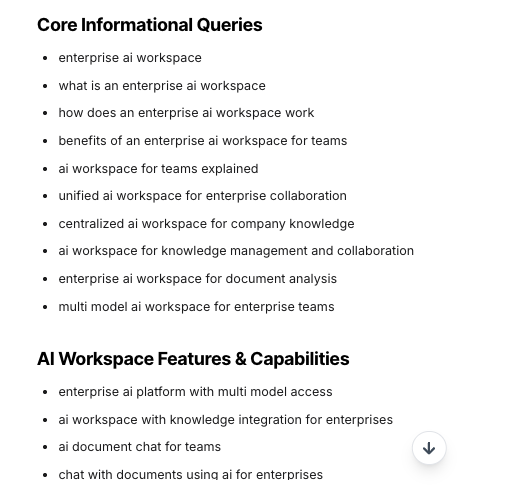
The tool generates a structured, strategy-ready keyword set, including:

  • De-duplicated Keyword List: Clean, organized keywords derived from your seed term and constraints.
  • Intent & Funnel-Labeled Terms: Keywords tagged by search intent and buyer stage to streamline planning.
  • Thematic Clusters: Groups of related keywords (e.g., core topic, problems, comparisons, features, pricing, geo) for easy content mapping.
  • Priority Opportunities: Highlighted subsets of high-potential keywords based on your volume/difficulty preferences.
  • CSV-Ready Export (Optional): Output formatted for quick import into SEO platforms, spreadsheets, or briefing templates.

Execution Insights

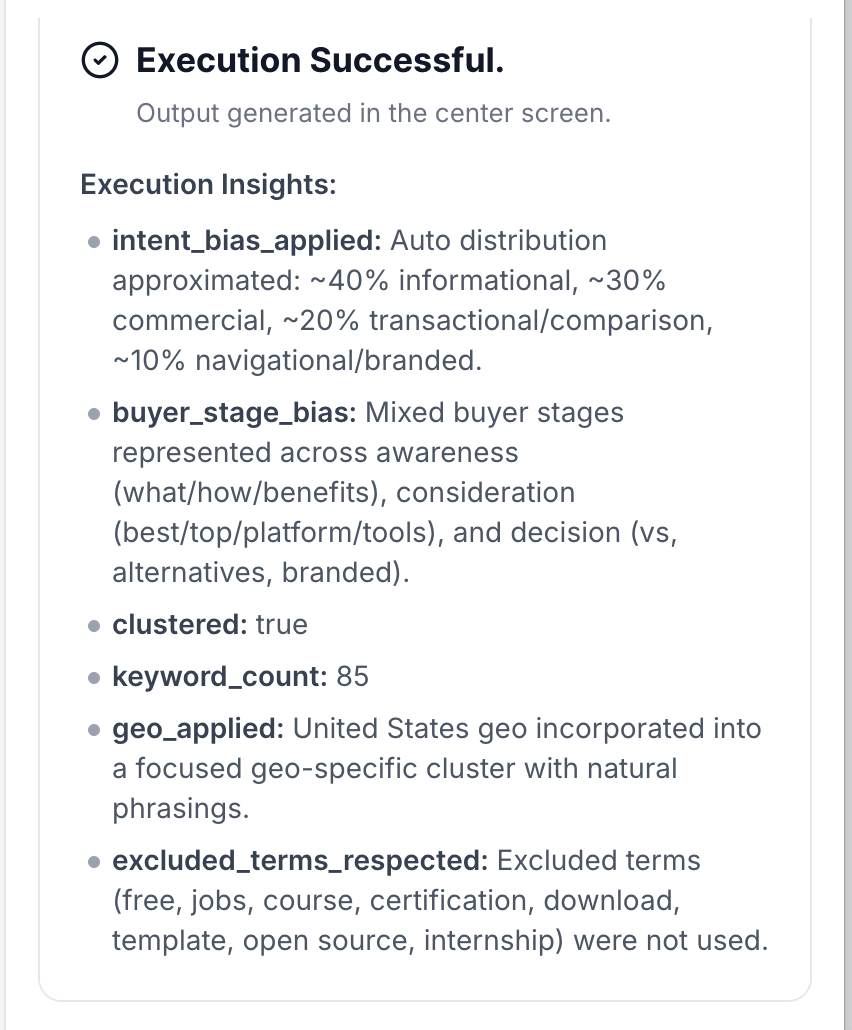
After each run, the tool provides structured execution metadata, including:

  • Search intent mix applied
  • Buyer stage distribution
  • Depth level used
  • Total keyword count generated
  • Number of clusters created
  • Brand vs. non-brand ratio
  • Geo and language settings applied
  • Filters and exclusions honored (blocked terms, difficulty/volume preferences)

This improves transparency, repeatability, and handoff quality across SEO and content teams.

Who is this for?

SEO Team | Content Marketing Team | Growth / Performance Marketing | Product Marketing

Data & Permissions

This tool does not access external systems automatically. It uses:

  • Uploaded brand and campaign documents
  • Uploaded per-run cart or customer data
  • User-provided inputs at execution time

No automatic web scraping occurs unless reference URLs are explicitly provided by the user.

Security

  • All uploaded documents and inputs remain within your organization’s secure WorkLLM workspace.
  • No data is shared externally or used to train third-party models.
  • Enterprise-grade encryption and role-based access controls apply to all content and runs.

Governance

WorkLLM provides structure, control, and consistency across every execution.

  • Tool Logic: Managed by WorkLLM
  • Default Context: Managed by Marketing Manager / SEO Lead
  • Visibility: Organization-wide
  • User Customization: Input-level only

This ensures standardized outputs across teams while still allowing flexibility at execution time.

Similar AI Tools

Brand Guidelines Creator

By: WorkLLM

Create comprehensive, actionable brand voice guidelines that ensure consistency across all marketing, sales, support, and AI-assisted content.

Press Release Writer

By: WorkLLM

Generate professional, publication-ready press releases that align with your brand voice, follow journalistic standards, and maintain credibility across all distribution channels.

Abandoned Cart Email Sequence Writer

By: WorkLLM

Generate high-converting, brand-aligned abandoned cart email sequences that recover revenue while maintaining customer trust and compliance.

Marketing Budget Planner

By: WorkLLM

Create a data-driven marketing budget allocation plan that optimizes performance, aligns with your objectives, and respects financial constraints.

Client Proposal Generator

By: WorkLLM

Create structured, persuasive, and commercially realistic client proposals in minutes—aligned with your real pricing, services, and legal terms, not AI guesswork.

Tone Controlled Response Tool

By: WorkLLM

Rewrite any message into the exact tone you need—on‑brand, de‑risked, and ready to send for support, internal comms, or executive use.

Happy Customers

Customer satisfaction is our major goal. See what our customers are saying about us.





