


AI Tool: Landing Page Copy Writer
Pricing
Provided By
Category
Tool Owner
Owner Role
AI Tool Logic
LLM Compatibility


Description
The Landing Page Copy Writer turns your product or offer into a structured, conversion-focused landing page draft. It applies your brand voice, positioning, product facts, and testimonials to create copy aligned with your chosen framework (e.g., AIDA, PAS, Problem–Solution–Benefit), page length, and CTA style.
The tool is designed to be highly governed: it enforces brand terminology, respects compliance rules, avoids unsupported claims, and uses only facts provided in your inputs and uploaded documents. Output is always a clear, sectioned landing page draft ready for design and optimization.
Context & Knowledge Base
To ensure high-quality, on-brand copy, the Tool Owner should upload and maintain:
Strongly Recommended (effectively mandatory for quality)
- Brand Voice & Tone Guide
- Messaging Framework / Positioning Document
- Product / Service Fact Sheet
- Offer & Pricing Details (if applicable)
- Testimonials / Social Proof Bank
- Brand Guidelines (visual tone references optional)
Optional but powerful
- ICP / Persona Document
- Objection Handling Playbook
- Competitive Differentiation Notes
- Campaign Examples
These documents are automatically applied to each run so the tool can reflect real positioning, proof points, and language while staying within your governance rules.
Input
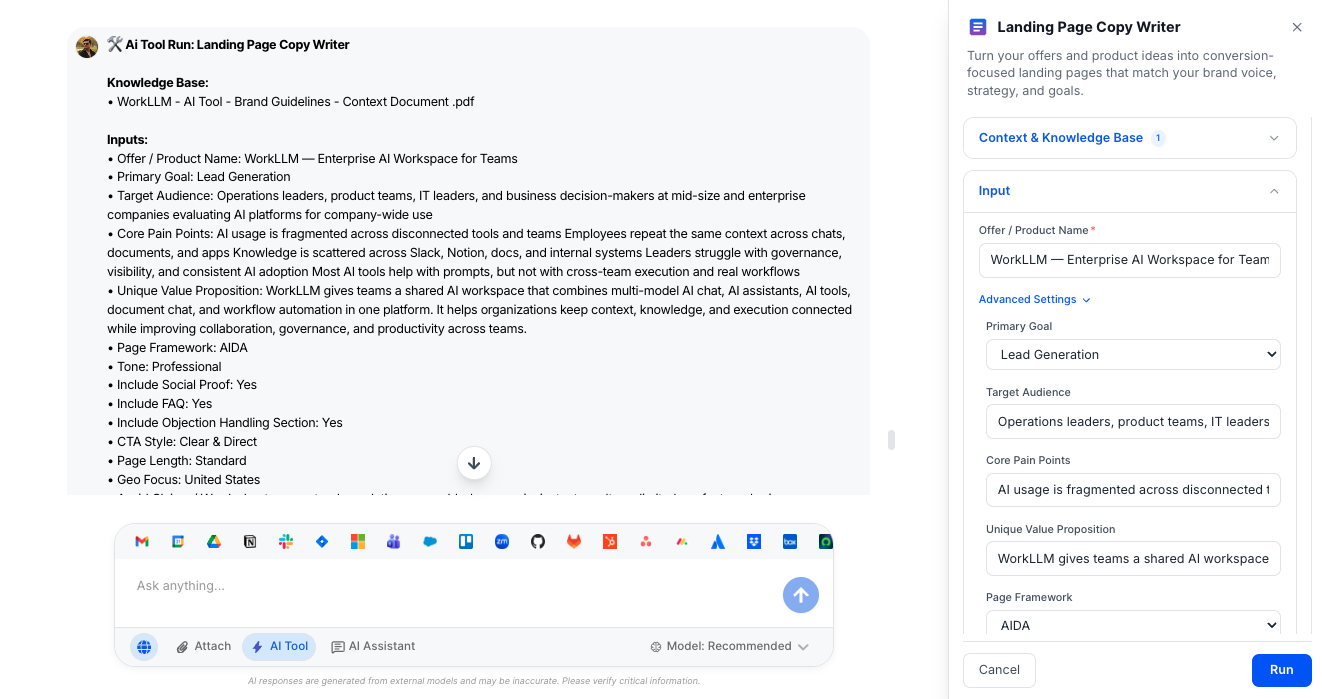
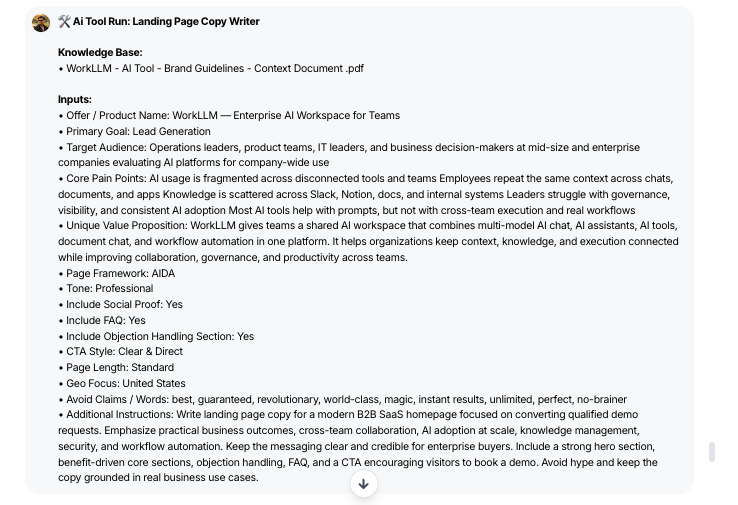
You control how the tool structures and styles the landing page using the following fields.
- Offer / Product Name (Required) – The specific product, feature, or offer the landing page is promoting.
- Primary Goal (Required) – The main conversion outcome for the page (e.g., Lead Generation, Demo Booking, Product Purchase, Webinar Signup, App Install, Email Capture, Consultation Booking, Waitlist Signup).
Advanced (Optional)
- Target Audience – A short description of the primary audience or persona the page should speak to.
- Core Pain Points (comma separated) – Key problems, frustrations, or challenges this audience is facing, listed as comma-separated phrases.
- Unique Value Proposition – The core promise or differentiator that sets your offer apart in a single statement.
- Page Framework – The conversion framework the page should follow (AIDA, PAS, Problem–Solution–Benefit, Feature–Benefit–Outcome, Long-form Sales Letter, Minimalist Conversion Page, or Auto for AI-selected).
- Tone – The style of voice for the copy (Professional, Bold, Conversational, Premium, Direct Response, Technical).
- Include Social Proof (Toggle) – Controls whether testimonials or social proof sections are included when relevant content is available.
- Include FAQ (Toggle) – Controls whether a concise FAQ section is added to address common questions.
- Include Objection Handling Section (Toggle) – Adds a section that proactively addresses and resolves likely objections.
- CTA Style – Sets how calls-to-action are phrased (Clear & Direct, Soft Encouragement, Urgency-Based, Benefit-Driven, Minimal).
- Page Length – Determines overall depth and number of sections (Short: hero + core; Standard: full conversion page; Long-form: sales-letter style).
- Geo Focus – Country, region, or market the page targets so language and references can reflect local nuance.
- Avoid Claims / Words – Any phrases, claims, or terms the copy must avoid for compliance, legal, or brand reasons.
Output
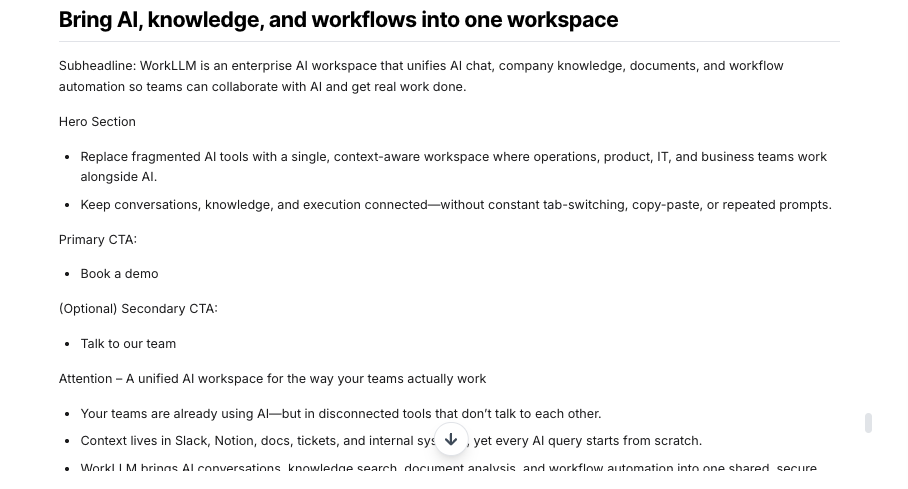
The tool produces a structured landing page draft you can hand directly to design or optimization teams.
- Complete Landing Page Structure – Clear H1 headline, subheadline, and logically ordered sections based on the selected framework and page length.
- Conversion-Focused Hero Section – Attention-grabbing H1 and supporting copy tailored to your offer, audience, and goal.
- Problem / Desire & Solution Narrative – Sections that articulate audience pain points, context, your solution, and key benefits in line with your chosen framework.
- Feature–Benefit Mapping – Clear breakdowns that connect features to tangible outcomes and transformations.
- Social Proof (If Enabled & Available) – Testimonials or proof elements inserted where they support conversions, sourced from your uploaded testimonial bank.
- Objection Handling (If Enabled) – A dedicated section that addresses likely hesitations and reduces friction.
- FAQ Section (If Enabled) – Concise, structured FAQs tailored to the offer and goal.
- Strategic CTAs – On-brand, framework-appropriate CTAs that match the selected CTA style and appear in key sections (hero, mid-page, closing).
All output is formatted with headings and bullet points where appropriate—never as a single block of text.
Execution Insights
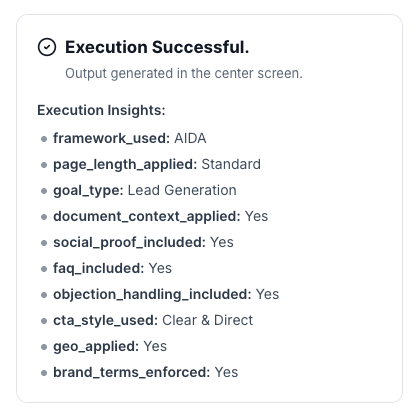
Each run also generates a structured execution summary so teams can understand how the page was built and ensure consistency across campaigns.
- Framework Used – Which page framework the tool ultimately followed (e.g., AIDA, PAS, Problem–Solution–Benefit, Feature–Benefit–Outcome, Long-form Sales Letter, Minimalist, or Auto-selected).
- Page Length Applied – Whether the Short, Standard, or Long-form structure was applied.
- Goal Type – The primary goal that guided the copy (e.g., Lead Generation, Demo Booking, Product Purchase, etc.).
- Document Context Applied – Indicates whether uploaded brand, product, testimonial, or campaign documents were used (Yes/No).
- Social Proof Included – Confirms whether social proof sections were included in the final draft (Yes/No).
- FAQ Included – Confirms whether an FAQ section appears in the output (Yes/No).
- Objection Handling Included – Indicates if a dedicated objection-handling section is present (Yes/No).
- CTA Style Used – The CTA style actually applied (Clear & Direct, Soft Encouragement, Urgency-Based, Benefit-Driven, Minimal).
- Geo Applied – Whether geo-specific nuance was applied based on the Geo Focus input (Yes/No).
- Brand Terms Enforced – Confirms that defined brand terms and vocabulary from your documents were enforced (Yes/No).
Who is this for?
Marketing teams that need high-converting, on-brand landing pages at scale:
- Growth / Performance Marketing
- Product Marketing
- Demand Generation & Campaigns
- Founders / GTM Leads in smaller teams
Data & Permissions
This tool does not access external systems automatically. It uses:
- Uploaded brand and campaign documents
- Uploaded per-run cart or customer data
- User-provided inputs at execution time
No automatic web scraping occurs unless reference URLs are explicitly provided by the user.
Security
- All uploaded documents and inputs remain within your organization’s secure WorkLLM workspace.
- No data is shared externally or used to train third-party models.
- Enterprise-grade encryption and role-based access controls apply to all content and runs.
Governance
WorkLLM provides structure, control, and consistency across every execution.
- Tool Logic: Managed by WorkLLM
- Default Context: Managed by Marketing Manager / SEO Lead
- Visibility: Organization-wide
- User Customization: Input-level only
This ensures standardized outputs across teams while still allowing flexibility at execution time.
Similar AI Tools
Happy Customers
Customer satisfaction is our major goal. See what our customers are saying about us.
“Vivamus sagittis lacus vel augue laoreet rutrum faucibus dolor auctor. Vestibulum id ligula porta felis euismod semper. Cras justo odio dapibus facilisis sociis natoque penatibus.”

![]()
Coriss Ambady
Financial Analyst ABC.com
“Vivamus sagittis lacus vel augue laoreet rutrum faucibus dolor auctor. Vestibulum id ligula porta felis euismod semper. Cras justo odio dapibus facilisis sociis natoque penatibus.”

![]()
Cory Zamora
Marketing Specialist ABC.com
“Vivamus sagittis lacus vel augue laoreet rutrum faucibus dolor auctor. Vestibulum id ligula porta felis euismod semper. Cras justo odio dapibus facilisis sociis natoque penatibus.”

![]()
Nikolas Brooten
Sales Specialist Financial Analyst ABC.com
“Vivamus sagittis lacus vel augue laoreet rutrum faucibus dolor auctor. Vestibulum id ligula porta felis euismod semper. Cras justo odio dapibus facilisis sociis natoque penatibus.”

![]()
Coriss Ambady
Financial Analyst Financial Analyst ABC.com
“Vivamus sagittis lacus vel augue laoreet rutrum faucibus dolor auctor. Vestibulum id ligula porta felis euismod semper. Cras justo odio dapibus facilisis sociis natoque penatibus.”

![]()
Jackie Sanders
Investment Planner Financial Analyst ABC.com
“Vivamus sagittis lacus vel augue laoreet rutrum faucibus dolor auctor. Vestibulum id ligula porta felis euismod semper. Cras justo odio dapibus facilisis sociis natoque penatibus.”

![]()
Laura Widerski
Sales Specialist Financial Analyst ABC.com
See how WorkLLM fits your team
Explore how a shared AI workspace keeps context, collaboration, and execution connected.