


Google Calendar
By: WorkLLMPlan, schedule, and prepare for Google Calendar meetings directly through chat — without switching tabs.
Access Controls
- User-level access
- Access can be revoked anytime
Security
- Secure connection
- No auto modify
Permissions
- Access events
- Create events
- Modify events upon approval
- Delete events upon approval
Overview
WorkLLM connects securely to Google Calendar so you can manage your schedule the same way you manage conversations. Instead of opening your calendar, scanning availability, or copying meeting details across tools, you interact with your calendar directly through chat using explicit commands. Every calendar interaction is intentional, permission-based, and traceable making WorkLLM a reliable, chat-first scheduling workspace.
Features
Natural language scheduling
Smart Time Suggestions
Day & Week Summaries
Easy Rescheduling
Governance & Permission Based
Context Aware Workflows
Use Cases with examples

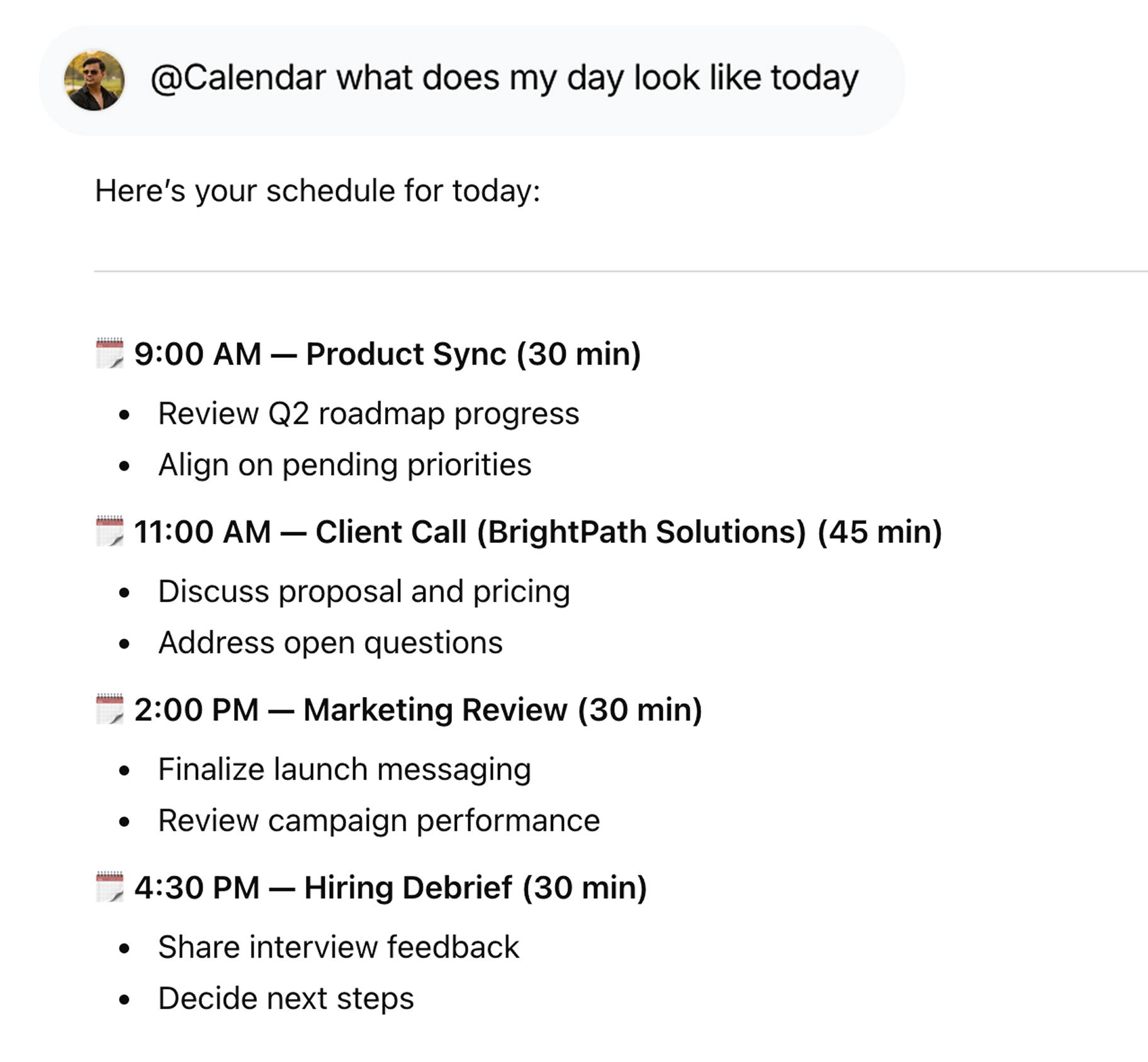
Get a Daily Schedule Brief
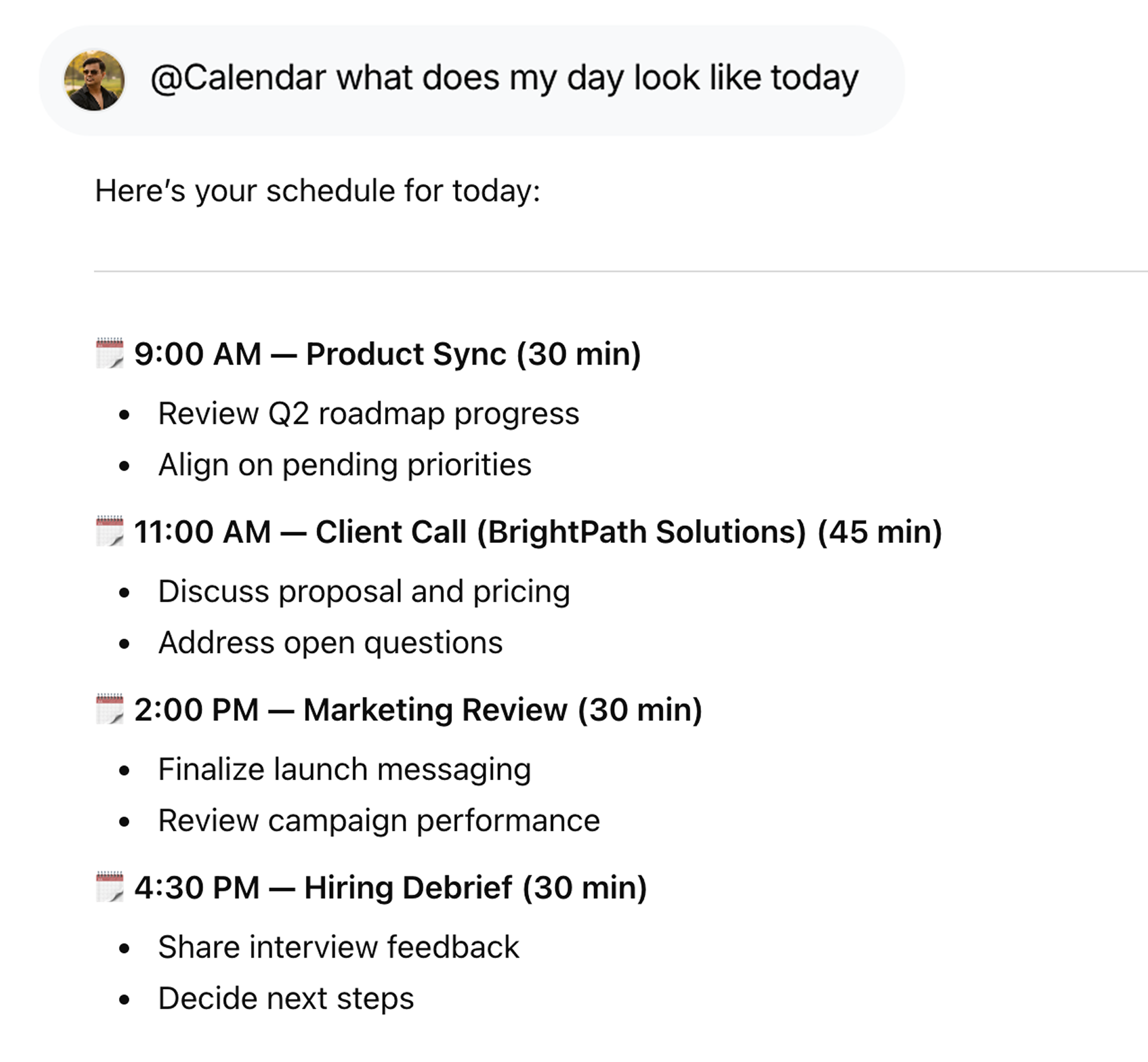
Start your day with a clear overview using @Calendar what does my day look like today, including meetings, agendas, and prep suggestions.
Schedule Meetings Effortlessly
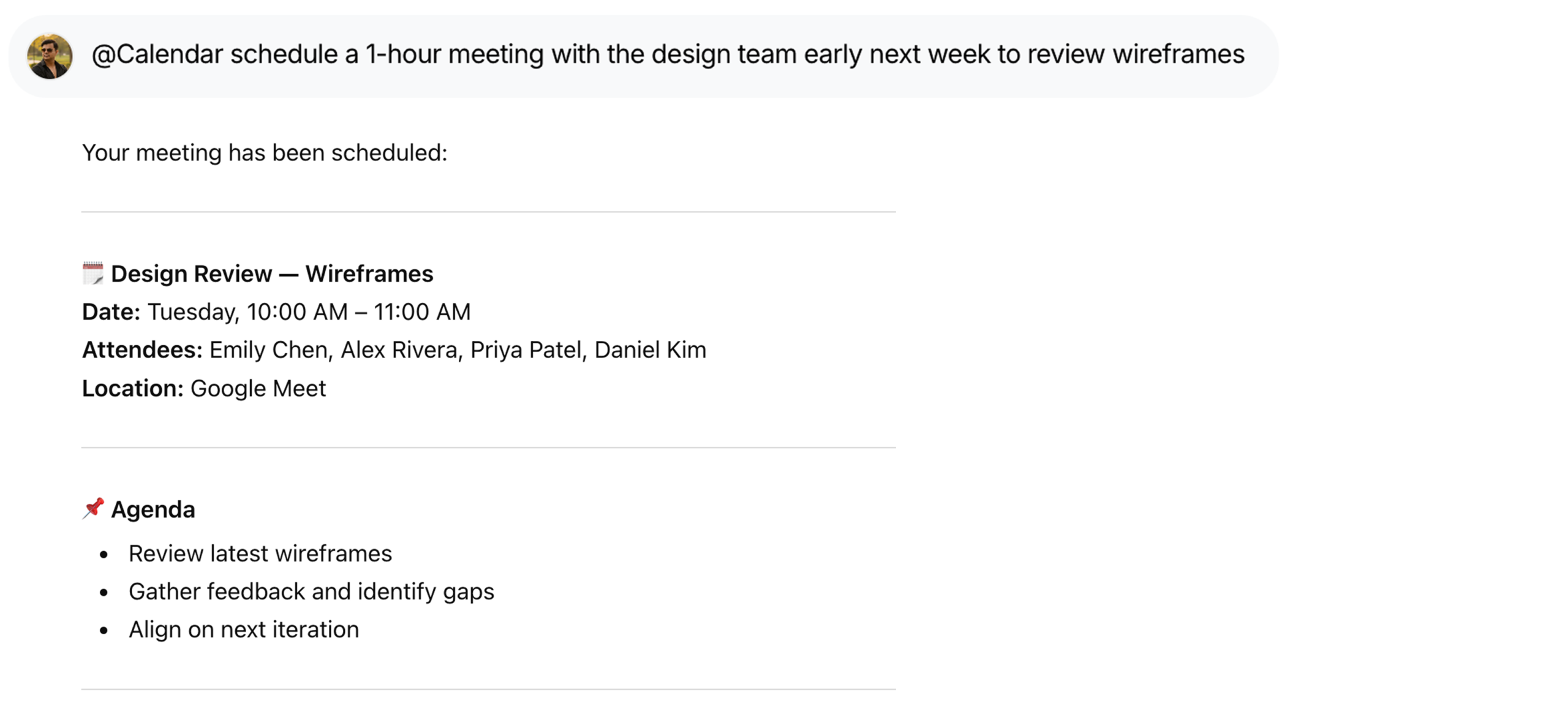
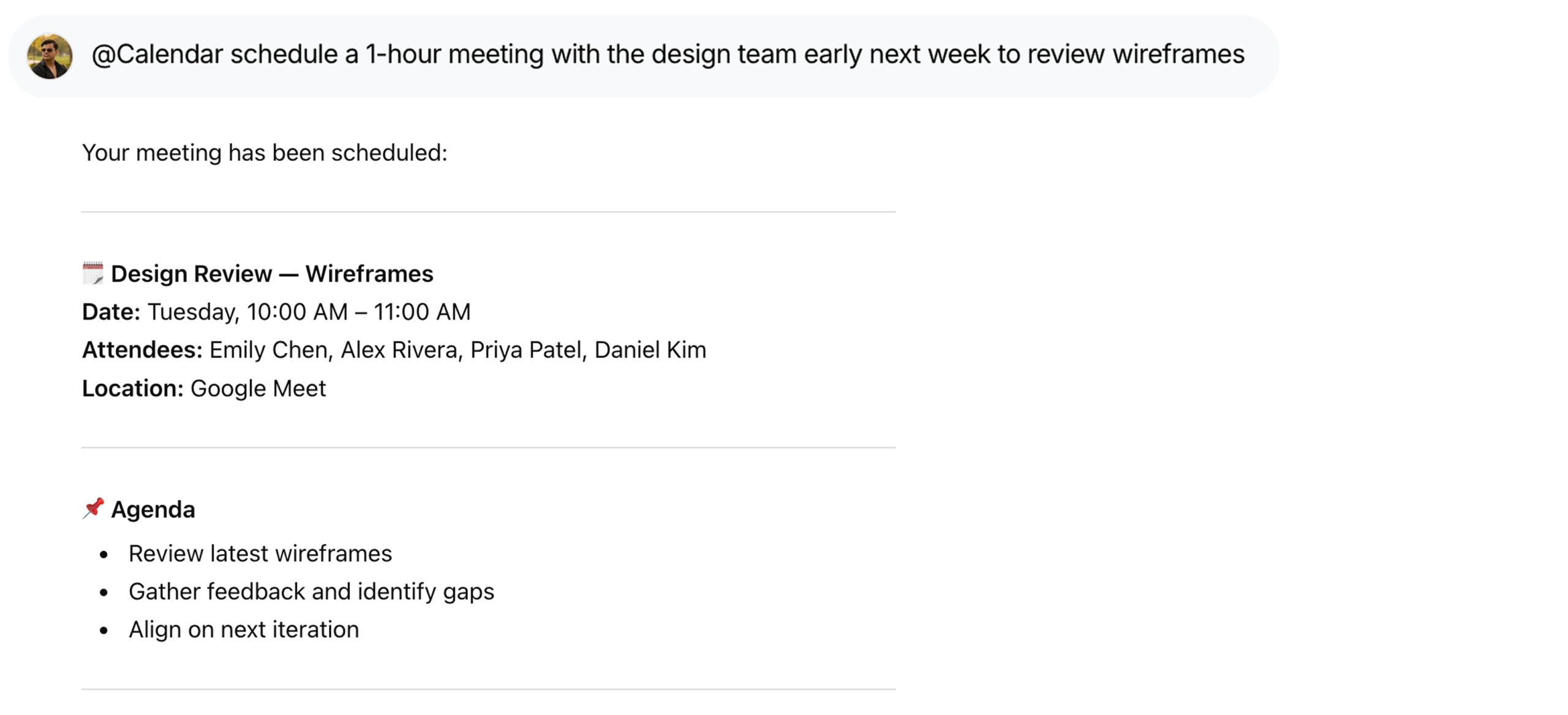
Set up meetings without back-and-forth using @Calendar schedule a 1-hour meeting with the design team early next week to review wireframes.
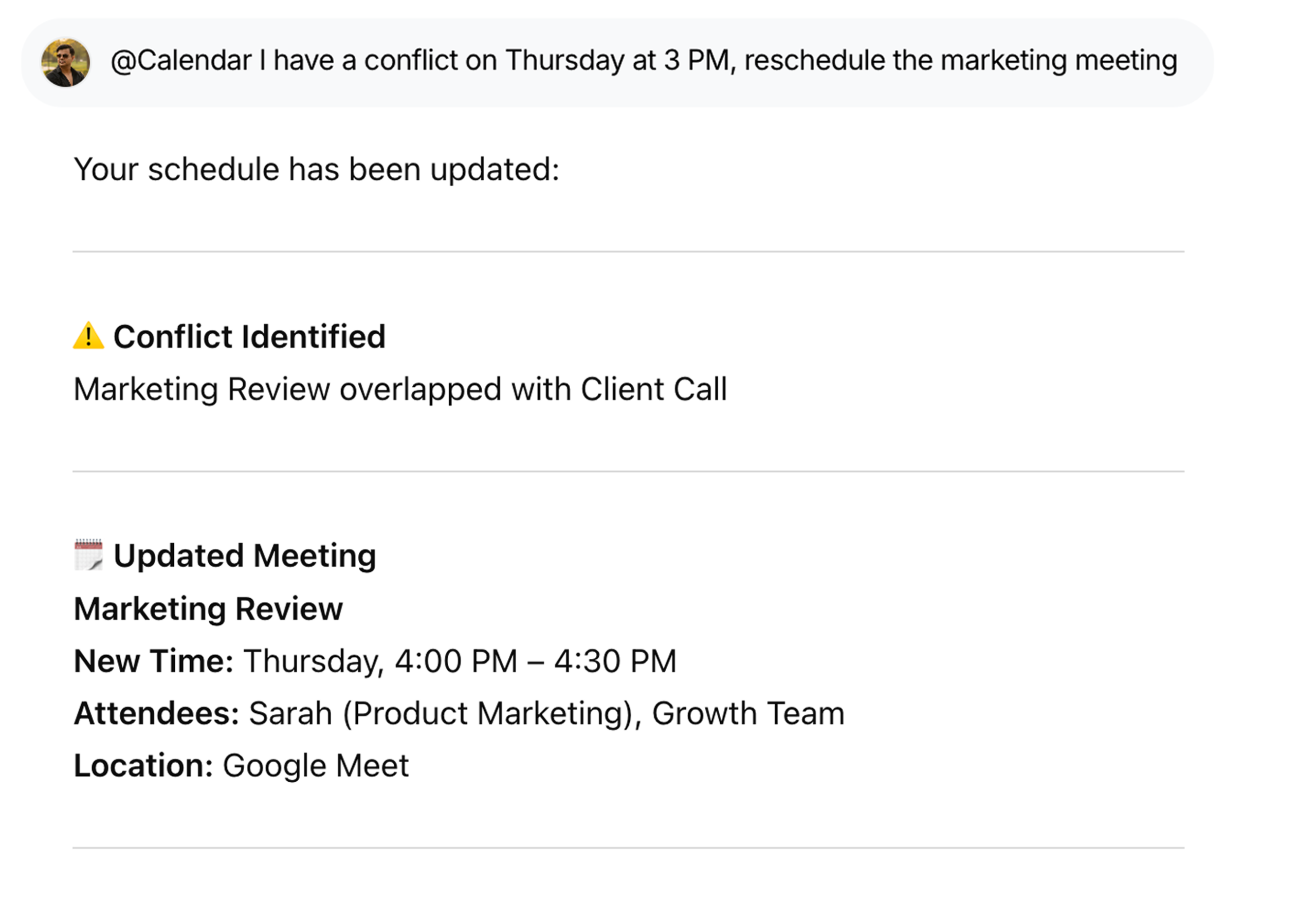
Resolve Calendar Conflicts
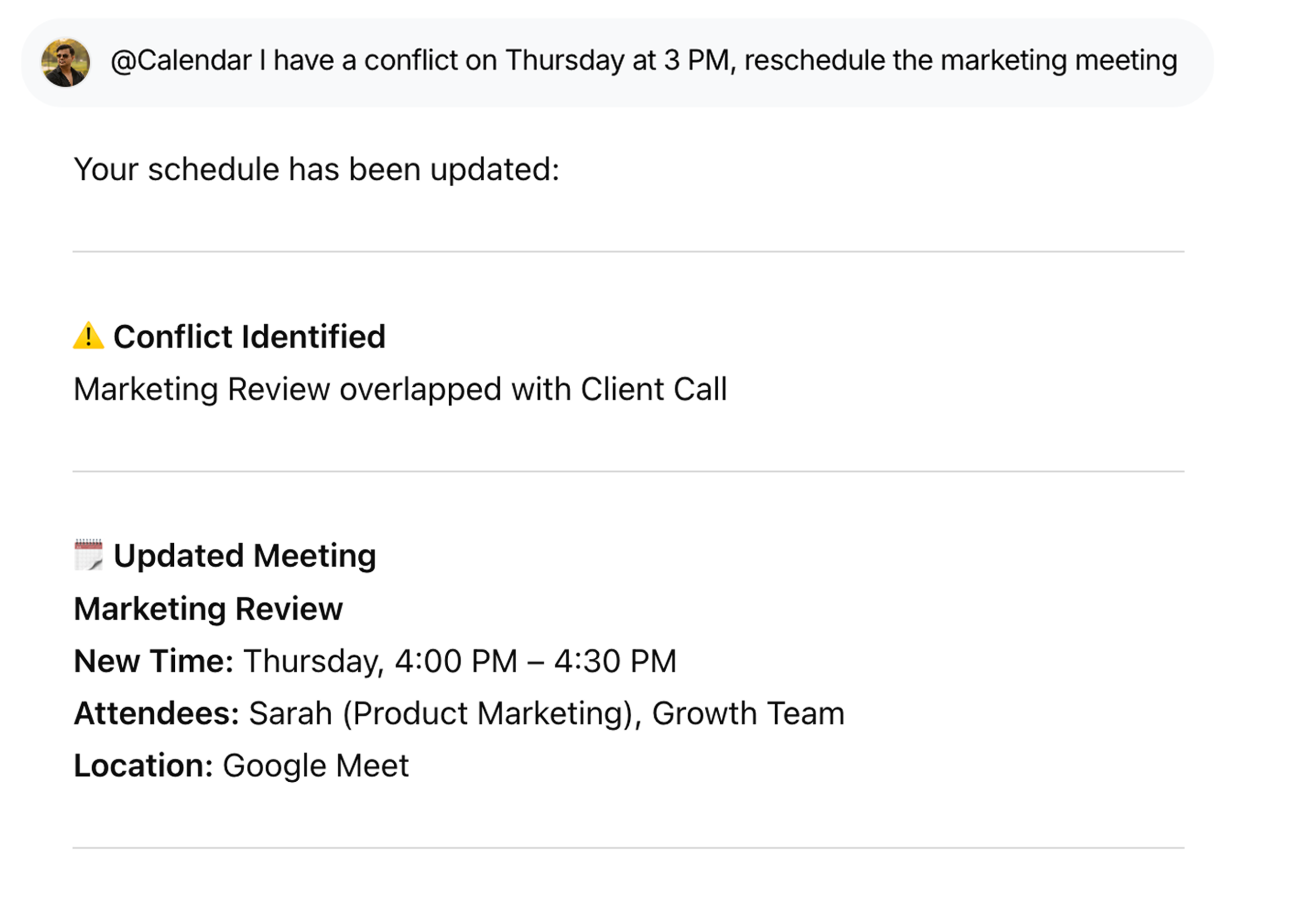
Fix overlaps quickly with @Calendar I have a conflict on Thursday at 3 PM, reschedule the marketing meeting—no manual coordination needed.
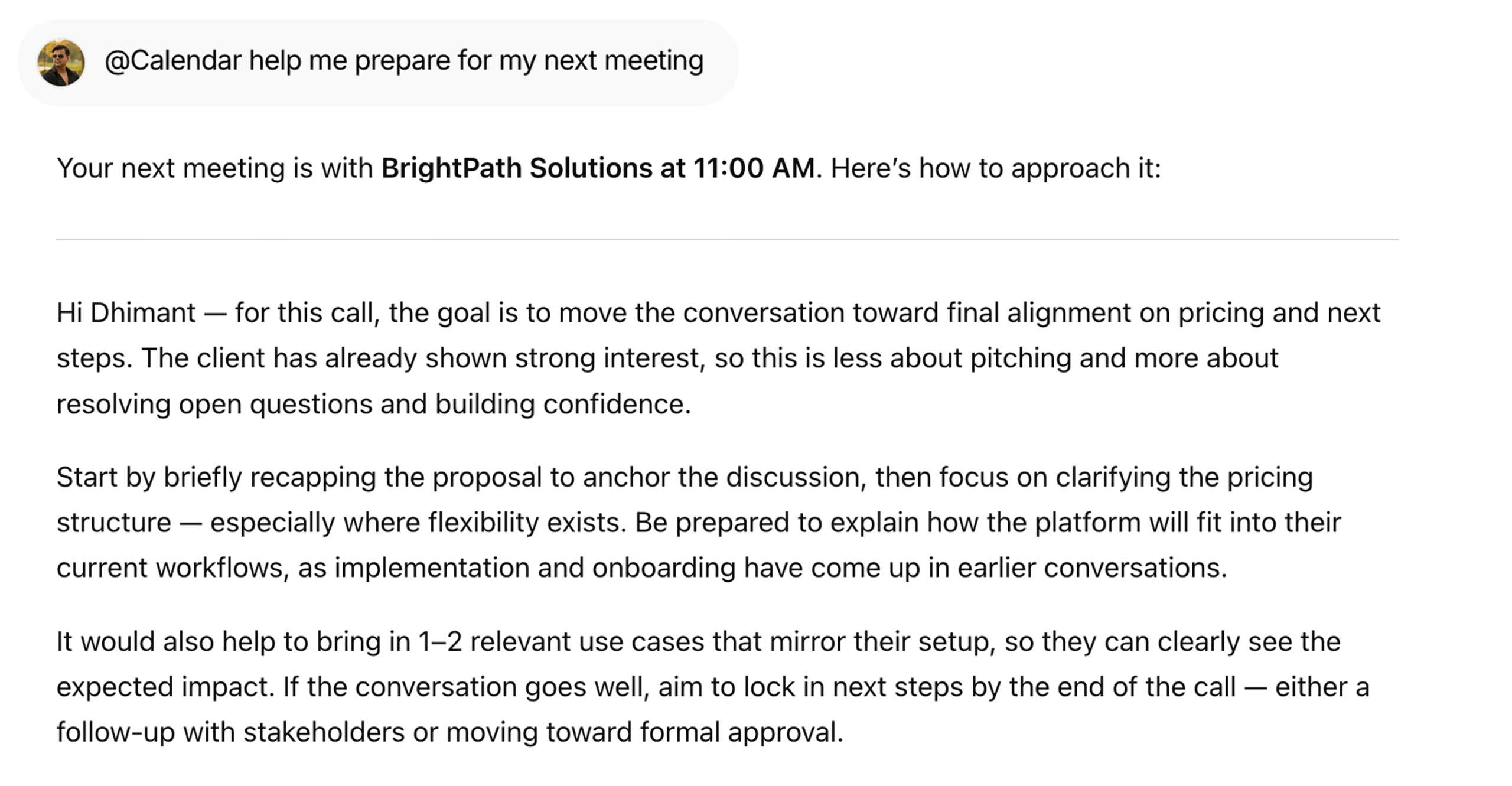
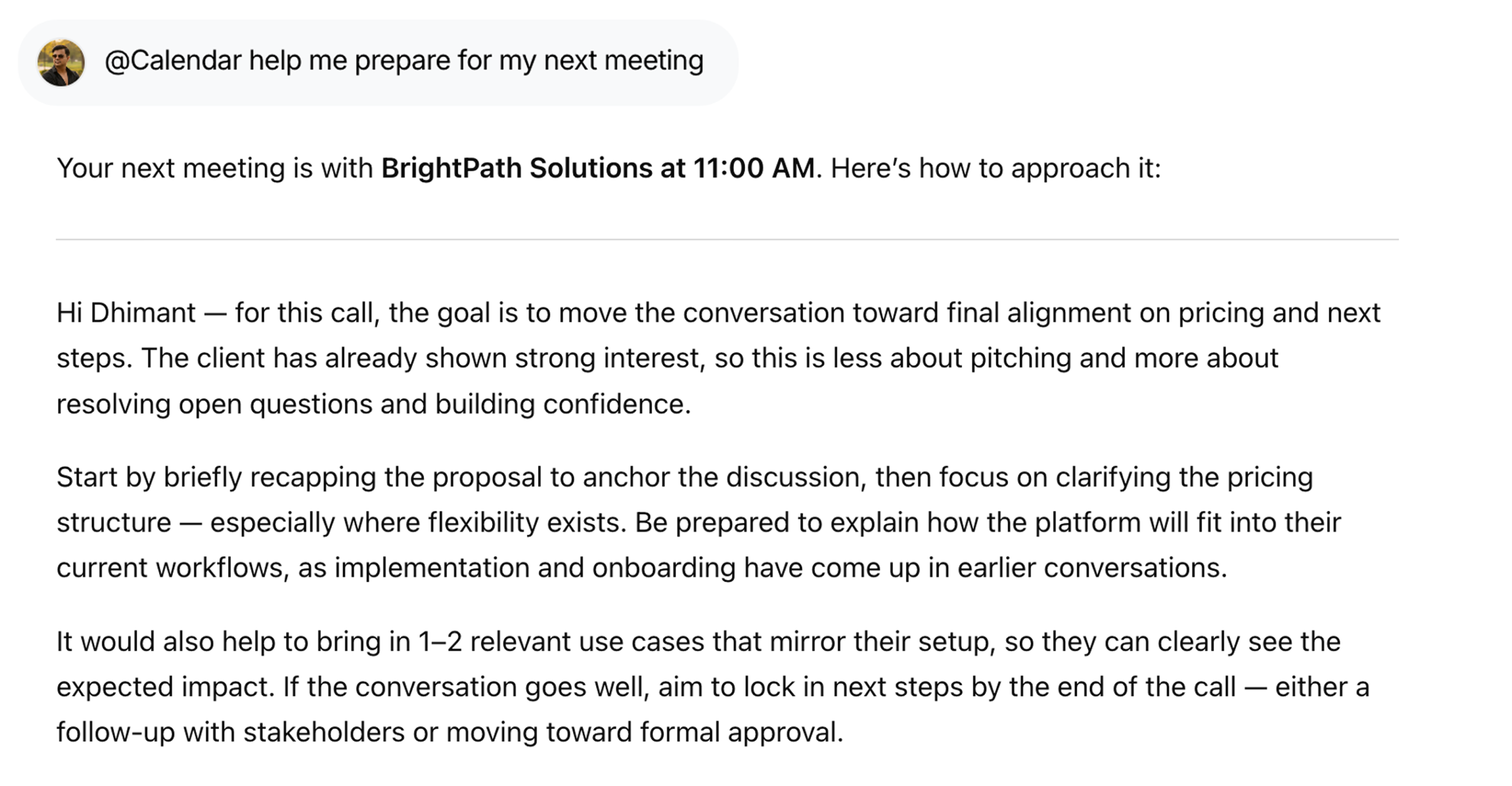
Prepare for Meetings Smarter
Get ready with context using @Calendar how should I prepare for my next meeting, including agenda insights and key discussion points.
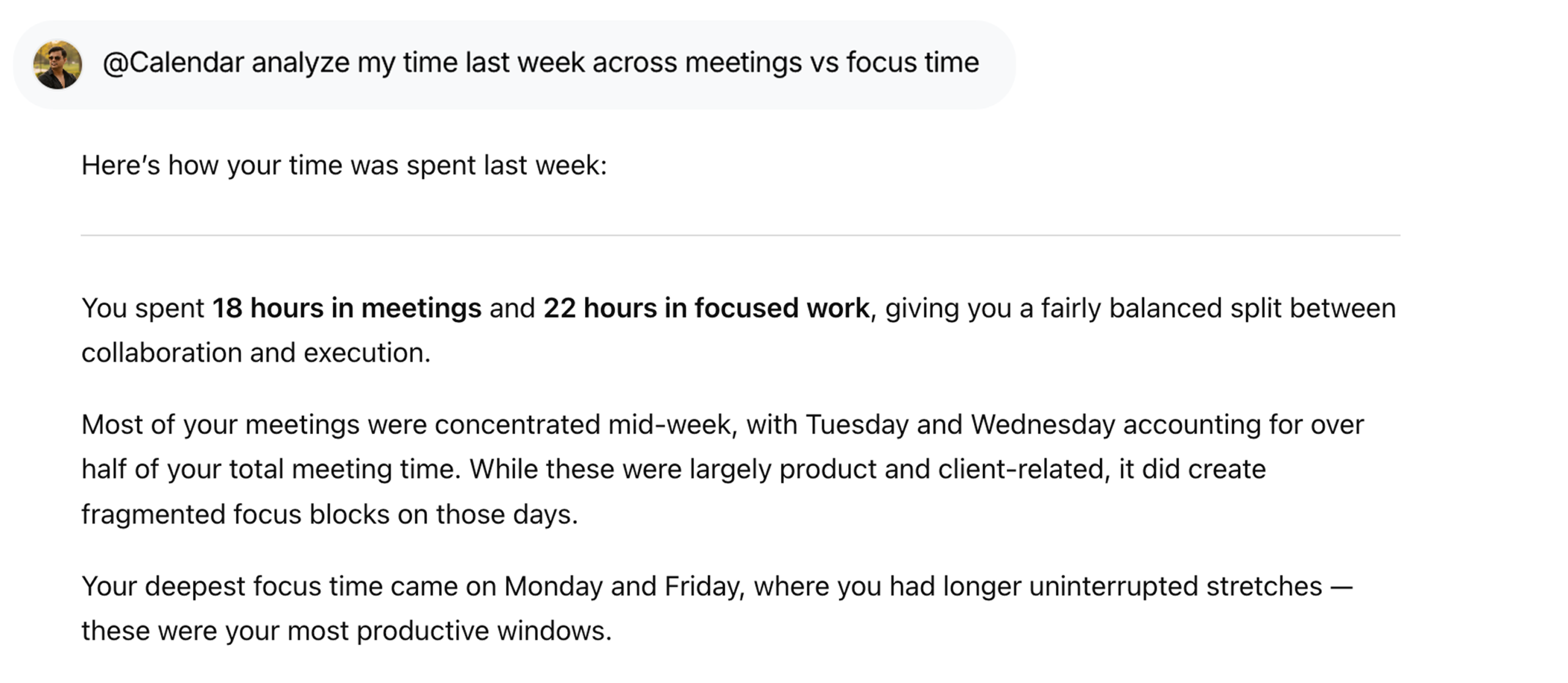
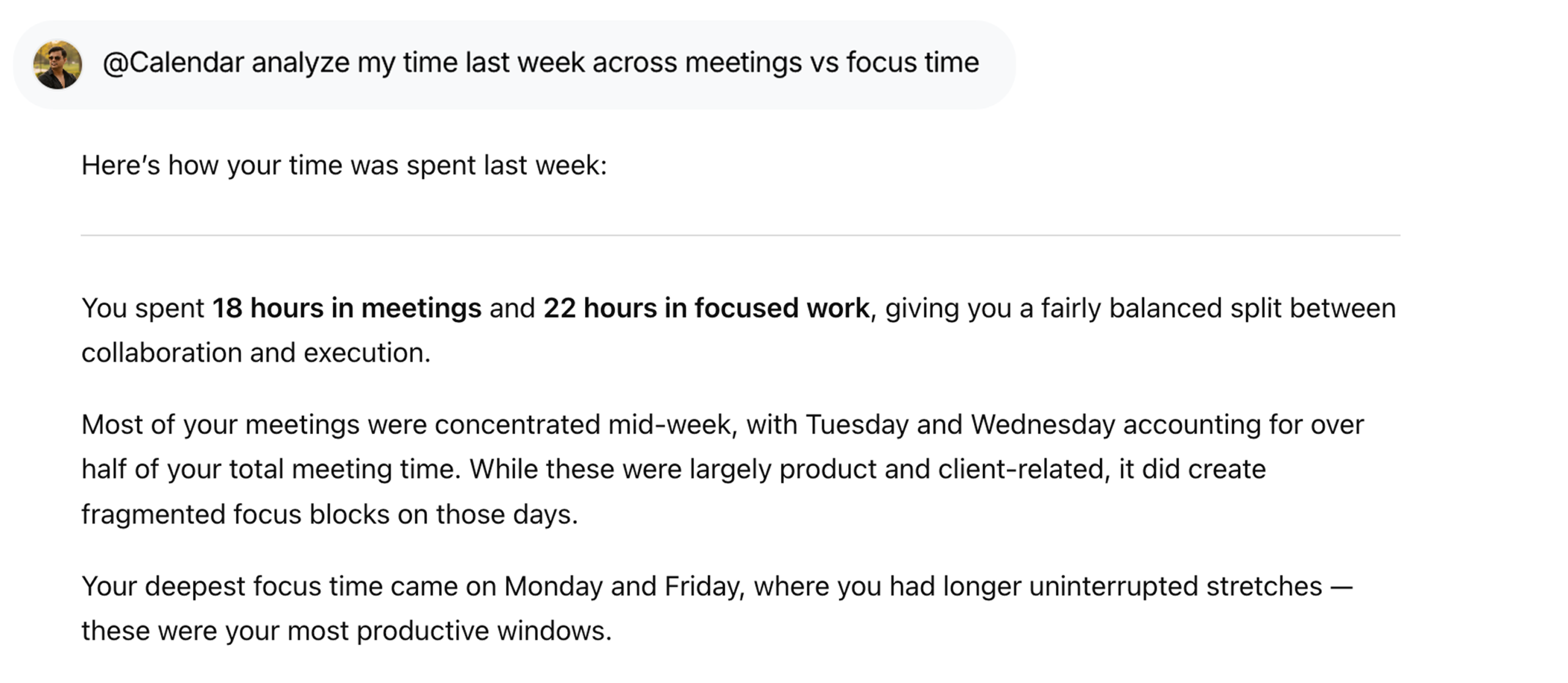
Analyze Your Time Usage
Understand where your time goes with @Calendar how much time did I spend in meetings last week vs focused work.
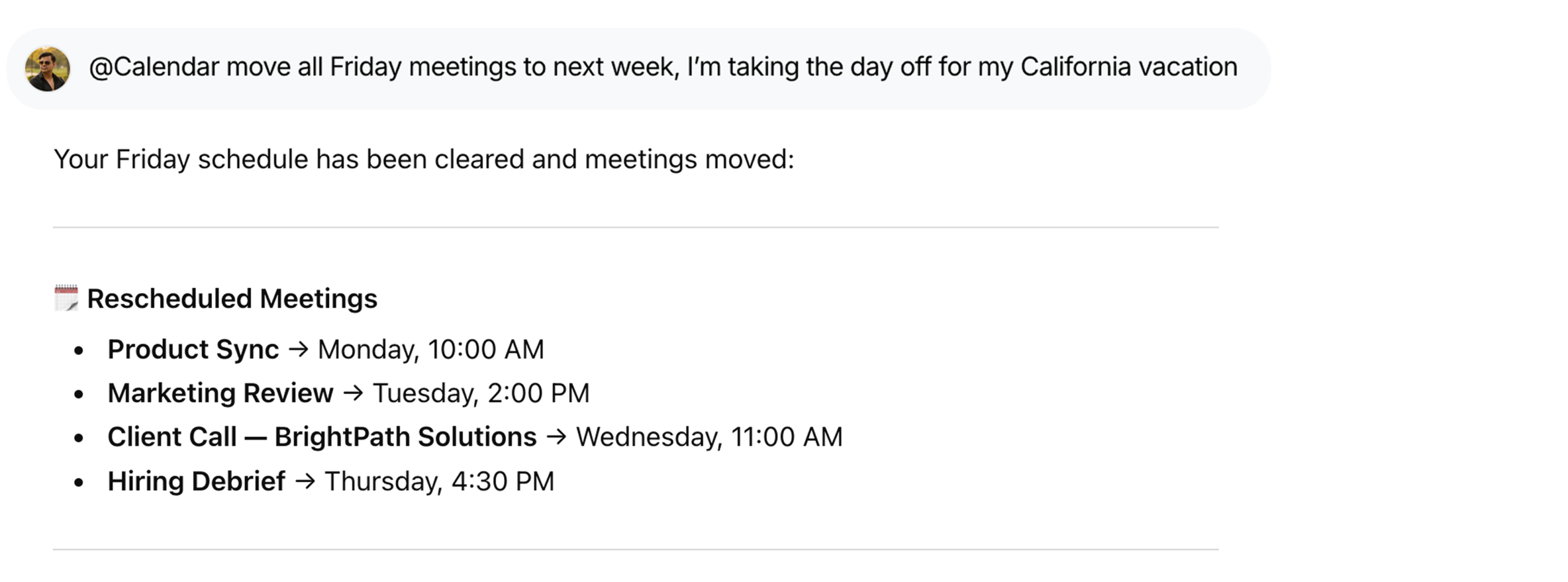
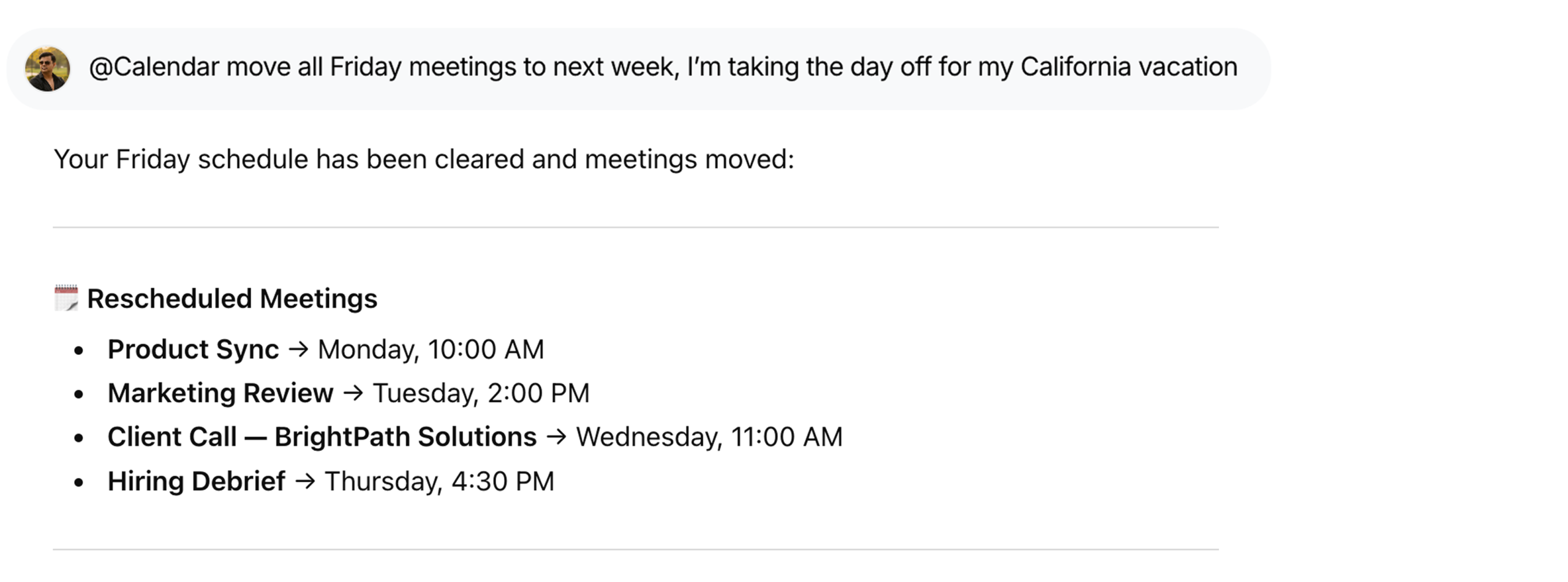
Reschedule Events in Bulk
Adjust plans instantly using @Calendar move all Friday meetings to next week because I’m taking a day off for my California vacation

FAQs
What can WorkLLM do with my Google Calendar?
WorkLLM can read your events, create new ones, update or delete existing events, and help you find available time slots based on your preferences and availability.
Does WorkLLM create events automatically?
By default, WorkLLM only creates or updates events when you explicitly ask it to (e.g., “Schedule this meeting” or “Move this event”). You stay in control of every calendar change.
Can WorkLLM see all my calendars?
It can access the calendar you grant through Google’s OAuth permissions. You can choose which calendars to use, and WorkLLM will only read and modify events on those.
Does WorkLLM automatically invite people?
When you ask to “schedule a meeting with X,” WorkLLM creates a proper calendar invite and adds the attendees’ email addresses so they receive invitations and updates like any normal event.
Will WorkLLM change existing events on its own?
No. WorkLLM never edits or deletes events unless you explicitly instruct it to (e.g., “Cancel my 4pm meeting” or “Move this to tomorrow at 11am”).
Does WorkLLM store my calendar data?
WorkLLM may temporarily retain event details to execute your requests (e.g., summarizing or following up on meetings), but data use is scoped to your workspace and governed by your retention settings. It is not repurposed for unrelated users or products.
Can my teammates see my calendar events?
No, not by default. Your calendar data remains private to your account unless you use a shared calendar or intentionally share specific information or summaries in team spaces.
What if I disconnect Google Calendar?
Once you revoke access or disconnect the integration, WorkLLM can no longer read or update your events. Existing outputs (like summaries or notes) remain, but live calendar syncing stops immediately.
Data & Permissions
WorkLLM requests only the minimum permissions required to manage your calendar:
- Read events and event details (title, time, attendees, location)
- Read calendar metadata such as calendar name and time zone
- Create new events on your selected calendar
- Update or cancel events only when explicitly requested
- Never accesses unrelated Google services (e.g., Gmail, Drive) through Calendar scopes
How Data Is Used
When you run a Calendar command:
- Event data is retrieved securely through Google’s OAuth authorization
- Details are processed to propose times, draft invites, or summarize your schedule
- The result is returned inside your workspace chat for review
- No event is created, changed, or cancelled without explicit confirmation
Security Deep Dive
- OAuth-based secure authentication via Google 11
- User-level access limited to your calendars
- No automatic event changes or bulk edits
- Access can be revoked anytime from your Google account or WorkLLM
Similar Integrations
Happy Customers
Customer satisfaction is our major goal. See what our customers are saying about us.
“Vivamus sagittis lacus vel augue laoreet rutrum faucibus dolor auctor. Vestibulum id ligula porta felis euismod semper. Cras justo odio dapibus facilisis sociis natoque penatibus.”

![]()
Coriss Ambady
Financial Analyst ABC.com
“Vivamus sagittis lacus vel augue laoreet rutrum faucibus dolor auctor. Vestibulum id ligula porta felis euismod semper. Cras justo odio dapibus facilisis sociis natoque penatibus.”

![]()
Cory Zamora
Marketing Specialist ABC.com
“Vivamus sagittis lacus vel augue laoreet rutrum faucibus dolor auctor. Vestibulum id ligula porta felis euismod semper. Cras justo odio dapibus facilisis sociis natoque penatibus.”

![]()
Nikolas Brooten
Sales Specialist Financial Analyst ABC.com
“Vivamus sagittis lacus vel augue laoreet rutrum faucibus dolor auctor. Vestibulum id ligula porta felis euismod semper. Cras justo odio dapibus facilisis sociis natoque penatibus.”

![]()
Coriss Ambady
Financial Analyst Financial Analyst ABC.com
“Vivamus sagittis lacus vel augue laoreet rutrum faucibus dolor auctor. Vestibulum id ligula porta felis euismod semper. Cras justo odio dapibus facilisis sociis natoque penatibus.”

![]()
Jackie Sanders
Investment Planner Financial Analyst ABC.com
“Vivamus sagittis lacus vel augue laoreet rutrum faucibus dolor auctor. Vestibulum id ligula porta felis euismod semper. Cras justo odio dapibus facilisis sociis natoque penatibus.”

![]()
Laura Widerski
Sales Specialist Financial Analyst ABC.com
See how WorkLLM fits your team
Explore how a shared AI workspace keeps context, collaboration, and execution connected.