












AI Assistants Built From Your Company Knowledge

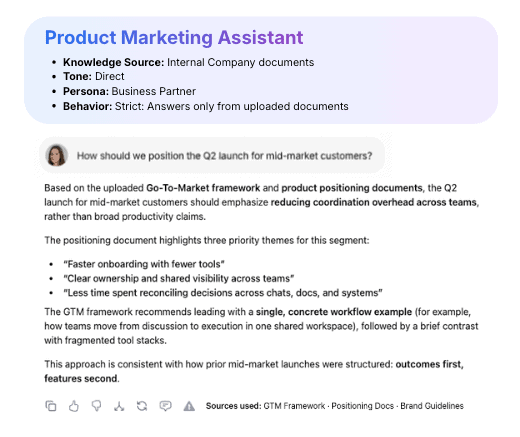
Upload your company docs and create assistants that explain policies, generate content, and answer team questions with clarity and confidence. They respond based on your approved sources, so every answer stays accurate, aligned, and reliable.

Trusted by enterprises

Image 1
Image 2
Image 3
Image 4
Image 5

What Are AI Assistants In WorkLLM?

AI Assistants in WorkLLM are role-based teammates trained on your knowledge, documents, and tools. They provide consistent, accurate answers, explain decisions, and support day-to-day work across the team.

For example, they can:

  • Answer HR, policy, or onboarding questions instantly using internal docs
  • Surface product details, specs, or positioning without pinging PMs or Sales
  • Explain processes, APIs, or troubleshooting steps without interrupting engineers

Think of them as always-available experts that scale knowledge without creating bottlenecks.

Why Team Needs Assistants

Teams lose time answering the same questions again and again. AI assistants give everyone instant, accurate answers based on shared knowledge — without interrupting experts. As teams grow, assistants ensure answers stay consistent and reliable across the organization.


Build AI Assistant In Minutes

Create assistants that understand your context, follow your rules, and work the way your team works — no engineering required.

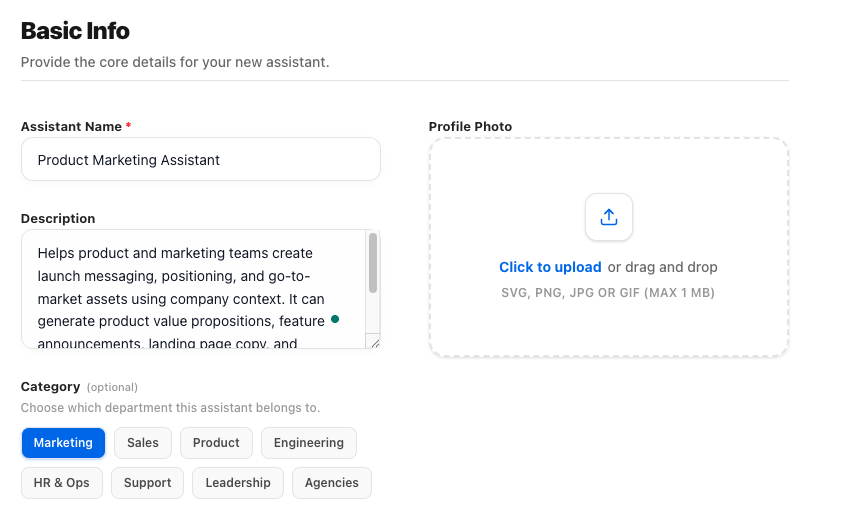
1) Basic info

Give your assistant a clear name and purpose so everyone knows when and how to use it. This sets expectations before the first question is even asked.
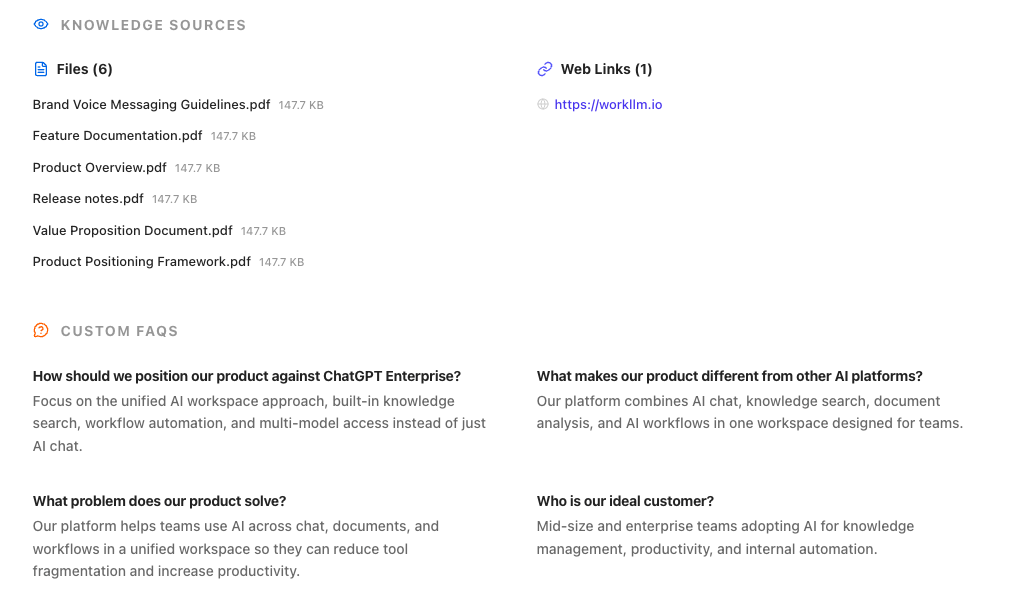
2) Knowledge sources

Connect documents, links, FAQs, or tools your assistant should rely on. The assistant answers based on your knowledge — not generic internet guesses
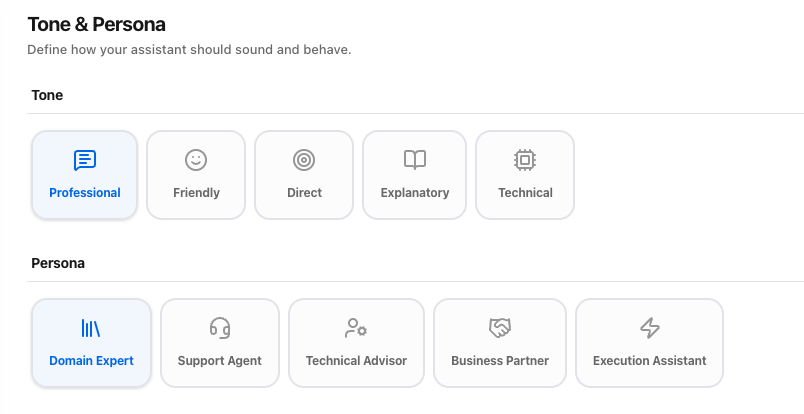
3) Tone & persona

Define how your assistant sounds and who it acts like — from professional or friendly tone to roles like support agent, domain expert, or business partner for consistent responses.
4) Answering behavior

Control where answers come from. Choose Strict Mode for source-only answers or Hybrid Mode to combine your content with broader AI knowledge when needed.

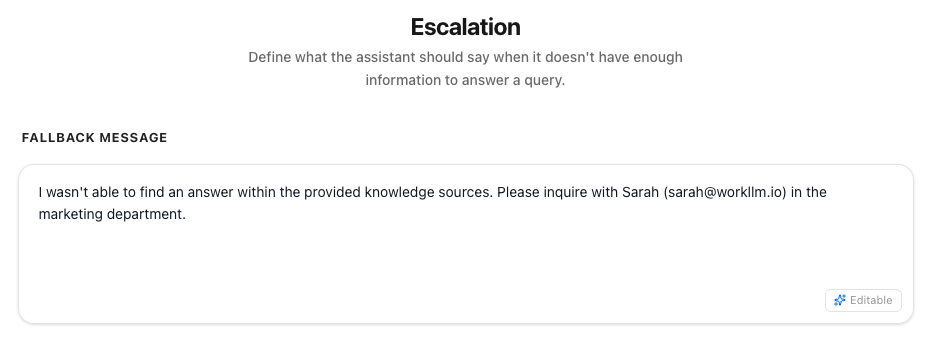
5) Escalation

Decide what the assistant should say when it doesn’t have enough information.
 Set clear fallback messages or handoffs.
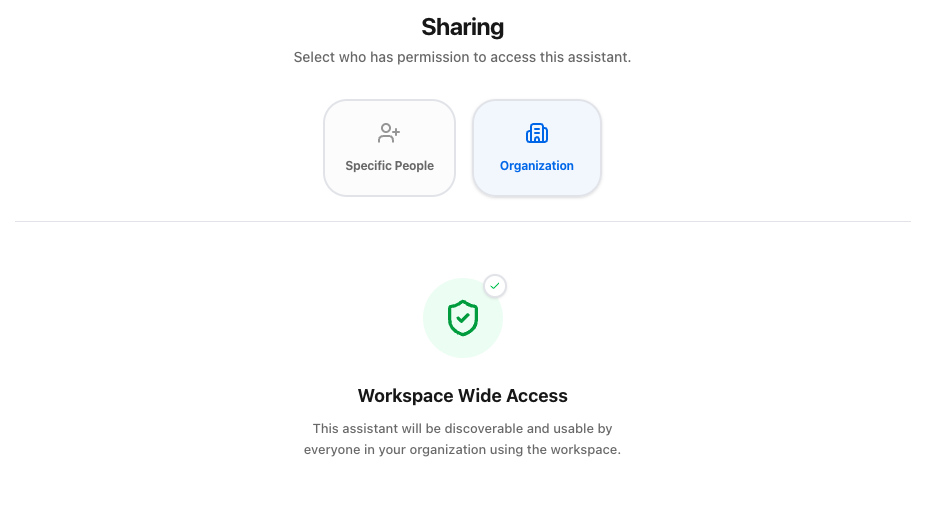
6) Sharing

Share the assistant with your team or across the workspace. Everyone gets the same answers, same rules, same context.

The WorkLLM Advantage

Other platforms treat assistants as simple prompt templates. WorkLLM delivers true, knowledge-backed AI assistants built for team-wide use.

Controlled Knowledge Access

Each assistant can be restricted to specific sources or documents — ensuring it only answers from approved content. Perfect for HR, Legal, Support, Sales Enablement, or Compliance-sensitive teams.

Built for Repeatability

Assistants remember their configuration and can be reused for – policy questions, product knowledge, onboarding, support processes, sales enablement, documentation interpretation. They eliminate repeated explanations across the company.

Enterprise Governance Layer

Policies, permissions, source control, and auditability built in from day one. Perfect for organizations with compliance and accuracy requirements

Sharable across teams

Assistants are easily published to individuals, teams, or the entire workspace — giving everyone quick access to consistent, accurate answers.

Governed & Safe By Design

Knowledge Permissions

Assistants only use knowledge sources they are allowed to access.

Governance Controls

Assistant owners controls which assistants are visible to who and accesses what data

Strict Source Boundaries

Assistants never access documents or data they aren’t explicitly assigned.

Transparent Auditability

See what sources were used to generate each answer.

Consistent, On-Brand Outputs

Assistants follow your chosen style, tone, and accuracy expectations — no improvisation.

No Hallucinations

In Strict Mode, assistants answer only from your knowledge. If it’s not in your documents, they simply say so.

FAQs

A WorkLLM Assistant is a customizable AI chatbot trained on your company’s documents, policies, and guidelines. It answers questions using only your approved knowledge sources.

Regular chat responds generically. Assistants respond based on your specific company knowledge, tone, and rules — making answers consistent, accurate, and trustworthy.

You can upload PDFs, Docs, PPTs, CSVs, links, policy files, internal playbooks, knowledge bases, and any other text-based materials your teams rely on.

Assistants are designed to respond only from approved knowledge sources. If the answer isn’t covered, they disclose that instead of inventing information.

Yes — you can create as many Assistants as needed (HR, Sales, Product, Product 1, Product 2, Product 3, etc.) and share them with specific teams or the entire workspace.

Absolutely. You define the writing style, tone, length, and depth. They can be friendly, formal, technical, concise, on-brand, or anything in between.

Anyone in the workspace can create an Assistant. The creator decides who can access, use, or collaborate on it — specific people, teams, or the entire organization.

Yes — depending on the behavior you choose. Assistants can be configured in two modes:

  • Strict Mode: Answers only from the specified knowledge sources. No open-ended reasoning, no external information.
  • Hybrid Mode: Allows the Assistant to use its LLM knowledge and optional internet data in addition to your provided sources.

The creator decides which mode an Assistant uses.

Yes — Assistants can be archived, unpublished, or disabled instantly by assistant owners.

Yes — all Assistant interactions are logged for auditing, usage insights, performance tracking, and compliance.

Happy Customers

Customer satisfaction is our major goal. See what our customers are saying about us.

Build Assistants Your Team Can Rely On

Turn your company knowledge into intelligent, trustworthy assistants that teams use every day.