







Chat with PDFs, Documents, and Images
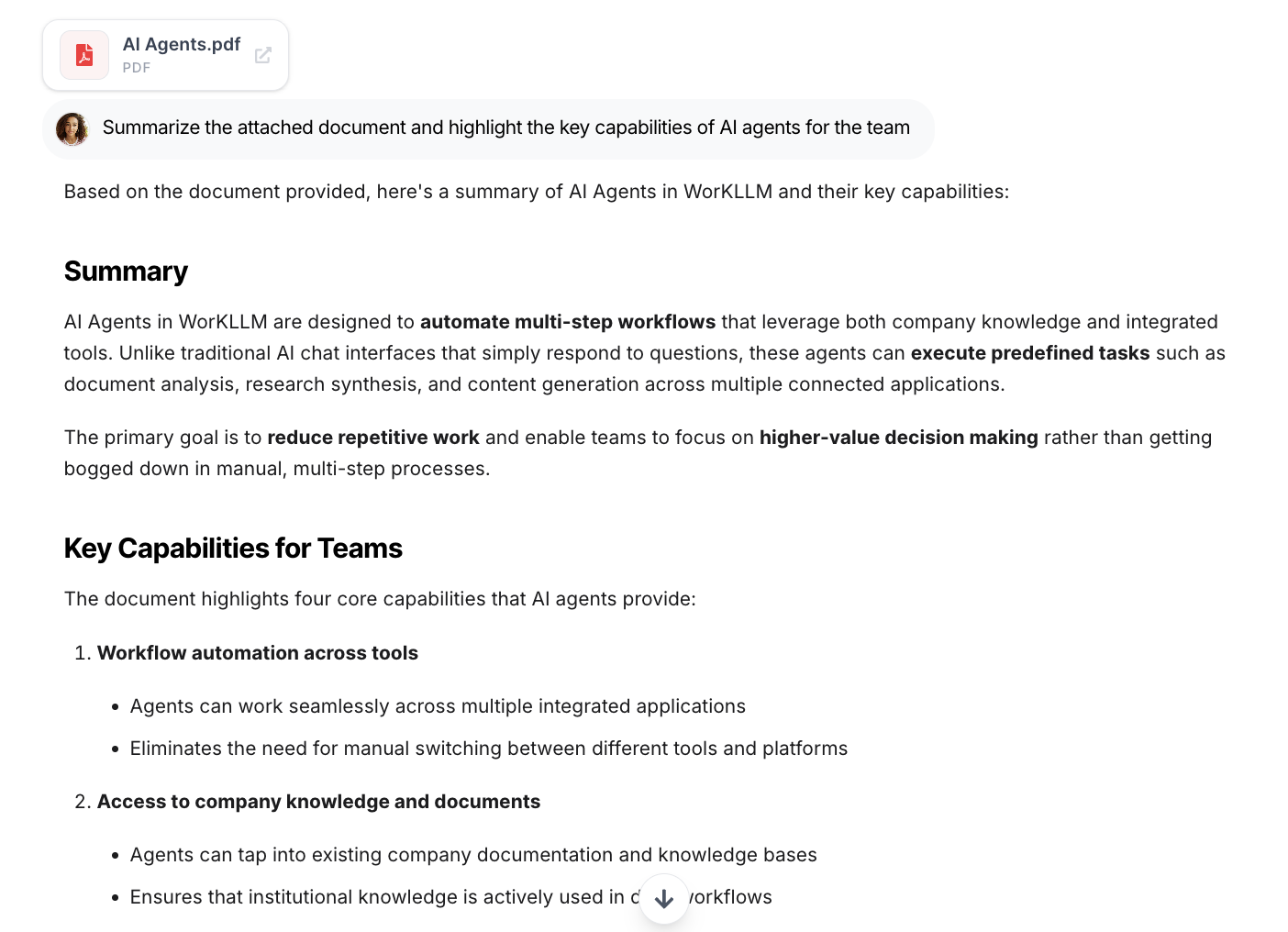
Attach files to any conversation and let WorkLLM understand, summarize, compare, and reason using your actual documents.
Trusted by enterprises


Why Teams Need Document Chat
Most teams work across documents, while decisions happen in conversations. This disconnect leads to repeated explanations and unreliable answers. Document Chat brings your files directly into the conversation, so AI responses stay accurate, grounded, and complete.
Key Features of Document Chat
Ask Precise Questions, Get Specific Answers
Instead of skimming long files, ask targeted questions and get direct answers grounded in the document content — saving time and reducing guesswork.
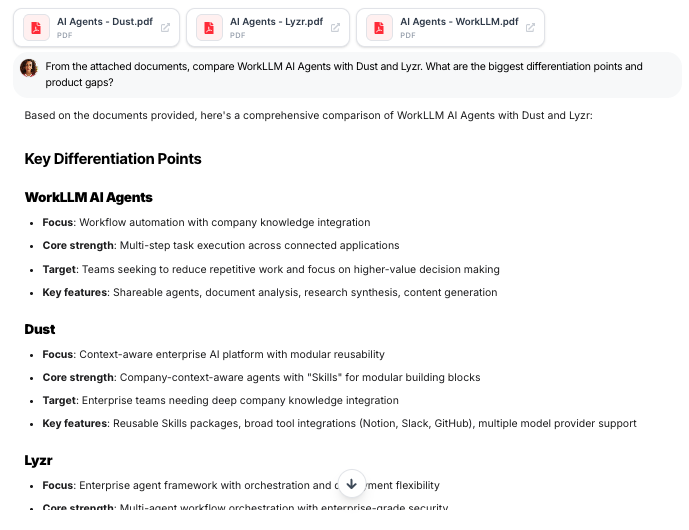
Work Across Multiple Documents at Once
Attach several files to the same conversation and reason across them together. Compare, synthesize, or extract insights without switching contexts or tools.
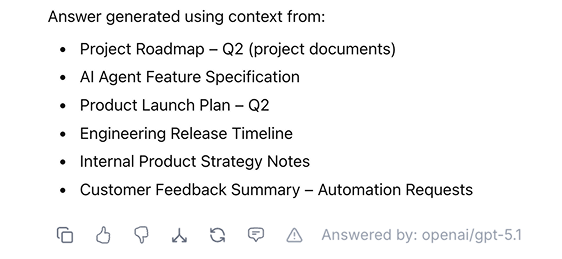
Source-Aligned Responses You Can Trust
Answers are based on the documents you provide and reflect exactly what’s written — helping teams rely on outputs for reviews, decisions, and follow-ups.
Understand Visual & Scanned Content
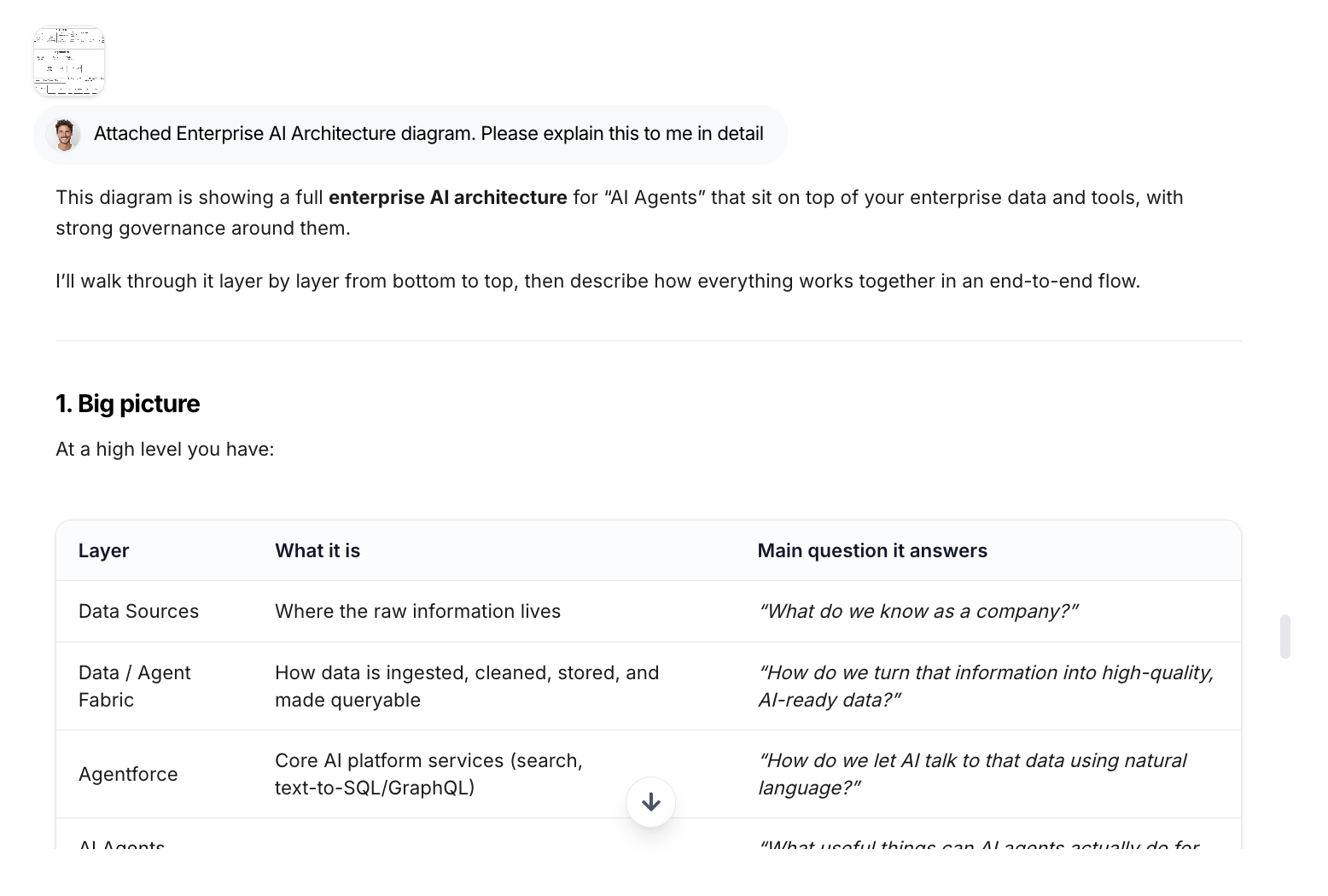
Upload screenshots, diagrams, charts, or scanned pages. WorkLLM interprets visual information and explains it in plain language.
Built For Knowledge-Heavy Work
Document Chat shines when teams need answers grounded in real documents — not guesses or summaries.
Policy & Compliance
Product & Technical Docs
Research & Analysis
Sales & Enablement
Customer Support Knowledge
Decision Reviews
The WorkLLM Advantage
Most tools let you upload a document and ask questions. WorkLLM turns documents into a shared, persistent workspace — not a one-off prompt.
Built For Team Collaboration
Document Chat works in shared conversations. Teams can review the same files together, ask questions collaboratively, and align on insights without duplicating work.
Enterprise-Ready by Design
Documents stay scoped to the conversation and workspace they belong to. Access follows thread permissions, making Document Chat safe to use for internal reviews and sensitive materials.
Part of AI Workspace
Document Chat doesn’t live in isolation. It connects naturally with Multi-LLM Chat, Shared Chats, Assistants, and Agents — so document-based work can evolve into workflows, summaries, or automation.
Multi-Document Reasoning, Not One-File-at-a-Time
WorkLLM can reason across multiple documents within the same thread. Compare versions, synthesize insights, and connect information without restarting or re-uploading files.
FAQs
What is Document Chat in WorkLLM?
Document Chat lets you upload PDFs, documents, images, or pasted text into a chat and ask questions directly against that content. The AI uses the attached files as context to generate grounded, relevant responses.
What types of files can I use with Document Chat?
You can chat with PDFs, Word documents, Google Docs exports, slides, spreadsheets, images, screenshots, CSVs, and most standard office file formats.
Can WorkLLM summarize or extract information from PDFs?
Yes — WorkLLM can summarize, extract tables, explain sections, rewrite content, or answer questions based on any PDF you upload.
Does WorkLLM understand images or screenshots?
Yes — it can interpret UI screenshots, diagrams, charts, whiteboard photos, error messages, and visual content.
Can I compare two versions of a document?
Yes. You can attach multiple versions and ask WorkLLM to highlight differences, changes, or updates between them.
Can I rewrite or transform content from documents?
Yes. You can ask WorkLLM to rewrite, shorten, expand, reformat, or adapt document content while keeping the original context intact.
Are uploaded documents secure?
Yes. Documents stay within your workspace and follow your organization’s security, access control, and data retention policies.
Can I use Document Chat alongside other WorkLLM features?
Yes. Document Chat works seamlessly with Multi-LLM Chat, Shared Chats, Assistants, and Agents as part of the broader WorkLLM platform.
Does WorkLLM store my uploaded files?
Files added for chat context stay within your secure workspace and follow your workspace’s retention and governance policies.
Happy Customers
Customer satisfaction is our major goal. See what our customers are saying about us.
“Vivamus sagittis lacus vel augue laoreet rutrum faucibus dolor auctor. Vestibulum id ligula porta felis euismod semper. Cras justo odio dapibus facilisis sociis natoque penatibus.”

![]()
Coriss Ambady
Financial Analyst ABC.com
“Vivamus sagittis lacus vel augue laoreet rutrum faucibus dolor auctor. Vestibulum id ligula porta felis euismod semper. Cras justo odio dapibus facilisis sociis natoque penatibus.”

![]()
Cory Zamora
Marketing Specialist ABC.com
“Vivamus sagittis lacus vel augue laoreet rutrum faucibus dolor auctor. Vestibulum id ligula porta felis euismod semper. Cras justo odio dapibus facilisis sociis natoque penatibus.”

![]()
Nikolas Brooten
Sales Specialist Financial Analyst ABC.com
“Vivamus sagittis lacus vel augue laoreet rutrum faucibus dolor auctor. Vestibulum id ligula porta felis euismod semper. Cras justo odio dapibus facilisis sociis natoque penatibus.”

![]()
Coriss Ambady
Financial Analyst Financial Analyst ABC.com
“Vivamus sagittis lacus vel augue laoreet rutrum faucibus dolor auctor. Vestibulum id ligula porta felis euismod semper. Cras justo odio dapibus facilisis sociis natoque penatibus.”

![]()
Jackie Sanders
Investment Planner Financial Analyst ABC.com
“Vivamus sagittis lacus vel augue laoreet rutrum faucibus dolor auctor. Vestibulum id ligula porta felis euismod semper. Cras justo odio dapibus facilisis sociis natoque penatibus.”

![]()
Laura Widerski
Sales Specialist Financial Analyst ABC.com