










200+ LLMs. One secured collaborative workspace.

The simplest and most powerful way for teams to use GPT, Claude, Gemini, Llama, Mistral, DeepSeek, Qwen, and more – all inside a single workspace with consistent workflows, enterprise-grade controls, and seamless model switching.

Trusted by enterprises

Image 1
Image 2
Image 3
Image 4
Image 5

Why Teams Need More Than One AI Model

No single AI model is best at everything. Some excel at reasoning, others at writing, coding, or speed.
High-performing teams need the flexibility to choose the right model at the right moment — without losing context or switching tools.

Key Features

WorkLLM doesn’t just offer access to multiple models — it unifies them into a workspace designed for clarity, structure, and real-world team workflows.

Unified Workspace for 200+ Models

GPT, Claude, Gemini, Llama, Mistral, DeepSeek, Qwen, and private enterprise models all work inside the same clean interface — no switching tools, no repeated prompts, no fragmented history.

Switch Models Without Losing Context

Run the same message with different models, compare reasoning patterns, or fine-tune variations — all while maintaining a single conversation flow.

Projects That Scale Your Work

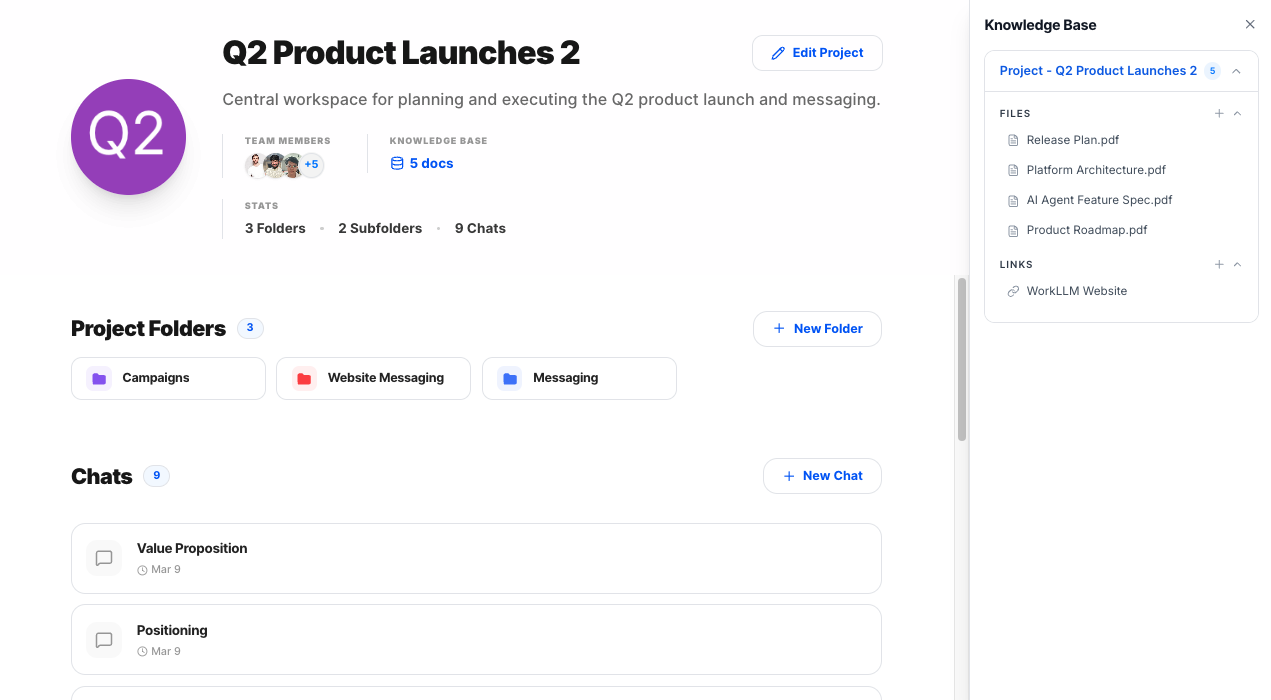
Organize multi-model conversations by projects in Folders. Projects keep complex work structured, especially when different models contribute to different stages of a workflow.

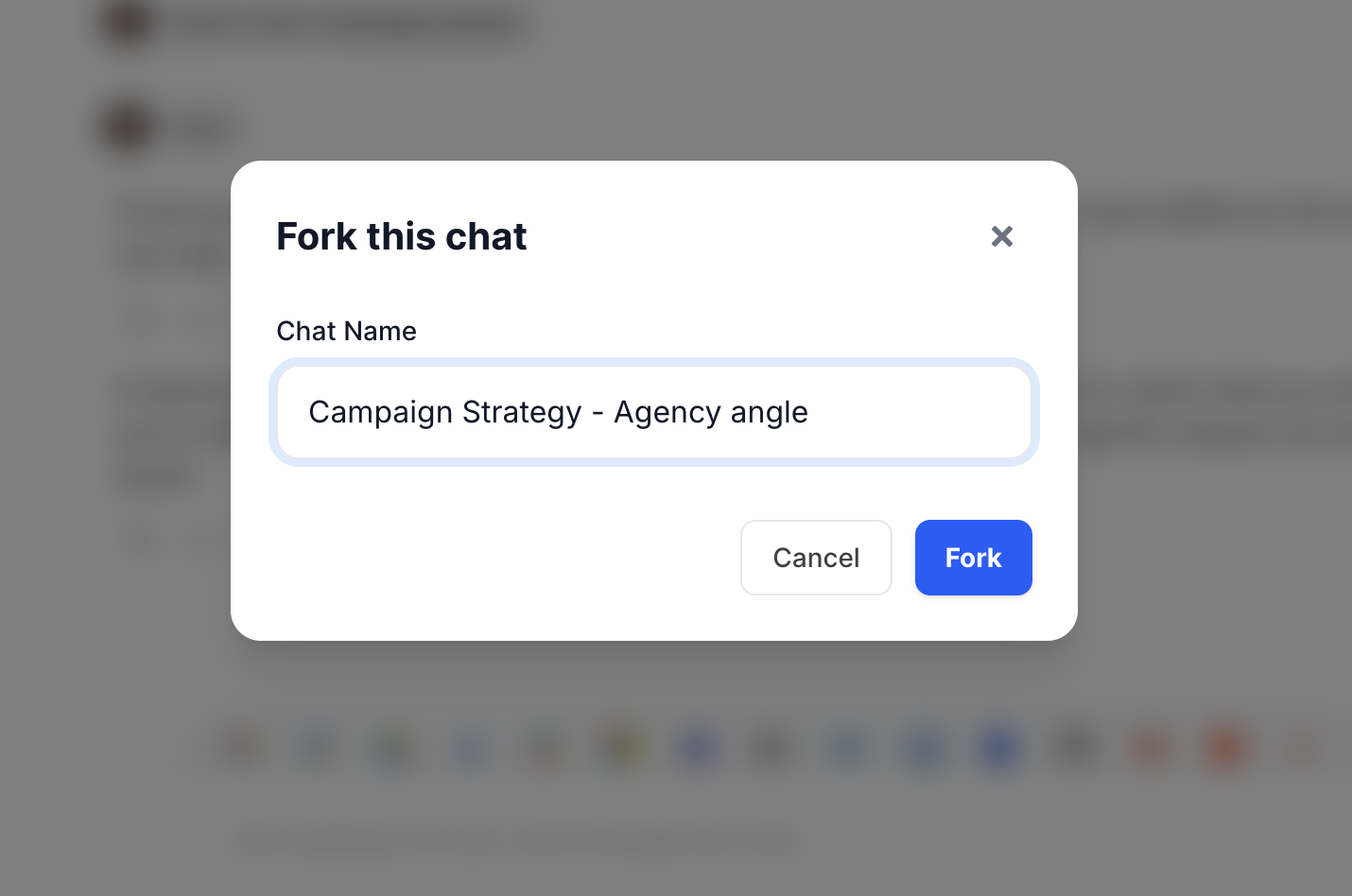
Fork Conversations to Explore Alternatives

Branch from any message to explore a new idea or test a different model. Perfect for research, brainstorming, and experimentation-heavy workflows.

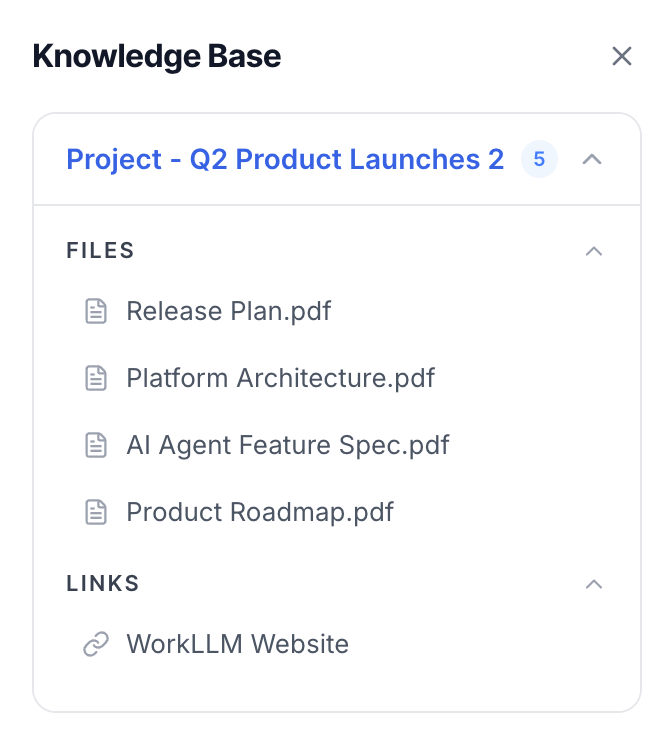
Project-Level Knowledge Sources

Attach documents or data sources directly to a Project folder. Every model, in every conversation inside that project, automatically has the same context — consistent, reusable, and controlled.

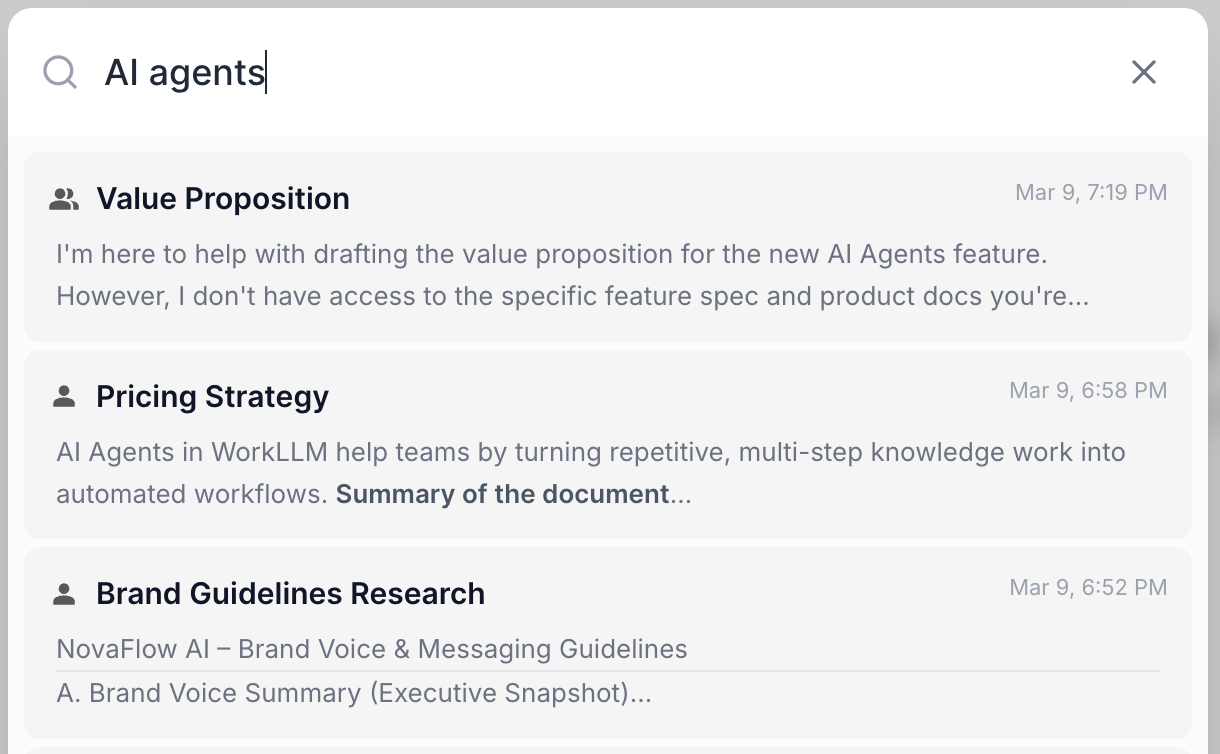
Search That Works Across Everything

Quickly find conversations, iterations, and model outputs across folders and threads — without digging or re-running work.

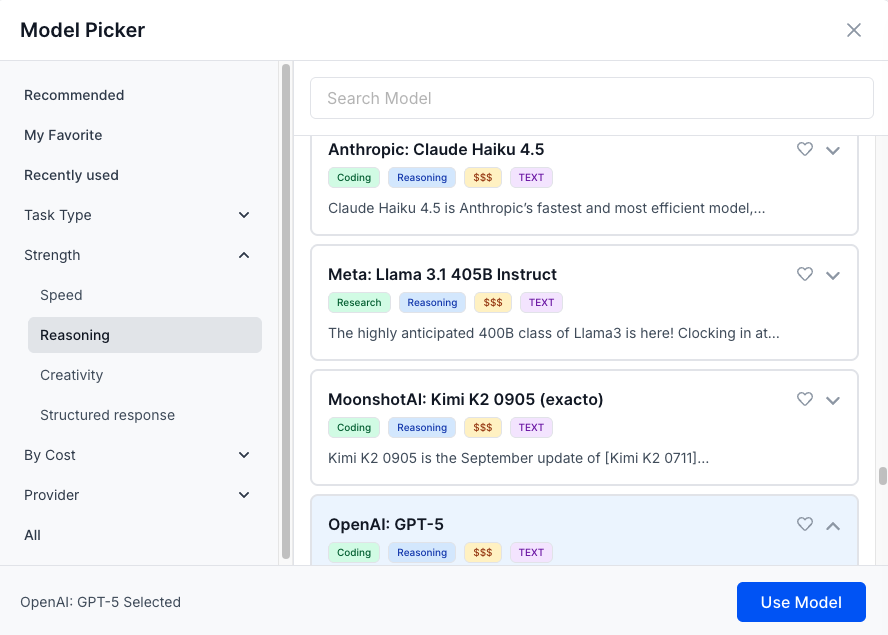
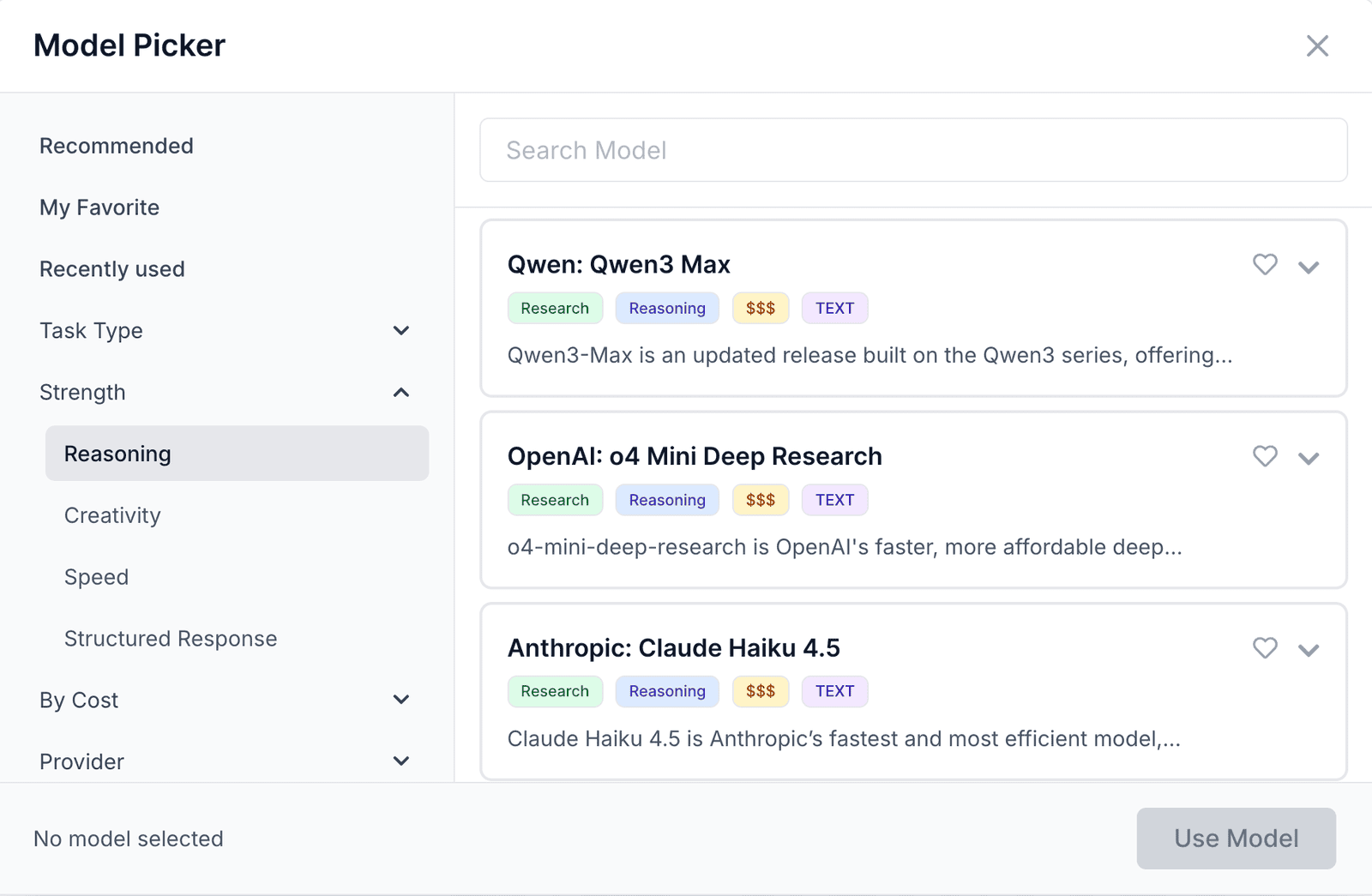
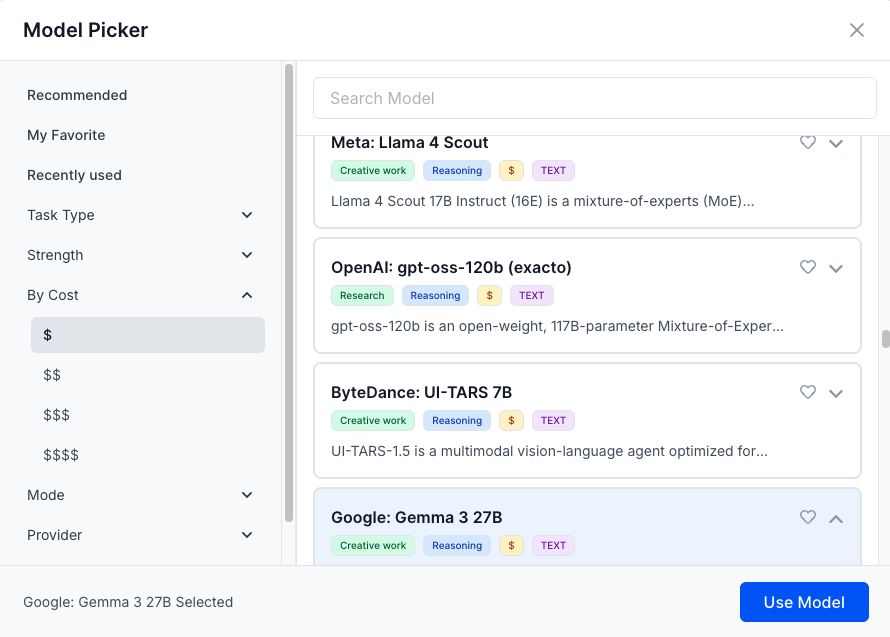
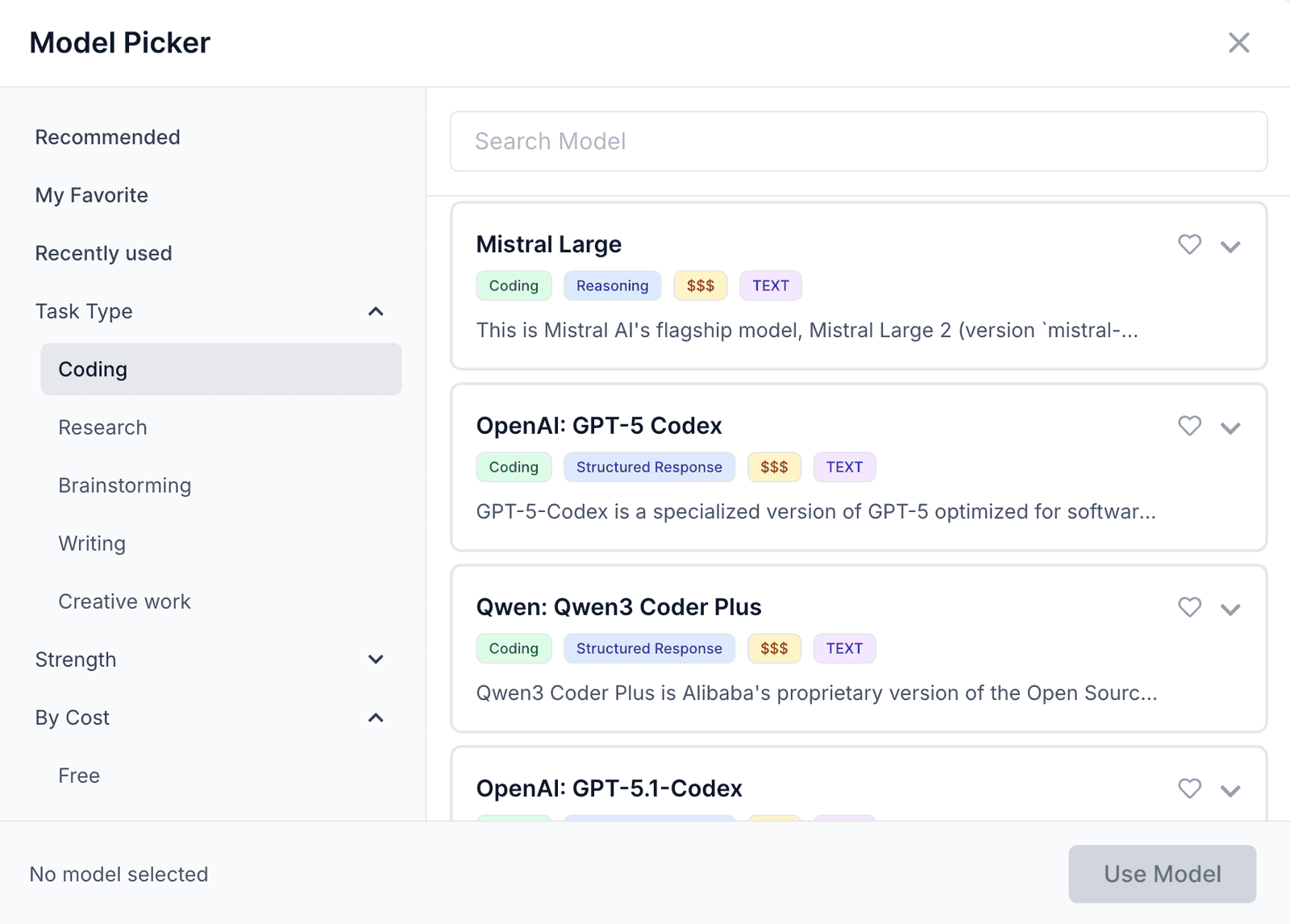
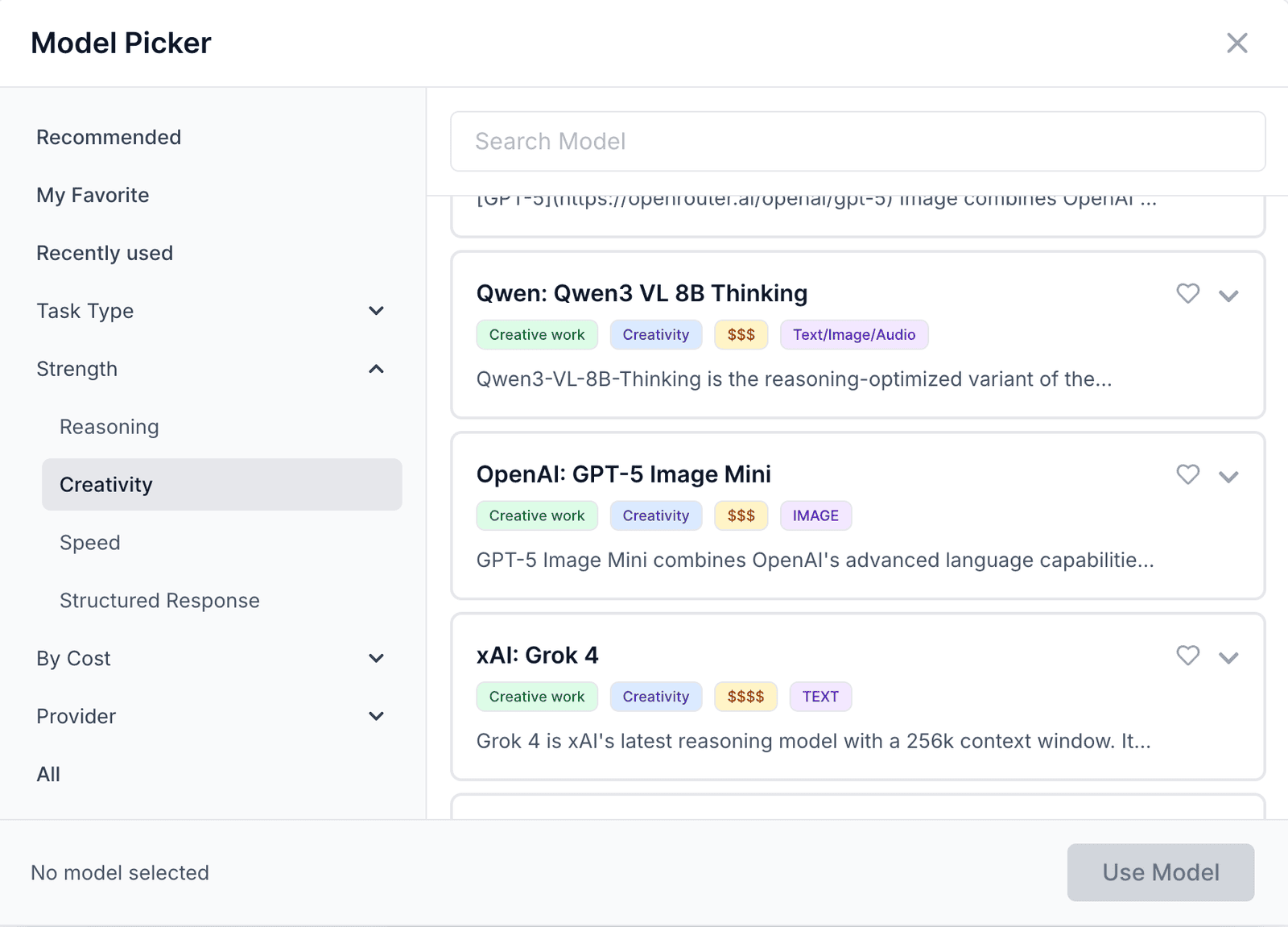
Choose the Best Model for Your Task

By Task Type

By Strength

By Cost
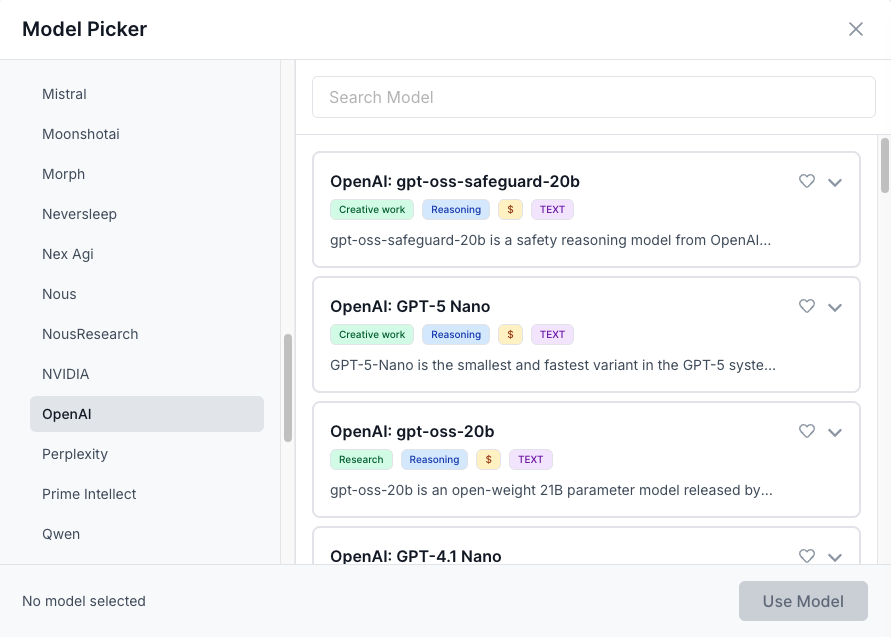
By Provider
The WorkLLM Advantage

Governed Multi-Model Access

Teams can use multiple LLMs without chaos. WorkLLM lets organizations control which models are available, how they’re used, and where sensitive tasks should run — all within one governed workspace.

Persistent, Cross-Model Context

Switching models doesn’t reset the conversation. Prompts, context, and reasoning stay intact across models, so teams can explore alternatives without re-explaining or re-running work.

Structured Exploration, Not Trial-And-Error

Multi-LLM Chat in WorkLLM isn’t random experimentation. Conversations stay organized, searchable, and reusable — allowing teams to systematically evaluate outputs and converge on the best result.

One Interface, Many Models

Instead of juggling tools, tabs, or accounts, WorkLLM provides a single, consistent interface for all models. Teams focus on outcomes, not on managing AI providers.

Save upto 90% on AI Cost

Premium reasoning models are expensive, but they’re not needed for every task.

WorkLLM helps teams use cost-effective models where they make sense, reserve premium models for critical work, and control spend with workspace-wide policies — without sacrificing output quality.

FAQs

It means you can use GPT, Claude, Gemini, Llama, Mistral, DeepSeek, Qwen, and many other models all inside the same chat interface without switching platforms or losing context.

Different models excel at different tasks. Some are better at reasoning, others at writing, coding, analysis, or creative work. Multi-LLM lets you pick the best model for the job.

Yes. You can switch models at any time, re-run a message with another model, or compare outputs without leaving the thread.

No. The entire conversation – prompts, files, and context – stays intact so every model can reuse the same information.

You can select models based on task type, strength (reasoning, speed, creativity), cost, or provider. WorkLLM clearly labels these options to make selection simple.

Yes. You can re-run any message with another model and compare the outputs in the same thread to evaluate quality, reasoning style, or accuracy.

Not necessarily. Many teams reduce costs by using cheaper models for simple tasks and reserving premium reasoning models only when needed — saving up to 90%.

Yes. Administrators can enable or disable specific models, and enforce governance rules across the workspace.

Forking lets you branch off a message to explore a new idea or test a different model without overwriting your original conversation.

Yes. Multi-LLM features are available in both personal and shared chats, letting teams explore and compare model outputs together.

When providers release new model versions, WorkLLM adds them as selectable options without disrupting existing conversations.

WorkLLM provides model-level usage analytics so you can monitor token consumption per user, team, or model — useful for managing budgets.

Happy Customers

Customer satisfaction is our major goal. See what our customers are saying about us.

Try Multi-LLM in One Unified Workspace

Experience how much better your team works when they can access every model without switching tools.