
AI Tool: Competitor Content Gap Analyzer

Uncover the topics, keywords, and angles your competitors win on—and turn them into a prioritized content roadmap.

Pricing

Included in paid plans.

Provided By

WorkLLM

Category

Marketing, Content, SEO

Tool Owner

SEO Lead / Marketing Manager

Owner Role

The Tool Owner uploads and maintains your site exports, content strategy, ICPs, keyword maps, and competitor lists so the tool can compare you against competitors accurately and make grounded, prioritized recommendations.

AI Tool Logic

Managed by WorkLLM

LLM Compatibility

Model Agnostic. Works with any Text based Models.

Description

The Competitor Content Gap Analyzer acts like a senior SEO strategist and competitive intelligence analyst. It analyzes your website and selected competitor sites to identify:

  • Topics and keywords competitors cover that you don’t
  • Areas where competitors go deeper or structure content more effectively
  • Positioning, messaging, and format gaps across your content landscape

It then generates a structured analysis and prioritized roadmap so your team knows exactly which pages, topics, and clusters to build next—without fabricating traffic numbers or competitor metrics.

Context & Knowledge Base

To move beyond surface-level comparison, this tool relies on rich, structured inputs from your business.

Strongly recommended

  • Website sitemap (XML or URL list) – Baseline map of your site’s content and structure.
  • Blog index export – Full view of existing articles and topics.
  • Product pages – Core solution and feature content for commercial intent.
  • Category pages – Higher-level themes and navigation structure.
  • SEO keyword mapping – Existing keyword-to-page mapping if you have it.
  • Content strategy doc – Your priorities, themes, and goals.
  • ICP doc – Who you’re targeting and their needs.
  • Core value propositions – How you define and differentiate your offering.
  • Topic clusters doc – Any existing hub-and-spoke or cluster planning.

Optional but powerful

  • Google Search Console export – Actual queries and pages driving traffic.
  • Top landing pages performance data – What already works.
  • Existing keyword ranking list – Where you currently stand vs. SERPs.
  • Competitor list – Who you care most about comparing against. 
  • Industry glossary – Domain-specific terms to recognize in content.

These documents allow the tool to map your content and competitors across topics, depth, formats, and keyword themes—not just individual URLs.

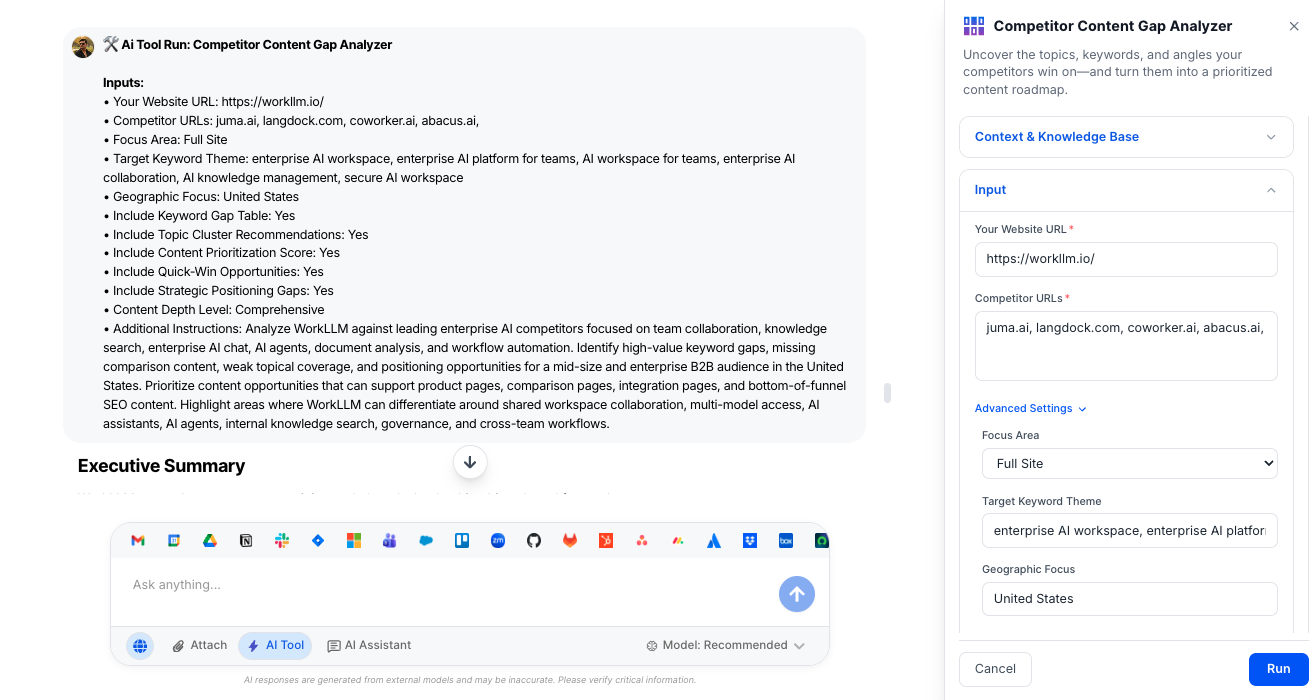
Input

Keep inputs simple; the tool handles the heavy competitive analysis behind the scenes. 

Required

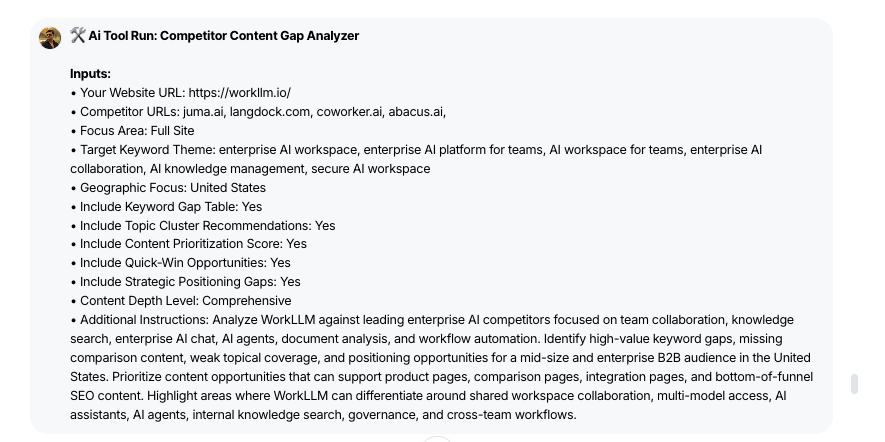
  • Your Website URL – The primary domain to analyze as the “source of truth” for your content.

  • Competitor URLs – List 1 competitor per line (recommended max 5) to benchmark against.

Advanced (Optional)

  • Focus Area (Dropdown) – Choose which part of your site to compare: Full Site, Blog Only, Product Pages, Landing Pages, Feature Pages, or Resource Center.

  • Target Keyword Thems = Specify a core theme (e.g., “content gap analysis,” “sales enablement tools”) to focus the analysis on a particular topic cluster.

  • Geographic Focus – Name a country or region so recommendations can reflect your target market.

  • Include Keyword Gap Table (Toggle) – Turn on/off a table of inferred keyword opportunities where competitors appear stronger. 

  • Include Topic Cluster Recommendations (Toggle) – Decide whether to receive cluster-level recommendations (hub + supporting articles). 

  • Include Content Prioritization Score (Toggle) – Enable scoring so each gap is labeled High / Medium / Low impact.

  • Include Quick-Win Opportunities (Toggle) – Ask for a shortlist of low-effort, high-impact opportunities.

  • Include Strategic Positioning Gaps (Toggle) – Include an analysis of messaging, value props, and trust signals vs. competitors.

  • Content Depth Level (Dropdown) – Set how detailed the analysis should be: Basic, Standard, Comprehensive, or Deep Strategic.

Output

You get a structured, decision-ready report—not just a loose list of keywords.

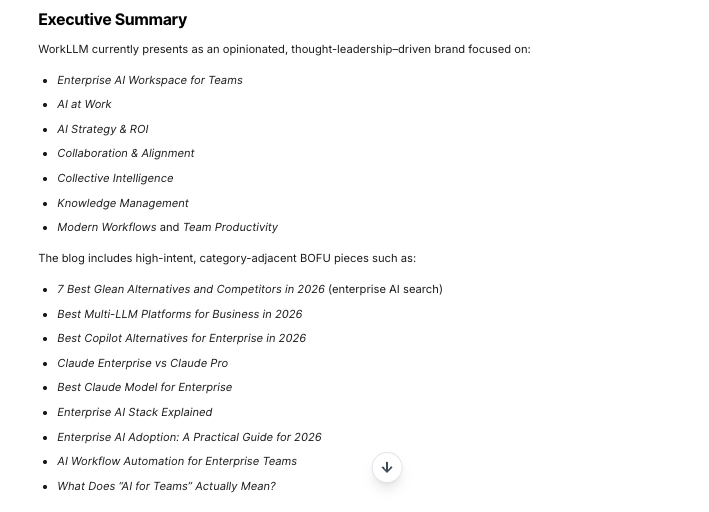
  • Executive Summary – A concise overview of key gaps, risks, and biggest opportunities across your content vs. competitors.

  • Content Landscape Overview – High-level map of how your content stack compares by themes, formats, and depth. 

  • Topic Gap Table – Table of important themes competitors cover that you don’t, with notes on why they matter. 

  • Depth Gap Analysis – Breakdown of topics you both cover, where competitors go deeper, use more formats, or have stronger structures. 

  • Keyword Opportunity Table (If Enabled) – Inferred keyword clusters where competitors likely capture traffic and you have limited or no coverage.

  • Positioning Gap Analysis (If Enabled) – Comparison of messaging tone, value proposition angles, emotional hooks, and trust elements (without fabricating metrics or claims).

  • Content Roadmap (Prioritized) – A sequenced plan of pages and clusters to create or improve, ordered by a content prioritization score (High / Medium / Low).

  • Quick Wins (If Enabled) – Shortlist of easy, high-leverage actions such as missing comparison pages, high-intent topics, and FAQ expansions.

  • Strategic Recommendations – Clear, next-step guidance on how to close gaps and strengthen your overall content strategy.

All outputs follow this structure consistently, making the report easy to share with SEO, content, and leadership teams.

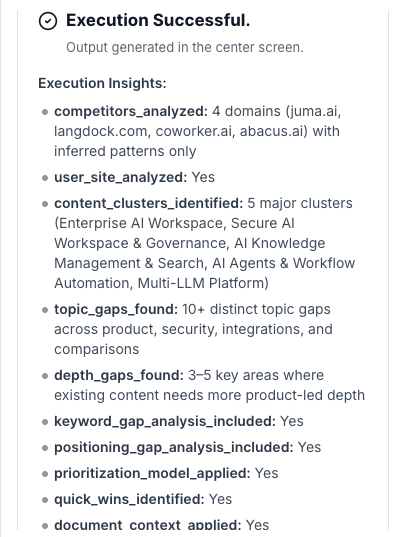
Execution Insights

Returned separately as metadata so teams can audit how the analysis was produced.

  • Competitors Analyzed – Which competitor domains were included.
  • User Site Analyzed – Confirmation of the primary domain.
  • Content Clusters Identified – Number or description of topical clusters found.
  • Topic Gaps Found – Count or summary of distinct topic gaps.
  • Depth Gaps Found – Count or summary of depth-related gaps.
  • Keyword Gap Analysis Included – Whether keyword gap tables were generated.
  • Positioning Gap Analysis Included – Whether strategic positioning review ran.
  • Prioritization Model Applied – Whether scoring (High / Medium / Low) was used.
  • Quick Wins Identified – Whether a quick-wins section was included.
  • Document Context Applied – Whether uploaded sitemaps, exports, and docs were used.
  • Analysis Depth Level – Basic, Standard, Comprehensive, or Deep Strategic.

Who is this for?

  • SEO Leads and Specialists
  • Content Strategy / Content Marketing Teams
  • Growth and Demand Gen Teams
  • Founders and Marketing Leaders in smaller organizations

Data & Permissions

This tool works on a combination of:

  • Your site URL and competitor URLs
  • Default context uploaded by the Tool Owner (sitemaps, exports, strategy docs, ICPs, etc.)
  • Optional per-run attachments (fresh exports, campaign-level priorities)
  • User-selected toggles and depth settings

It does not invent competitor traffic numbers, conversion rates, or performance metrics; it focuses on structural and thematic differences in content.

Security

  • All uploaded documents and inputs remain within your organization’s secure WorkLLM workspace.
  • No data is shared externally or used to train third-party models.
  • Enterprise-grade encryption and role-based access controls apply to all content and runs.

Governance

WorkLLM provides structure, control, and consistency across every execution.

  • Tool Logic: Managed by WorkLLM
  • Default Context: Managed by Marketing Manager / SEO Lead
  • Visibility: Organization-wide
  • User Customization: Input-level only

This ensures standardized outputs across teams while still allowing flexibility at execution time.

Similar AI Tools

Brand Guidelines Creator

By: WorkLLM

Create comprehensive, actionable brand voice guidelines that ensure consistency across all marketing, sales, support, and AI-assisted content.

Press Release Writer

By: WorkLLM

Generate professional, publication-ready press releases that align with your brand voice, follow journalistic standards, and maintain credibility across all distribution channels.

Abandoned Cart Email Sequence Writer

By: WorkLLM

Generate high-converting, brand-aligned abandoned cart email sequences that recover revenue while maintaining customer trust and compliance.

Marketing Budget Planner

By: WorkLLM

Create a data-driven marketing budget allocation plan that optimizes performance, aligns with your objectives, and respects financial constraints.

Client Proposal Generator

By: WorkLLM

Create structured, persuasive, and commercially realistic client proposals in minutes—aligned with your real pricing, services, and legal terms, not AI guesswork.

Tone Controlled Response Tool

By: WorkLLM

Rewrite any message into the exact tone you need—on‑brand, de‑risked, and ready to send for support, internal comms, or executive use.

Happy Customers

Customer satisfaction is our major goal. See what our customers are saying about us.





