
























AI for your entire operations team's daily work
WorkLLM provides an AI workspace with organization-wide memory and operations agents, so your entire operations team can handle everyday work from SOPs and process docs to vendor coordination and reporting with AI, doing more without adding headcount.
What slows operations teams down
How things get done lives in people's heads, not where AI can use it
Every process doc means re-explaining the company to AI
AI can draft, but it can't touch your tools
Everyone runs the process a little differently
One AI workspace for your entire operations team
A shared space where your processes and SOPs are always on hand, your agents are ready to run, and your whole team works with AI every day, not just the people who figured it out on their own.
One workspace for everything your operations team does with AI
AI that already knows how your company works
First drafts in minutes, not hours
AI that acts across your tools, not just your chat
One source of truth everyone runs from
What your operations team actually uses WorkLLM for
SOPs and process docs grounded in how you work
Answers about any process, from your actual docs
Work that moves across your tools on its own
Onboarding and access handled end to end
Reporting pulled together automatically
One process everyone follows the same way
Operation agents, ready from day one
Every agent below is available from day one. No configuration needed. Click any agent to see what it does and try it.

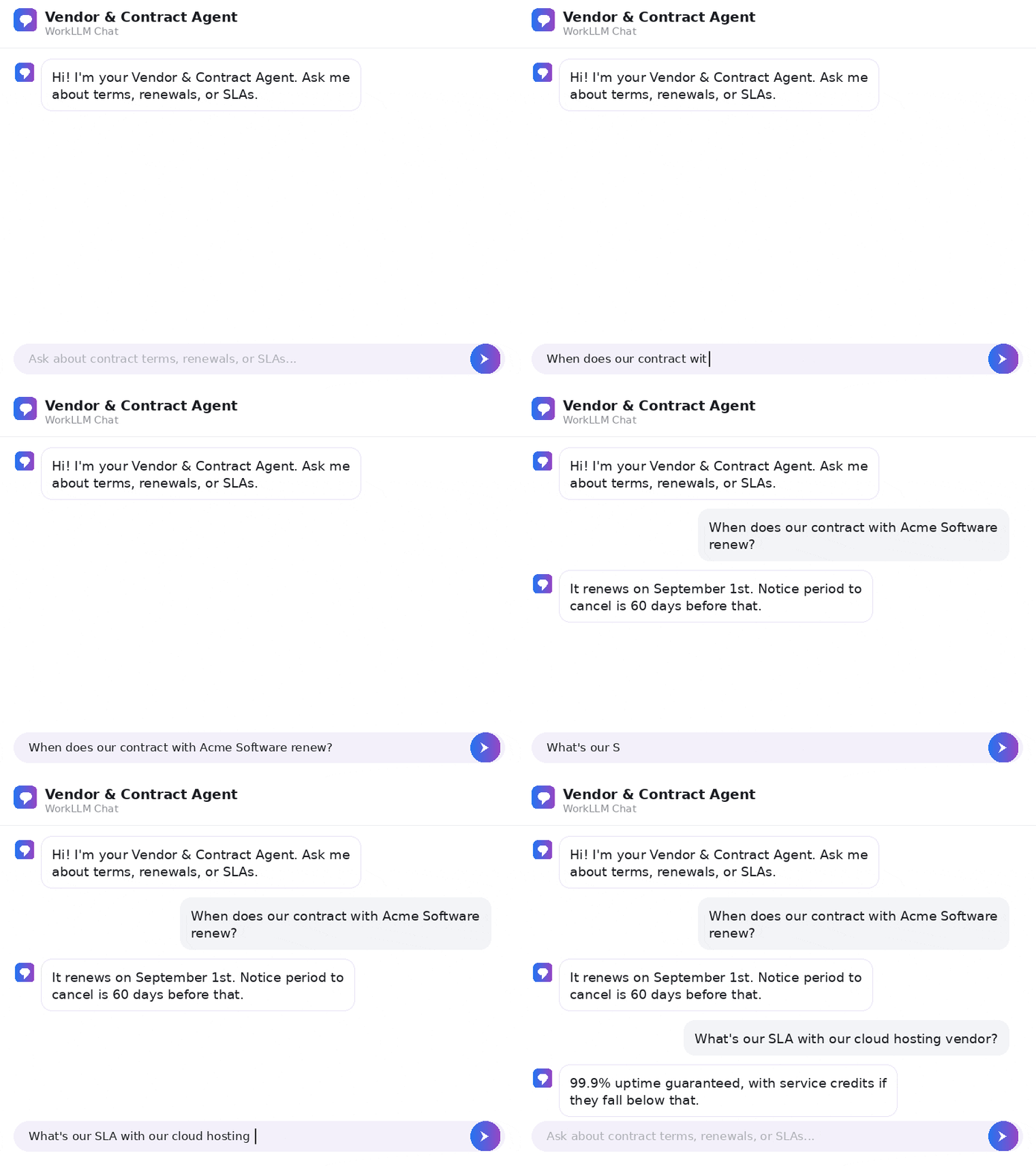
Vendor & Contract Agent
By: WorkLLM

IT Support Agent
By: WorkLLM
FAQs
What is WorkLLM for operations teams?
A shared AI workspace that combines organization-wide memory, model orchestration, AI agents, and team collaboration, so your entire operations team can run their daily work with AI, from SOPs and process docs to vendor coordination, onboarding, and reporting.
Do ops teams or non-experts need to learn prompting?
No. Task agents give you one-click workflows to draft, summarize, and research, so anyone on the team gets quality output from simple inputs.
How is this different from our team already using ChatGPT?
ChatGPT doesn’t know how your company works and can’t act in your tools. WorkLLM grounds every answer in your actual SOPs and processes through organization-wide memory, and workflow agents move work across your systems on their own, so AI doesn’t stop at the chat window and land back on ops.
How does WorkLLM keep work moving across our tools?
Integrations plus workflow agents move data, update records, and assemble reports across your spreadsheets, project tools, and email automatically, so ops isn’t the manual glue between systems.
Does it work with our existing tools?
Yes. Integrations include Google Workspace, Slack, Jira, HubSpot, Notion, Salesforce, and more, so WorkLLM fits into your stack.
Can we choose the best AI model for each task?
Yes. Model orchestration lets you use GPT, Claude, Gemini, Llama, Mistral, and over 200 models to get better answers for each use case.
What outcomes should we expect?
Your whole team works with AI, not just the few comfortable with it, because agents draw on your processes and SOPs automatically. Cross-tool work and reporting run on their own, so a small ops team keeps the company running like a much larger one without adding headcount.
How do teams collaborate inside WorkLLM?
Use thread sharing, co-prompting, comments, and shared outputs, so your team works from the same processes and latest versions.
How is our data governed and protected?
WorkLLM is built with governance and a dedicated Security and Data Privacy foundation across all workspace layers.
Can recurring operations tasks be automated?
Yes. Workflow agents can run automatically on app events or a schedule to handle recurring work like reporting, onboarding, data syncing, and status updates.
What types of AI agents are available?
Knowledge agents surface answers from organization-wide memory, Task agents handle one-click drafting and summarizing, and Workflow agents automate multi-step processes.