
























AI for your entire design team's daily work
WorkLLM provides an AI workspace with organization-wide memory and ready-to-run agents, so your whole company actually adopts AI in its daily work, not just a few power users, giving leadership real productivity gains, visibility, and governance instead of scattered tools and unclear ROI.
What slows design teams down
Brand and design decisions live in scattered files and people's heads
The writing around the design keeps getting put off
Research piles up faster than anyone can synthesize it
Design, product, and engineering work from different versions
One AI workspace for your entire design team
A shared space where your design system and past decisions are always on hand, your agents are ready to run, and your whole team works with AI every day, not just the people who figured it out on their own.
One workspace for everything your design team does with AI
Your design system and decisions, on hand for everyone
First drafts in minutes, not hours
Research synthesized into clear insight
One source of truth for design, product, and engineering
What your design team actually uses WorkLLM for
Briefs and design rationale from rough notes
Answers about your design system and past calls
User research synthesized into insight
Spec and handoff notes engineering can follow
Presentation copy that sells the work
Consistent docs across every project
Design agents, ready from day one
Every agent below is available from day one. No configuration needed. Click any agent to see what it does and try it.

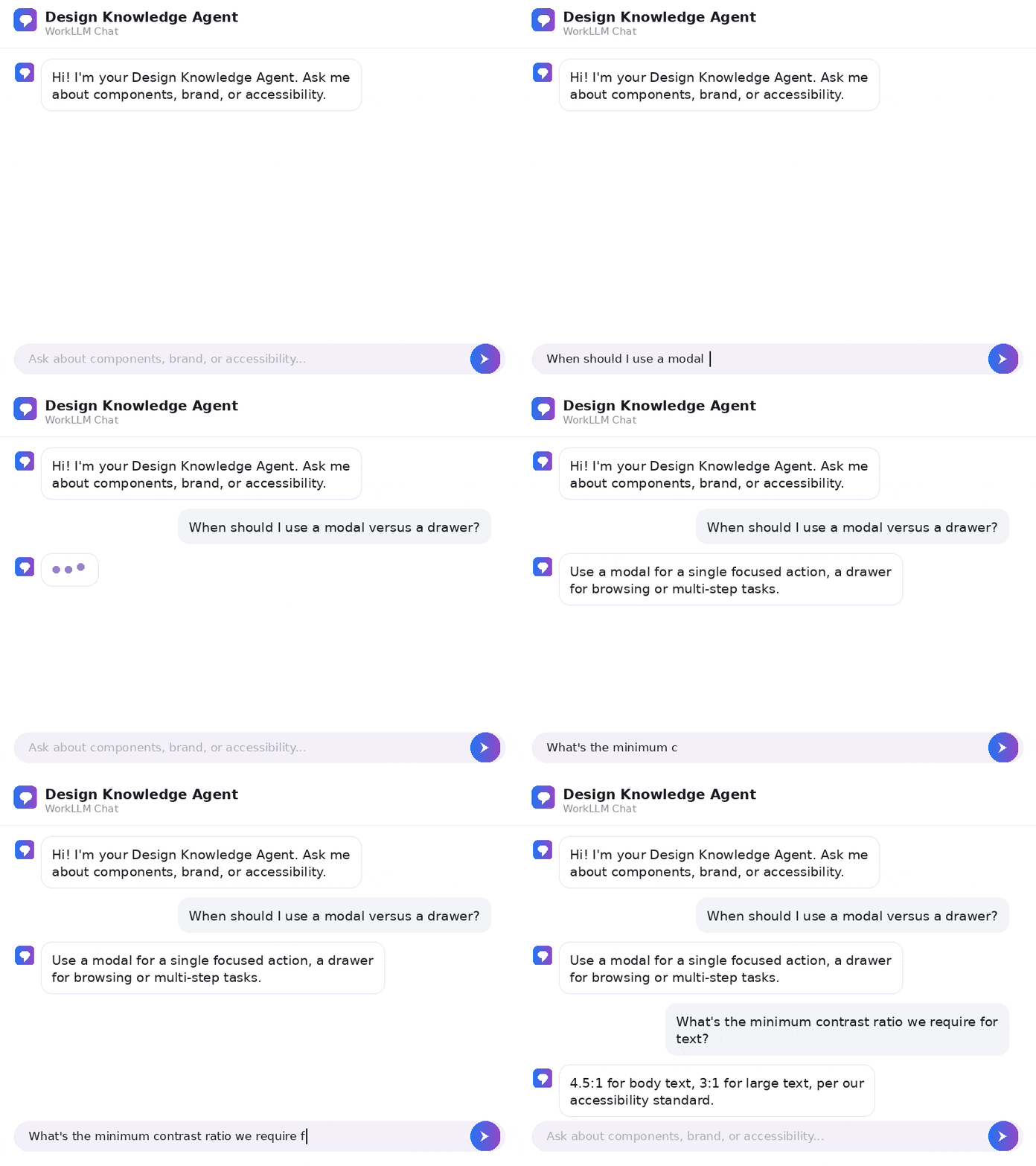
Design Knowledge Agent
By: WorkLLM
FAQs
What is WorkLLM for design team?
A shared AI workspace that combines organization-wide memory, model orchestration, AI agents, and team collaboration, so your entire design team can run their daily work with AI, from briefs and research to design rationale, specs, and handoffs.
Does WorkLLM design our screens or generate our visuals?
No, and it’s not meant to. WorkLLM handles the work around the design, briefs, research, rationale, spec notes, and handoffs, so it complements the design tools your team already uses rather than replacing them. Designers spend more time designing and less on the writing around it.
Do designers or non-experts need to learn prompting?
No. Task agents give you one-click workflows to draft, summarize, and research, so anyone on the team gets quality output from simple inputs.
How does WorkLLM keep our work consistent with our design system?
Your design system, past decisions, and the reasoning behind them live in organization-wide memory, so briefs, rationale, and specs reflect your actual system and standards instead of generic AI output, with no need to paste context each time.
How does WorkLLM help with research and feedback?
Integrations plus workflow agents pull user research, usability notes, and feedback into clear summaries on a schedule, so insight surfaces on its own instead of piling up unread.
Does it work with our existing tools?
Yes. Integrations include Google Workspace, Slack, Jira, HubSpot, Notion, Salesforce, and more, so WorkLLM fits into your stack.
Can we choose the best AI model for each task?
Yes. Model orchestration lets you use GPT, Claude, Gemini, Llama, Mistral, and over 200 models to get better answers for each use case.
What outcomes should we expect?
Your whole team works with AI, not just the few comfortable with it, because agents draw on your design system and decisions automatically. The writing and research around the design run on their own, so designers spend more time on the actual design and handoffs stop stalling on missing docs.
How do teams collaborate inside WorkLLM?
Use thread sharing, co-prompting, comments, and shared outputs, so design, product, and engineering work from the same decisions and latest versions.
How is our data governed and protected?
WorkLLM is built with governance and a dedicated Security and Data Privacy foundation across all workspace layers.
Can recurring design tasks be automated?
Yes. Workflow agents can run automatically on app events or a schedule to handle recurring work like research synthesis, handoff notes, and status updates.
What types of AI agents are available?
Knowledge agents surface answers from organization-wide memory, Task agents handle one-click drafting and summarizing, and Workflow agents automate multi-step processes.