
The knowledge your AI agents are built on
No more starting from a blank page. Add your policies, past work, and product details to organization memory, and every AI agent you build can draw on it.
Teams at 80+ companies use our platform























check out our reviews



AI Memory that matches how your team actually works
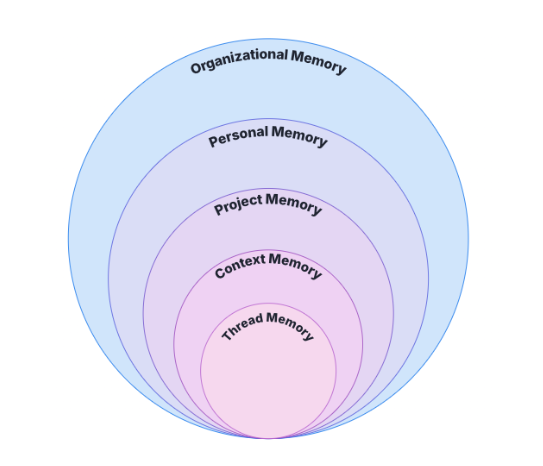
Not all context belongs everywhere. WorkLLM organizes memory into five layers, so the right information is exactly where it needs to be, whether you’re chatting or building an AI agent.
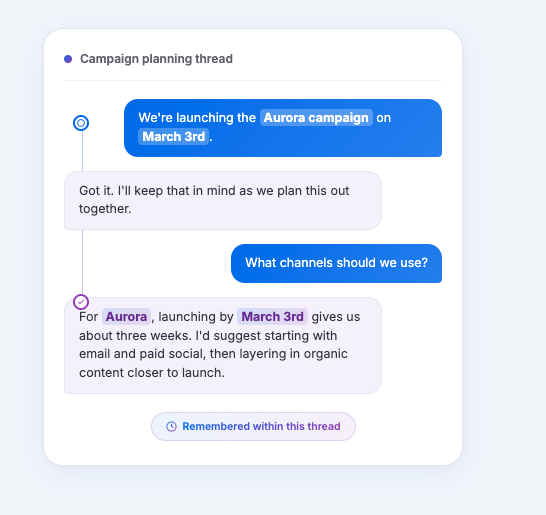
Thread memory
Every conversation remembers what you’ve already said, so you never repeat yourself mid-chat. Context stays alive for the full length of a conversation, automatically.
- Keeps context alive without you restating anything
- Works in every thread with nothing to set up
Context or Folder memory
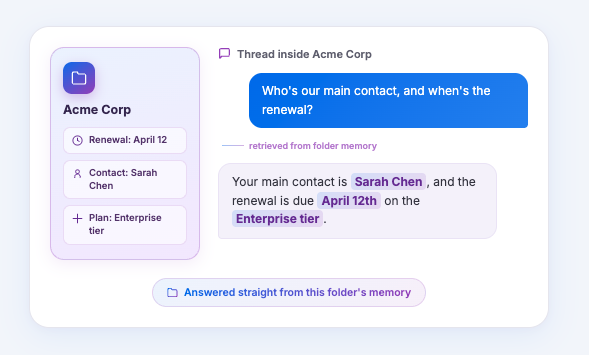
Every folder in a project carries its own memory. Threads inside that folder automatically know what’s relevant, without you explaining it.
- Scoped to the folder so unrelated work never bleeds in
- Keeps client folders, campaigns, and features cleanly separated
Project memory
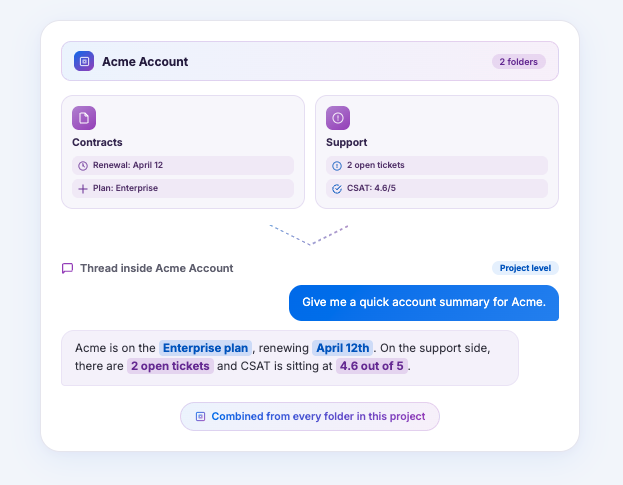
Everything inside a project shares the same memory layer. One consistent foundation for every folder and thread, no matter who’s working in it.
- Applies across all folders and threads in a project automatically
- Keeps the whole initiative grounded in the same context
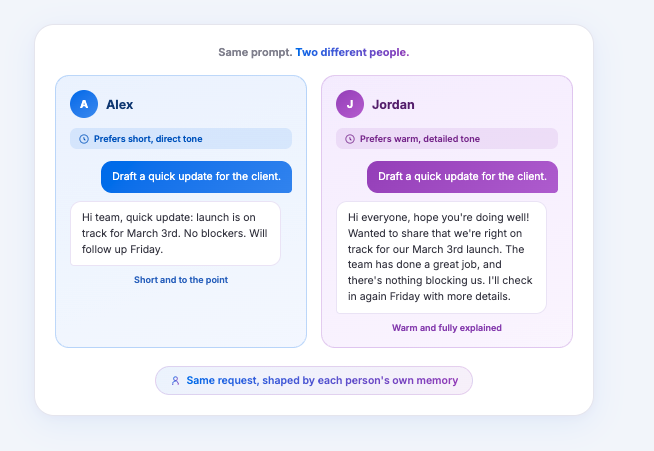
Personal memory
Your writing style and preferences travel with you everywhere in WorkLLM, across every project and folder.
- AI adapts to how you write, not the other way around
- Outputs already sound like you, less time on edits
Organization memory
Company-wide knowledge available to every conversation, and ready to add to any AI agent you build. In chat, it’s there automatically. When you’re building an AI agent, WorkLLM surfaces the relevant pieces for you to review and add.
- Available in every conversation automatically, no exceptions.
- When building an AI agent, add exactly what it needs, policies, past work, product details, with a click
How AI Memory Flows in WorkLLM
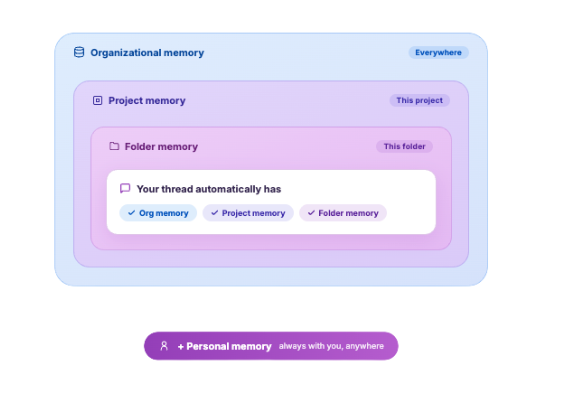
In chat, a thread inside a folder automatically has access to that folder’s memory, its project’s memory, and your company’s organization memory, all at once. You never have to manually connect the dots. When you build an AI agent, it works differently: you choose what from organization memory it should use, so every AI agent runs on exactly the knowledge you’ve approved for it.
FAQs
What's the difference between project memory and folder (context) memory?
Project memory applies to everything inside a project, every folder and every thread. Context memory is scoped to a specific folder, so only threads inside that folder use it. Project memory is the broader and parent layer, context memory is the more specific and child layer.
Does organization memory apply across every project automatically?
Yes. Organizational memory is available everywhere in WorkLLM, regardless of which project, folder, or thread you’re working in. It’s meant for company-wide knowledge, the AI brain, that should always be available.
Who can add something to organization memory?
Anyone on the team can suggest content for organization memory by adding files, links, or saving an AI answer. A memory owner or admin then reviews and approves it before it becomes visible to everyone else.
Do we need to connect our entire Google Drive or Slack to use org memory?
No. You only add what you actually want AI to know, files, folders, links, or templates. There’s no need to authenticate and share access to your entire workspace just to get a few documents into memory.
What happens if a teammate doesn't have access to a file I added?
Nothing breaks. Once something is added to org memory, it’s available to everyone with workspace access, regardless of whether they have permissions on the original file or app it came from. This avoids the common problem where an AI agent fails because the person using it doesn’t have the right file permissions.
Can organization memory be deleted or corrected if something's outdated?
Yes. Organization memory owners and admins can edit, replace, or delete anything in organization memory at any time, so your company’s knowledge stays accurate as things change.
How does organization memory work with AI agents versus chat?
In chat, organization memory is available automatically, no setup needed. For AI agents, you choose what it should use: WorkLLM surfaces the relevant items from organization memory when you’re building it, and you approve what becomes part of that AI agent’s knowledge.