
Build an AI agent That Run Your Workflows
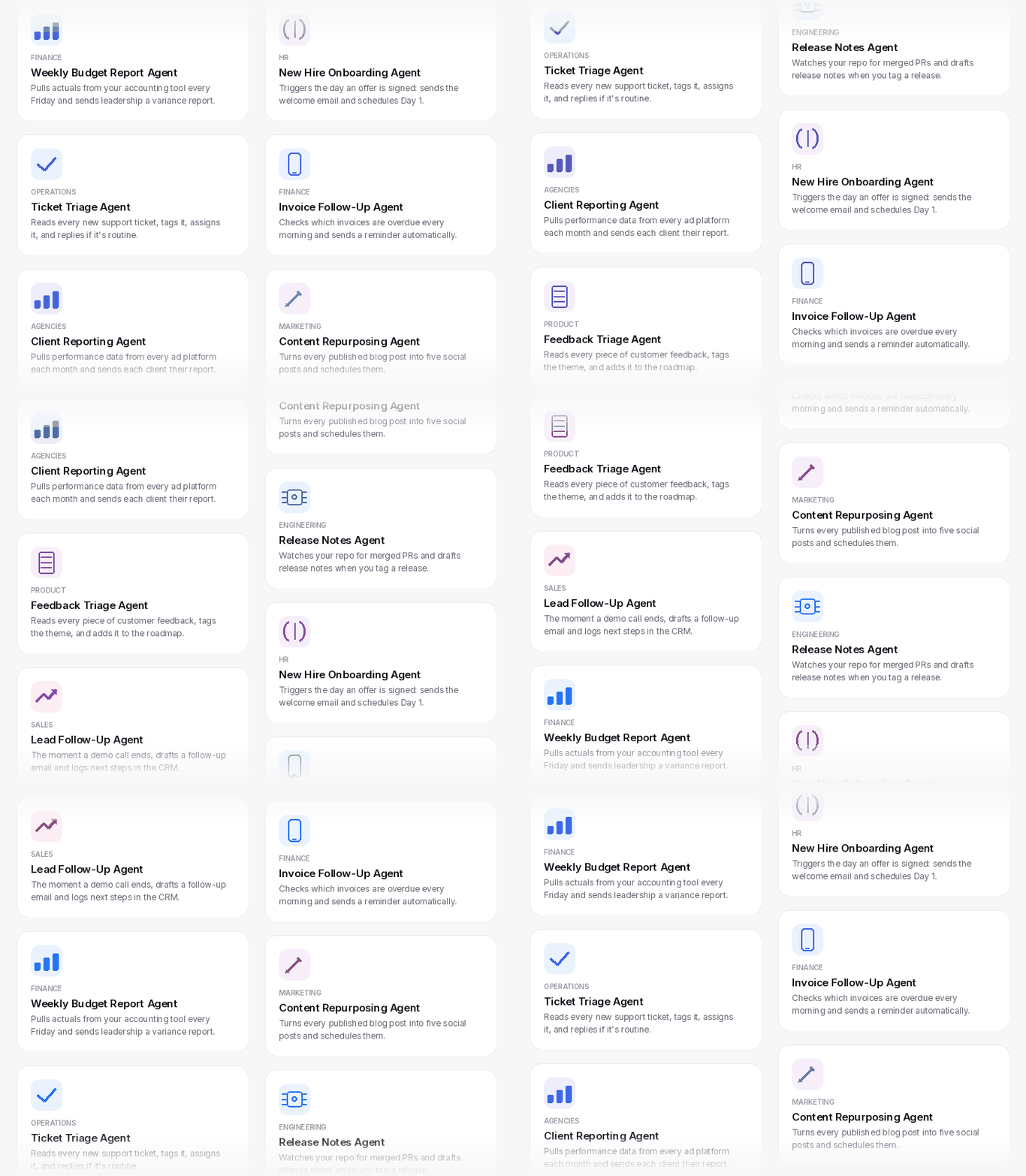
Describe your workflow and WorkLLM builds the AI agent, or start from hundreds of ready-made ones for Sales, Marketing, HR, and more. No coding, no prompting, no waiting.
Teams at 80+ companies use our platform























check out our reviews



How it works
Describe your workflow. WorkLLM turns it into an AI agent.
No code. No prompting. No consultants. Answer a few questions, build your AI agent, and let it run your workflow.
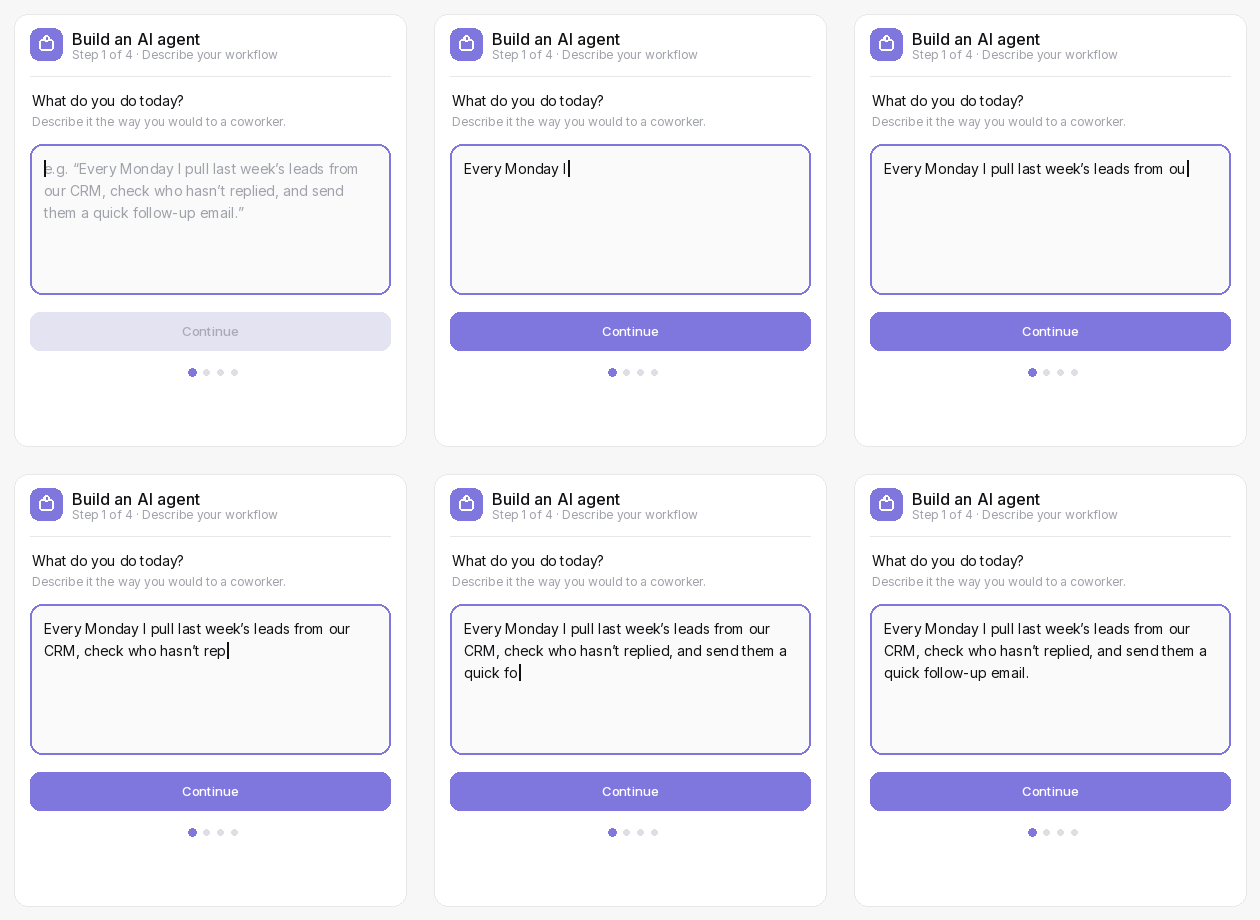
Step 1: Describe your workflow
Tell WorkLLM what you do today, in plain language. No flowcharts, no prompts. This works whether you’re describing something you do daily or something you’ve never written down anywhere before.
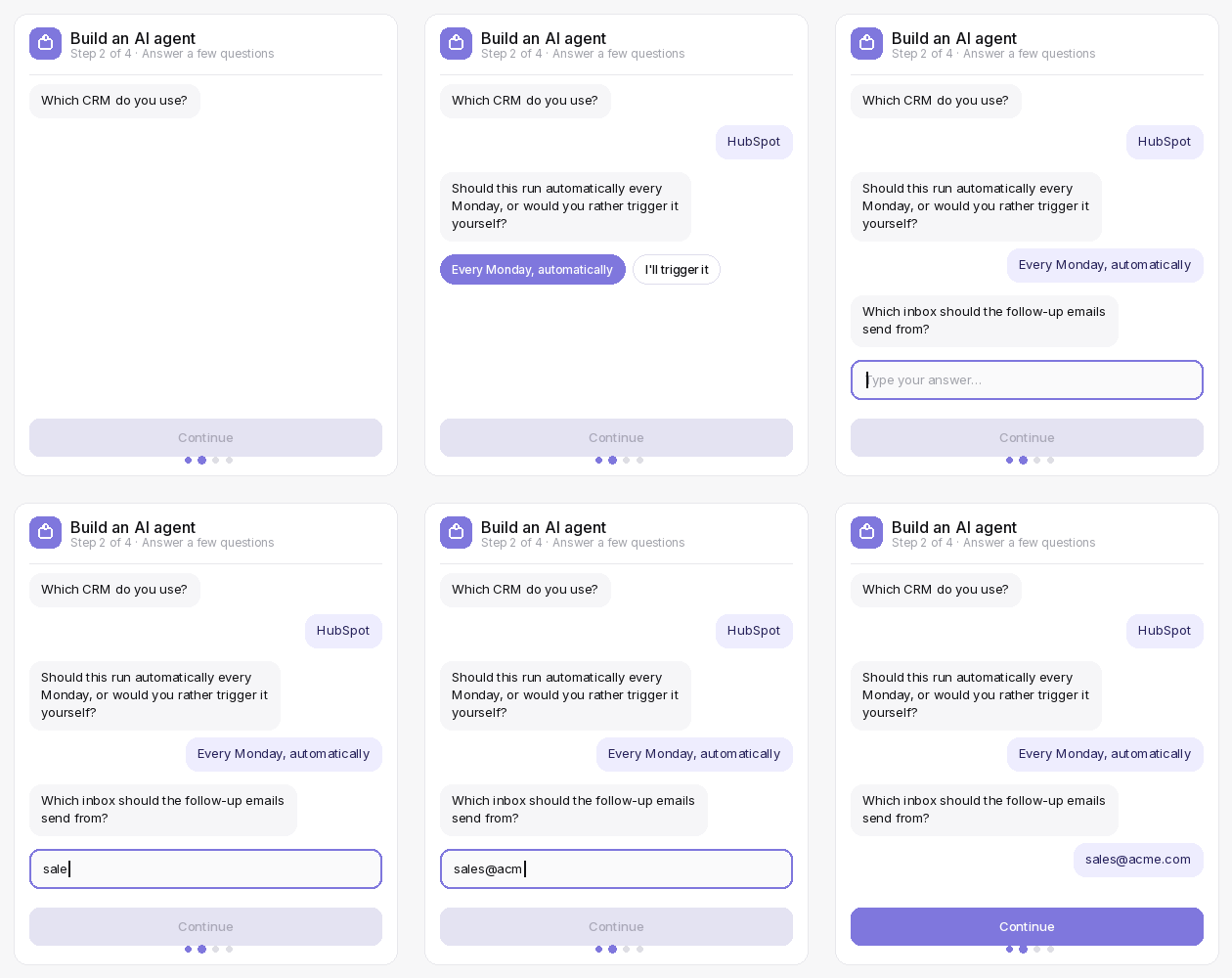
Step 2: Answer a few questions
WorkLLM only asks what it actually needs, like your tools or triggers, and skips anything it can already work out on its own. Most AI agents take under five questions to set up.
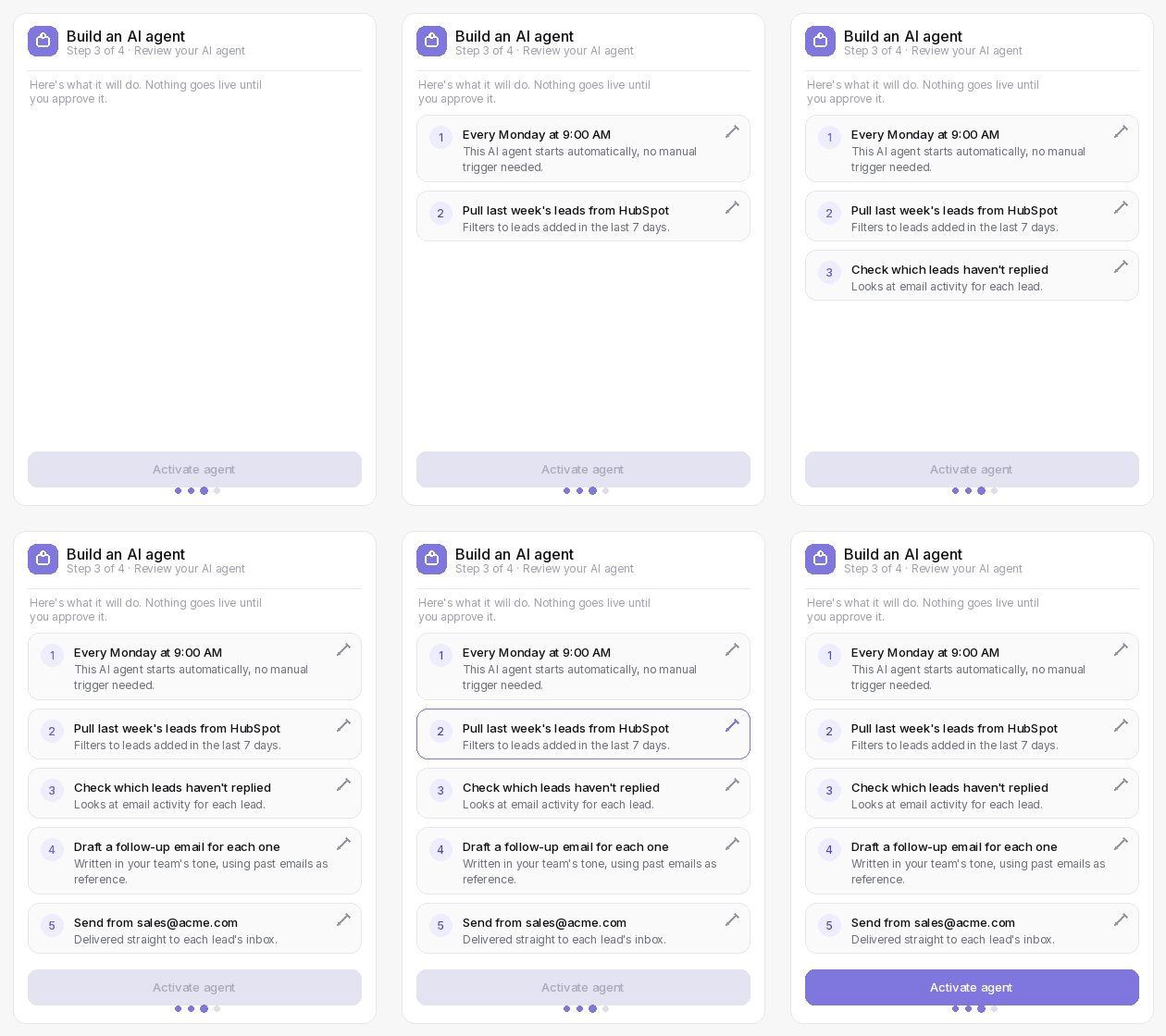
Step 3: Review your agent
See every step it will take, written in plain language, before it ever runs. Add, edit, or remove any step. Nothing goes live until you say so, and every part of it stays visible and editable after that too, not just at setup.
Step 4: It runs on its own
On a schedule or a trigger, every time. You see every run in full detail, and you’re always in control. If something needs to change, you go back into the same AI agent and edit it, no rebuilding from scratch.
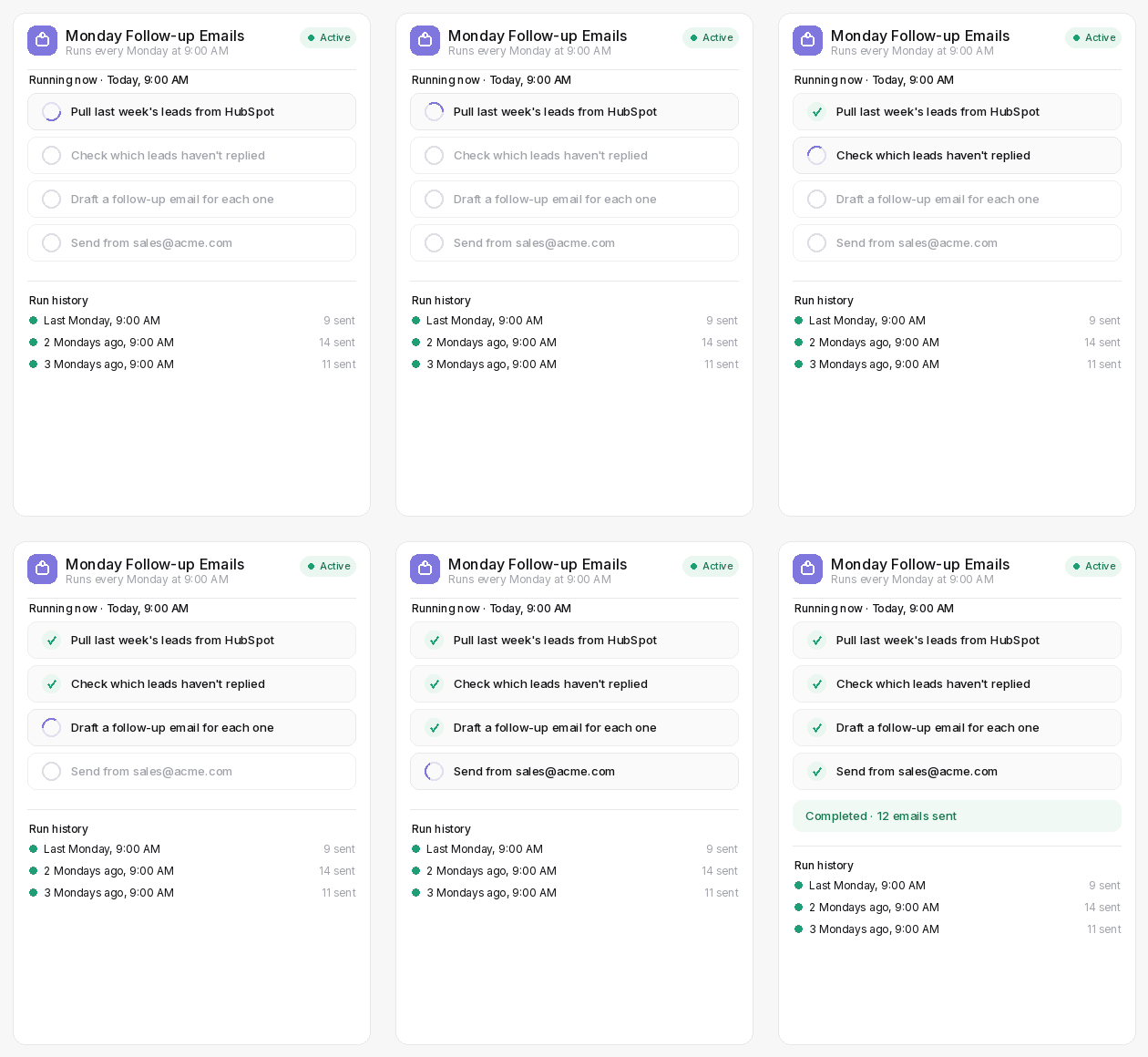
Different Types of AI agents
AI agents that answer, act, and run on their own
Every AI agent can work the way your task needs it to: answering questions on demand, completing something with one click, or running entirely on its own.
Get instant answers
Pull answers straight from your company's documents, past work, and connected apps.- Connected to your organization memory, docs, and apps
- No more searching through files or asking teammates
- Reliable, context-aware answers every time
Great for
Product Q&A, policy questions, client context, competitive research, onboarding
Complete a task in one click
Fill in a few details and get a finished draft, summary, or report back immediately.- Handles repeatable, structured work your team does daily
- Fill in a few details, get a finished output
- Anyone can run them, no AI experience needed
Great for
Writing, summarising, drafting, researching, reporting, and anything done more than once a week
Run automatically
Set a schedule or a trigger, and it runs on its own from then on.- Set a trigger, app event, or schedule, and it handles the rest
- Runs in the background without anyone initiating it
- No one has to remember to start it
Great for
Multi-step automations, scheduled reports, event-triggered tasks
AI Agents by Functions and Industry
AI Agents built for how your team actually works
Everyone in the team gets its own set of AI agents, ready to use from day one.

Front-Office Policy Agent
By: WorkLLM
Give your front-office team instant answers on scheduling, billing, and administrative procedures, so questions get resolved without pulling clinical staff away from patient care.
Firm Policy & Process Agent
By: WorkLLM
Give your team instant answers on firm policies, processes, and procedures, so questions get resolved without pulling a partner away from billable work.
Matter Context Agent
By: WorkLLM
Give your team instant access to a matter's full history, past filings, and client preferences, so anyone can pick it up with full context.
Precedent & Clause Lookup Agent
By: WorkLLM
Give your team instant access to past precedents and standard clauses, so drafting starts from what's already been done, not a blank page.

Design Knowledge Agent
By: WorkLLM
Give your design team instant answers on the design system, brand identity, and accessibility standards.

Board & Investor Agent
By: WorkLLM
Give founders, board members, and investors instant, secure answers on cap table and fundraising history.
Your AI agents, your way
Every AI agent is a starting point, not a ceiling!
Every ready-made AI agent is a starting point. Adjust it to fit exactly how your team works, or build something new entirely.
Customize a ready-made AI agent
Every AI agent comes ready to use, but your workflow might need something slightly different. Change the inputs, adjust the output format, update the tone, or connect it to a different data source. It takes minutes, not days.
Build from scratch
Have a workflow that doesn't fit any of the ready-made AI agents? Build your own from the ground up. Define what it needs, what it does, and who on the team can run it. No coding, no prompting expertise required.
Powered by organizational memory
Your AI agents already know your company
Point an AI agent to organization memory, and it has everything it needs, no re-explaining your company every time.
No re-explaining context
Your products, tone, and client details already live in organization memory. Tell an AI agent to use it, and it has everything it needs.
Consistent across your whole team
Everyone's AI agents draw from the same company knowledge, so you don't end up with five different versions of the same email or proposal.
Gets smarter over time
Every great output saved to organization memory makes it available for the next AI agent that needs it. Good work done once benefits everyone going forward.
Security & Privacy
Your AI agents run on your data, and only your data
Every WorkLLM workspace is physically isolated. What your agents know and do stays inside your workspace.
Dedicated tenant for enterprise customer
For enterprise customers, your workspace runs in its own isolated environment. Your data is physically separated from every other company on WorkLLM.
Zero data retention at the model layer
The AI models your agents use never store or train on your prompts or outputs. What goes in stays yours, and goes nowhere else.
Role-based access controls
Admins control who can run agents, who can build them, and who can access which data. Nothing is open by default.
Full audit logs
Every agent run is logged. Admins can see who ran what, when, and what the output was, so there are no blind spots in how your team uses AI.
FAQs
What is an AI agent in WorkLLM?
An AI agent is a purpose-built AI workflow for a specific task or question. Instead of figuring out what to ask and how to ask it, you pick the right AI agent, fill in a few details, and get a finished output. No prompting knowledge needed.
Do I need any AI or prompting skills to use AI agents?
No. That’s the whole point. AI agents are designed so anyone can run them without knowing how to write prompts or pick the right model. You just fill in the details it asks for and get the output.
Can I customize the ready-made AI agents?
Yes. Every AI agent can be customized to fit your exact workflow. You can change inputs, adjust the output format, update the tone, or connect it to a different data source. Changes take minutes, not days.
Can I build my own AI agents from scratch?
Yes. If none of the ready-made AI agents fit a workflow you need, you can build one from scratch. Define what it needs, what it does, and who can run it. No coding or technical skills required.
How do AI agents use organization memory?
Point an AI agent to organization memory, and it pulls the relevant context automatically from there, so you don’t need to specify the same details in multiple places. You can also run an AI agent without any memory context if you’d rather keep a specific task separate.
Which apps do AI agents connect to?
AI agents can connect to Google Workspace, Slack, Jira, HubSpot, Notion, Salesforce, and more. Once connected, they pull relevant context from your apps automatically so you don’t have to copy-paste anything in.
Is my data safe when running AI agents?
Yes. Every workspace runs in its own isolated tenant, with physical isolation available for Enterprise. Your data is never shared with other organizations, and the underlying AI models never retain or train on your prompts or outputs.
Your team can start using AI agents today
Every AI agent is ready to use from day one. No training, no setup, no prompting expertise required.