
Enterprise AI Platform behind every AI agent you build
No technical setup, no AI expertise, and no prompting required to get your workflows running on their own.
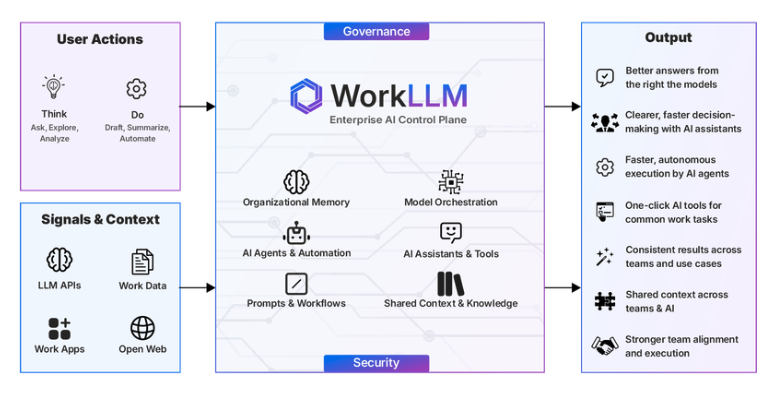
Teams at 150+ companies use our platform























check out our reviews



Inside the WorkLLM Enterprise AI Platform
WorkLLM agents automate your workflows. The WorkLLM enterprise AI platform is what makes that possible: memory for context, integrations to connect your tools, orchestration to pick the right model, and collaboration to share what your agents produce.
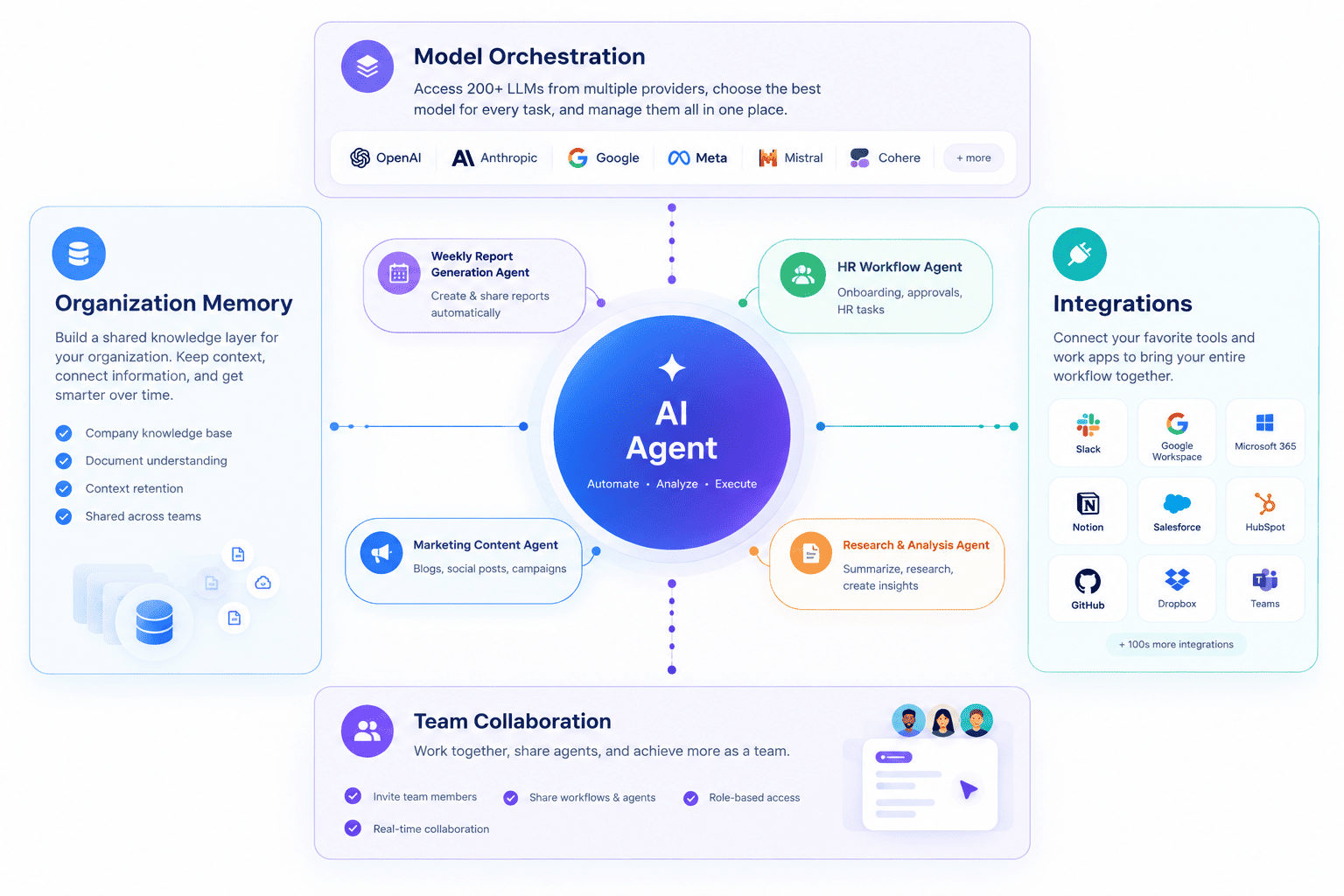
Layers of the WorkLLM Enterprise AI Platform
Layer 01: AI agents
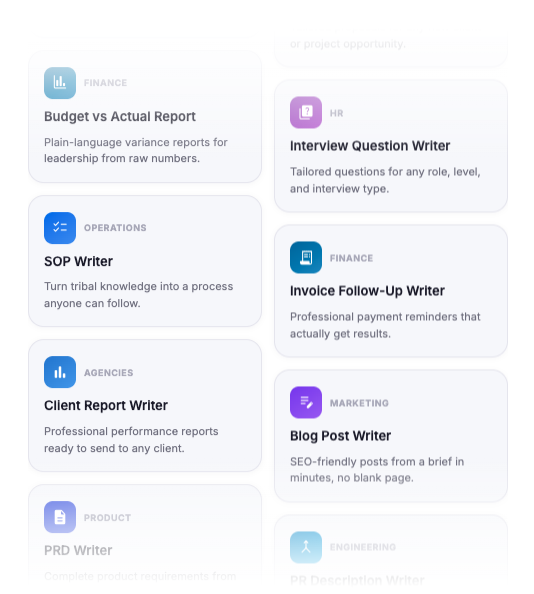
WorkLLM AI agents pick up your workflows and run them on their own, on a schedule or a trigger, without anyone writing a prompt. Describe what you do, and WorkLLM builds the AI agent.
- Start from your agent library, a template, or describe it from scratch
- Review and edit every step before it goes live
Layer 02: Organization memory
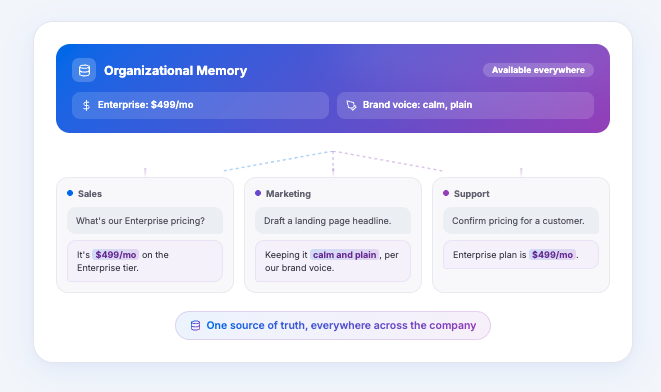
WorkLLM gives every AI agent a shared memory layer across your company, so it starts with the right context instead of a blank page. Good work becomes reusable knowledge that compounds over time.
- Five tiers of memory: Thread, Context, Project, Personal, and Organization
- One-click save to memory from any output
Layer 03: Integrations
AI agents connect to the tools your company already uses, so they have the right context and can take action without copy-paste. New integrations are added continuously.
- Google Workspace, Slack, Jira, HubSpot, Notion, Salesforce, and more
- Automatic context from every connected app, kept up to date
Layer 04: Model orchestration
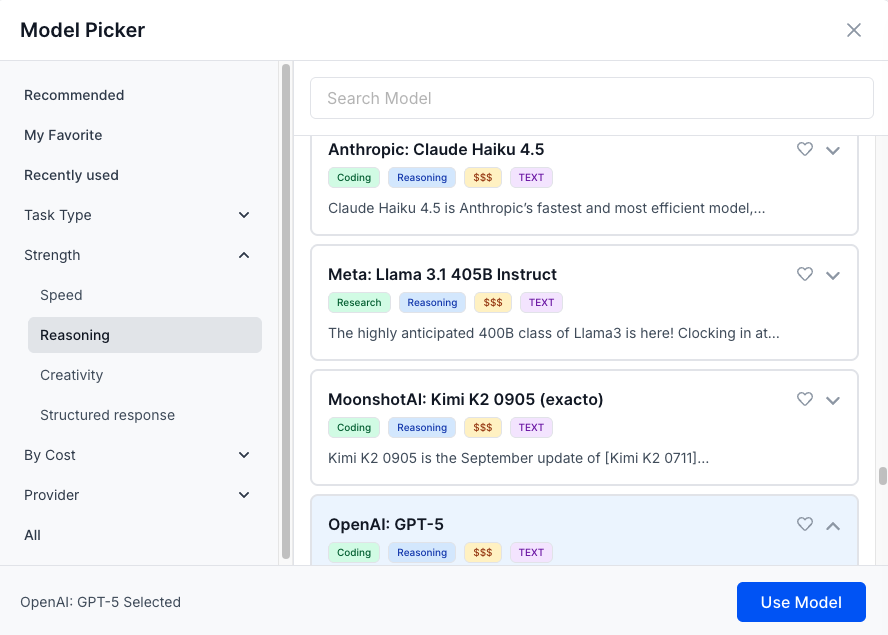
Access 200+ AI models in one workspace and pick the best model for each task. Compare results side by side and avoid vendor lock-in as models evolve.
- ChatGPT, Claude, Gemini, Llama, Mistral and many more
- Run up to four models on the same prompt to compare answers
Layer 05: Team collaboration
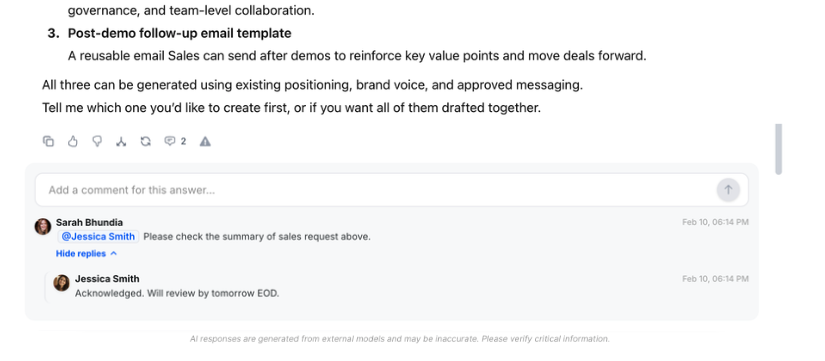
What one AI agent produces becomes visible and reusable by the rest of the company, not stuck in one person’s history.
- Share or co-prompt in real time and keep everyone on the same page
- Comment on outputs to add context, feedback, and next steps
Security & Data Safety
WorkLLM enterprise AI platform is designed so your team can automate their workflows with AI without your data being exposed, shared, or used in ways you didn’t agree to. Security is built into the architecture by default.
Tenant Isolation
Zero Data Retention Policy
End-to-End Encryption
Access Controls (RBAC / ABAC)
Audit Logs & Data Handling Transparency
Input & Output Guardrails
FAQs
What is WorkLLM as an enterprise AI platform?
WorkLLM is an enterprise AI platform for turning your company’s workflows into AI agents. It combines organization memory, model access, integrations, and collaboration so those AI agents have everything they need to run your daily work automatically.
How is WorkLLM different from ChatGPT or Claude?
ChatGPT and Claude mostly give you an answer, then you go do the work yourself. WorkLLM turns your workflows into AI agents that do the work, running on their own with organization memory and collaboration built in. No technical or prompting expertise required.
Do my team members need to know how to write prompts?
No. You describe your workflow in plain language and WorkLLM builds the AI agent, with the prompting handled underneath. Power users can still customize it if they want.
How does organizational memory work? What does it store?
It’s a shared knowledge layer every AI agent can uses. It stores company info, product details, documents, past decisions, and saved outputs across five tiers: Thread, Context, Project, Personal, and Organization.
Is our data safe? Can other companies see it?
Yes. Every company gets a fully isolated tenant, encrypted in transit and at rest, with access controls built in. Enterprise customers can also run on dedicated, physically isolated infrastructure. No other organization can access your data.
Does WorkLLM use our data to train AI models?
No. Your data never trains any model. We also enforce zero data retention with model providers so prompts and outputs are not stored or reused.
How quickly can our team get started?
Most people are up and running the same day. Sign up, connect your apps, and set up your first AI agent. Help is available if you want it, but nothing requires a sales call to get going.